Phactor™ Software for High-Throughput Reaction Arrays: A Comprehensive Guide for Accelerated Reaction Discovery and Optimization
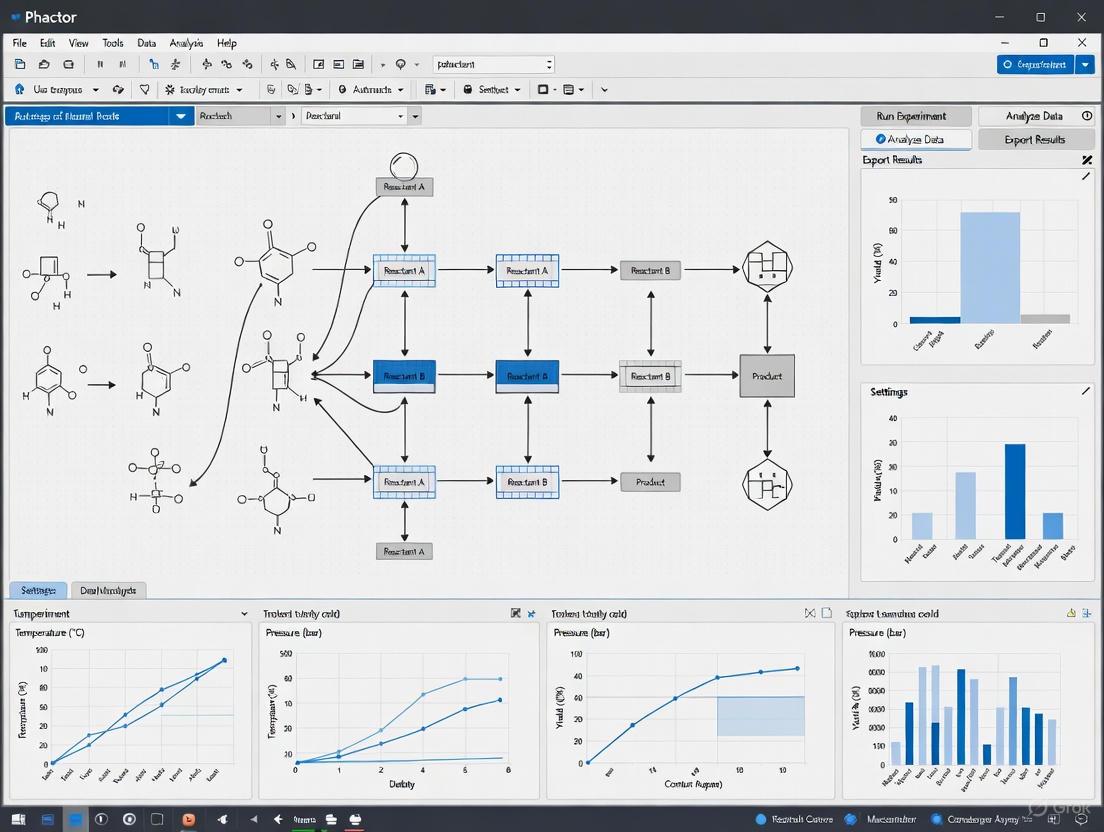
This article provides a comprehensive overview of phactor™, a specialized software solution designed to streamline high-throughput experimentation (HTE) for chemical reaction discovery and optimization.
Phactor™ Software for High-Throughput Reaction Arrays: A Comprehensive Guide for Accelerated Reaction Discovery and Optimization
Abstract
This article provides a comprehensive overview of phactor™, a specialized software solution designed to streamline high-throughput experimentation (HTE) for chemical reaction discovery and optimization. Tailored for researchers, scientists, and drug development professionals, it explores the software's foundational principles for managing data-rich experiments, its practical workflow from design to analysis, and its integration with liquid handling robots and AI tools like ChatGPT. The content also covers troubleshooting common challenges, validating the software's efficacy through real-world case studies in medicinal chemistry, and comparing it within the broader HTE and automation landscape. This guide serves as an essential resource for labs seeking to enhance productivity, standardize data collection, and accelerate innovation in synthetic chemistry and drug discovery.
Understanding Phactor™: Revolutionizing Data-Rich High-Throughput Experimentation
The increasing complexity of chemical research, particularly in pharmaceutical development and radiochemistry, has created an urgent need for sophisticated software solutions to manage data-rich experimental arrays. High-Throughput Experimentation (HTE) enables researchers to screen numerous reaction conditions simultaneously, dramatically accelerating optimization processes. This approach consumes approximately 100 times less precursor per datapoint compared to conventional instruments by utilizing microliter-scale reaction volumes (typically 10 μL versus ~1 mL) [1]. However, the substantial data generated by these parallelized systems presents significant challenges in organization, analysis, and visualization that can only be addressed through specialized software platforms.
Within this context, the phactor software ecosystem emerges as a comprehensive solution specifically designed for HTE reaction array research. By integrating experimental design, chemical management, and analytical visualization into a cohesive workflow, phactor addresses critical bottlenecks in data management and experimental efficiency. This application note details the implementation of phactor within a microscale radiochemistry optimization platform capable of performing 64 parallel reactions across four independent heater arrays [1], demonstrating how specialized software transforms raw data into actionable chemical insights.
Phactor HTE Workflow: Integrated Experimental Design to Analysis
The phactor software operates through a structured, multi-stage workflow that guides researchers from initial experimental setup to final data visualization. This systematic approach ensures comprehensive parameter tracking and data integrity throughout the experimental process.
Workflow Implementation Protocol
Stage 1: Settings Configuration
- Function: Define core experiment parameters including experiment name, throughput (24 or 96 wells), and reaction volume (typically 100 μL for specified throughputs).
- Procedure: Users navigate to the Settings landing page, review terms of service, and initialize the experimental framework [2].
Stage 2: Factors Definition
- Function: Optionally input experimental design parameters for automated plate layout generation.
- Procedure: Input screening factors (e.g., 4 ligands × 6 catalysts for a 24-well experiment). Assign factors values of 0 to ignore or 1 to distribute into each well. Record experimental metadata including stir rate, temperature, solvent, and user-defined commentary. Define expected products and side products via SMILES strings and descriptive names using the Set Products functionality [2].
Stage 3: Chemicals Registration
- Function: Catalog substrates and reagents planned for use in the reaction array.
- Procedure: Add chemicals manually via input form or automatically via CSV template or built-in chemical database. For each reagent, specify descriptive name, molar mass, reaction molarity, overhead multiplier, SMILES string, density, and factor type. The integrated checklist visually indicates when defined screening factors are satisfied [2].
Stage 4: Grid Stage Experimental Design
- Function: Interactive wellplate manipulation and stock solution calculation.
- Procedure: Manually add or remove reagents from individual or multiple wells via drag-and-click interface. View stock solution recipes and input true weighted masses to recalculate solvent volumes for correct stock molarity. Download wellplate recipe files for experimental execution [2].
Stage 5: Analysis & Visualization
- Function: Process and visualize experimental results from completed assays.
- Procedure: Upload analysis CSV file with required headers including Sample Name, productsmiles, productyield, and product_name. Generate interactive heatmaps displaying outputs; clicking cells reveals detailed well information including inputs, outputs, and molecular structures [2].
Stage 6: Report Generation
- Function: Compile comprehensive experimental documentation and results.
- Procedure: Automatically generate summary outputs and download results CSV containing all experimental data and outcomes [2].
Workflow Visualization
The following diagram illustrates the integrated phactor HTE workflow, showing critical decision points and data flow throughout the experimental process:
Experimental Protocol: [18F]Radiopharmaceutical Optimization Case Study
This protocol details the application of the phactor platform to optimize reaction conditions for fluorine-18 labeled radiopharmaceuticals, demonstrating the software's capability to manage complex experimental arrays with substantial parameter variation.
Materials and Equipment
Table 1: Essential Research Reagent Solutions and Materials
| Item | Function/Application | Specifications |
|---|---|---|
| Teflon-coated Silicon Chips | Platform for parallel droplet reactions | 25.0 × 27.5 mm² with 16 hydrophilic sites of 3mm diameter [1] |
| Four-Heater Platform | Independent temperature control for parallel reactions | Four 25×25 mm² ceramic heaters with thermal insulation [1] |
| Chemical Reagents | Substrates, precursors, bases, solvents | Varies by specific radiopharmaceutical synthesis [1] |
| [18F]Fluoride | Radionuclide source for radiofluorination | QMA cartridge elution [1] |
| CSV Template Files | Standardized data input for phactor | Pre-formatted with required column headers [2] |
Methodology
Step 1: Experimental Design Implementation
- Access the phactor software interface at https://phactor.cernaklab.com.
- In the Settings stage, define experiment name and select appropriate throughput parameters.
- Progress to Factors stage and input planned experimental variables including catalyst types, base amounts, solvent systems, temperature gradients, and reaction times.
- Define expected products ([18F]Flumazenil, [18F]PBR06, [18F]Fallypride, or [18F]FEPPA) and potential side products using SMILES notation [2] [1].
Step 2: Chemical Repository Population
- Navigate to Chemicals stage and input all required reagents via CSV template with headers: [atp, chemicalName, chemtype, density, factor, molarMass, molarity, order, smiles].
- Verify factor assignment (e.g., Nucleophile, Catalyst1) corresponds to protocol definitions.
- Confirm checklist indicates all defined screening factors are satisfied before proceeding [2].
Step 3: Wellplate Configuration and Execution
- Advance to Grid stage to review automated experimental layout based on defined factors.
- Manually adjust well assignments as necessary using drag-select functionality for bulk edits.
- Record true weighted masses of reagents to recalculate solvent volumes for correct stock molarities.
- Download 'Wellplate recipe' CSV file and execute printed experimental protocol [2].
Step 4: Radiochemical Synthesis and Analysis
- Perform 64 parallel reactions (4 chips × 16 reactions each) using ~10 μL droplet volumes.
- Employ independent heater control to apply varied temperature conditions across chips.
- Terminate reactions simultaneously or in temporally staggered fashion based on experimental design.
- Analyze crude products via radio-TLC or radio-HPLC to determine conversion yields [1].
Step 5: Data Integration and Visualization
- Compile analytical results into analysis CSV with headers: [Sample Name, productsmiles, productyield, product_name].
- Upload data to Analysis stage of phactor software for visualization.
- Generate interactive heatmaps displaying yield outcomes across experimental conditions.
- Export comprehensive dataset and visualizations from Report stage [2].
Quantitative Data Presentation
Table 2: High-Throughput Radiochemistry Optimization Data
| Radiopharmaceutical | Parameters Screened | Reaction Volume | Precursor Savings | Replicates per Condition |
|---|---|---|---|---|
| [18F]Flumazenil | Base type, amount, solvent, temperature, time | ~10 μL [1] | ~100× [1] | n=4 [1] |
| [18F]PBR06 | Base type, amount, solvent, temperature, time | ~10 μL [1] | ~100× [1] | n=4 [1] |
| [18F]Fallypride | Base type, amount, solvent, temperature, time | ~10 μL [1] | ~100× [1] | n=4 [1] |
| [18F]FEPPA | Base type, amount, solvent, temperature, time | ~10 μL [1] | ~100× [1] | n=4 [1] |
Table 3: Four-Heater Platform Performance Specifications
| Parameter | Specification | Measurement Technique |
|---|---|---|
| Temperature Stability | <1°C fluctuation once stabilized [1] | Integrated K-type thermocouple [1] |
| Heating Time | ~5 seconds to setpoint [1] | On-off controller in LabView [1] |
| Cooling Time (100°C to 30°C) | ~2.5 minutes [1] | Forced-air cooling with DC fans [1] |
| Temperature Uniformity | >98% across usable area [1] | Thermal imaging analysis [1] |
| Parallel Reaction Capacity | 64 reactions (4×16) [1] | Chip and heater form factor [1] |
The Scientist's Toolkit: Essential Research Reagent Solutions
Effective implementation of HTE methodologies requires both specialized physical components and sophisticated software solutions. The following table details critical elements of the integrated platform described in this application note.
Table 4: Research Reagent Solutions and Essential Materials
| Component Name | Category | Function/Purpose |
|---|---|---|
| phactor Software Platform | Software | End-to-end experimental design, execution, and data analysis [2] |
| CSV Template System | Data Management | Standardized input for chemicals, products, and analytical results [2] |
| Multi-Reaction Chip | Hardware Platform | Provides 16 simultaneous reaction sites in droplet format [1] |
| Four-Heater Array | Instrumentation | Independent temperature control for parallel optimization [1] |
| Chemical Database | Software/Chemistry | Library of common reagents for rapid experimental setup [2] |
| Interactive Wellplate Grid | Software Interface | Visual experimental design and manual adjustment capability [2] |
| Analysis Heatmaps | Software/Visualization | Interactive yield visualization across experimental conditions [2] |
Discussion: Implications for Drug Development Timelines
The integration of specialized software like phactor with miniaturized experimental platforms represents a paradigm shift in chemical optimization methodologies. By performing >800 experiments within 15 experiment days [1], this approach demonstrates unprecedented efficiency in reaction screening and optimization. The substantial reduction in reagent consumption (approximately 100-fold) makes comprehensive optimization studies economically feasible even for expensive pharmaceutical precursors.
This HTE platform particularly benefits time-sensitive chemical development domains such as radiopharmaceutical production for positron-emission tomography (PET). The dramatically shortened optimization timeline enables more rapid tracer development, potentially accelerating drug discovery and diagnostic applications [1]. The structured data management approach ensures experimental reproducibility and facilitates knowledge transfer across research teams, addressing significant challenges in complex chemical optimization.
Future developments in HTE software integration will likely focus on enhanced predictive modeling, automated condition selection, and real-time analytical integration, further reducing the interval between experimental conception and optimized chemical processes.
Phactor is a specialized software platform designed to facilitate the performance and analysis of High-Throughput Experimentation (HTE) in chemical laboratories [3]. It addresses a critical gap in data-rich chemical research by providing a comprehensive solution for designing, executing, and analyzing arrays of chemical reactions, typically conducted in 24, 96, 384, or 1,536-well plates [3] [4]. The primary development objective is to minimize the time and resources spent between experiment ideation and result interpretation, thereby accelerating reaction discovery and optimization [3]. By capturing detailed reaction data in a standardized, machine-readable format, Phactor also aims to bolster the amount of available, high-quality data for machine learning studies in chemistry [3].
Core Philosophy and Workflow
Foundational Principles
The philosophical underpinning of Phactor centers on creating a robust yet generalizable HTE workflow that captures the nuances of chemical experimentation while reporting all data in a standardized, machine-readable format [3]. This approach enables a closed-loop workflow for HTE-driven chemical research by interconnecting experimental results with online chemical inventories through a shared data format [3]. The software was designed with interoperability in mind, allowing its inputs and outputs to be procedurally generated or modified with basic Excel or Python knowledge to interface with various robotic systems, analytical instruments, and custom chemical inventories [3].
Integrated Workflow Architecture
The Phactor workflow integrates multiple stages of high-throughput experimentation into a seamless process. The system begins with experimental design, allowing users to select desired reagents from an online inventory for automatic field population or manually enter custom reagent entries [3]. The reaction array layout can be designed automatically or manually according to researcher preference. Subsequently, the platform generates reagent distribution instructions that can be executed either manually or through integration with liquid handling robots [3]. This hardware-agnostic approach ensures consistent workflow experiences regardless of available equipment, supporting everything from manual dosing to integration with platforms like the Opentrons OT-2 for 384-well throughput or the SPT Labtech mosquito for 1536-well ultraHTE [3].
Table: Phactor Workflow Stages and Capabilities
| Workflow Stage | Key Features | Supported Formats |
|---|---|---|
| Experiment Design | Access to online reagent data; manual or automatic array layout | 24, 96, 384, 1536-well plates |
| Instruction Generation | Manual or robotic execution; last-minute modifications | Compatible with multiple robot APIs |
| Data Integration | Analytical results upload; heatmap visualization | CSV, machine-readable formats |
| Data Storage | Standardized, machine-readable format | Compatible with various software |
Following reaction completion, analytical results can be uploaded for facile evaluation, with support for any data format that includes a well-location map [3]. This allows both reaction performance data (e.g., UPLC-MS conversion) and biological assay results (e.g., bioactivity data) to be viewed in concert, creating a comprehensive experimental record [3]. All chemical data, metadata, and results are stored in machine-readable formats that are readily translatable to various software systems, ensuring long-term data utility and interoperability [3] [4].
Experimental Protocols and Applications
Protocol for Reaction Discovery and Optimization
Phactor enables systematic investigation of chemical reactions through carefully designed experimental arrays. A representative protocol for deaminative aryl esterification discovery illustrates this approach [3]:
Reaction Setup: An amine, activated as its diazonium salt, is combined with a carboxylic acid in the presence of transition metal catalysts, ligands, and potential additives in acetonitrile [3].
Array Design: Phactor automatically designs the reagent distribution by splitting the plate into a multiplexed array—for example, testing three transition metal catalysts against four ligands with silver nitrate additive present or absent across 24 wells [3].
Execution: Reactions are stirred at 60°C for 18 hours, either manually or with robotic assistance [3].
Analysis: After completion, an internal standard (caffeine) is added to each well. An aliquot is transferred to a plastic wellplate, diluted with acetonitrile, and analyzed by UPLC-MS for product formation [3].
Data Processing: UPLC-MS output files are analyzed by compatible software (e.g., Virscidian Analytical Studio), which generates CSV files containing peak integration values for each chromatographic trace [3].
Visualization: The CSV file is imported into Phactor to record experimental outcomes and produce heatmaps for rapid identification of promising conditions [3].
Application in Pharmaceutical Discovery
The platform has demonstrated significant utility in pharmaceutical discovery, including the identification of a low micromolar inhibitor of the SARS-CoV-2 main protease [3]. The software's ability to rapidly screen reaction conditions and generate dose-response data accelerates hit identification and optimization phases. For biochemical screening, Phactor can be adapted to protocols involving immunomodulatory compound screening using human primary cells, where peripheral blood mononuclear cells (PBMCs) are cultured in autologous plasma and exposed to small molecule libraries [5]. After 72 hours of incubation, supernatants are harvested for cytokine secretion measurement via AlphaLISA assays, while cells are fixed and stained for activation markers analyzed via flow cytometry [5].
The Scientist's Toolkit: Essential Research Reagent Solutions
Table: Key Research Reagent Solutions for Phactor-Enabled Experimentation
| Reagent/Category | Function in HTE | Example Applications |
|---|---|---|
| Transition Metal Catalysts | Facilitate bond formation through various catalytic cycles | CuI, CuBr, Pd2dba3 for coupling reactions [3] |
| Ligand Systems | Modulate catalyst activity, selectivity, and stability | Pyridine, (S,S)-DACH-phenyl Trost ligand (L3) [3] |
| Additives | Enhance reactivity or suppress side reactions | Silver nitrate, magnesium sulfate [3] |
| Bases | Facilitate deprotonation steps in catalytic cycles | Caesium carbonate, potassium carbonate [3] |
| Internal Standards | Enable quantitative analytical measurements | Caffeine for UPLC-MS normalization [3] |
| Solvents | Reaction medium influencing solubility and reactivity | Acetonitrile, DMSO, toluene [3] |
Data Management and Visualization
Phactor incorporates sophisticated data management and visualization capabilities essential for interpreting complex experimental outcomes. The system generates heatmaps that provide immediate visual feedback on reaction performance across the entire experimental array [3]. For stereoselective reactions, multiplexed pie charts can reveal selectivity patterns, illustrating how different conditions affect isomeric ratios [3]. All experimental data, metadata, and results are stored in machine-readable formats that support data sharing and reuse [3]. This structured approach to data management ensures experimental details are captured in a tractable manner that surpasses the capabilities of conventional electronic lab notebooks for HTE data [3].
Diagram 1: Phactor end-to-end workflow for high-throughput experimentation, illustrating the closed-loop feedback system that enables rapid experimental iteration.
Diagram 2: Phactor data management architecture showing the flow from multiple data sources through standardization to various output formats that support research continuity and external software integration.
Phactor represents a significant advancement in high-throughput experimentation management by addressing critical bottlenecks in experimental design, execution, and data analysis. Its core philosophy of creating a standardized, machine-readable framework for chemical experimentation positions it as an enabling technology for the next generation of data-driven chemical research. The software's development objectives align with the growing needs of research laboratories engaged in reaction discovery, optimization, and pharmaceutical development. By providing this infrastructure free for academic use in 24- and 96-well formats, Phactor has the potential to broadly impact scientific discovery across the chemical sciences [3].
High-Throughput Experimentation (HTE) has emerged as a powerful, reliable, and economical technique for rapid reaction discovery and optimization in modern chemical research and drug development [3]. The phactor software suite addresses a critical gap in this domain by providing an integrated platform that streamlines the entire HTE workflow, from initial experimental design to final data analysis [6]. This application note details the comprehensive wellplate support capabilities of phactor, which facilitates reaction array planning and analysis across 24, 96, 384, and 1,536-wellplate formats, enabling researchers to maximize throughput while maintaining data integrity and experimental flexibility [3] [7].
The core innovation of phactor lies in its ability to minimize the logistical challenges and time investment between experiment conception and result interpretation [3]. By automating experimental design and providing a standardized framework for data capture, the software enables chemists to focus on scientific creativity rather than procedural overhead. Furthermore, phactor stores all chemical data, metadata, and results in machine-readable formats that are readily translatable to various software systems and liquid handling robots, creating a closed-loop workflow for HTE-driven chemical research [3].
Core Features and Wellplate Specifications
phactor provides comprehensive support for standard wellplate formats, each suited to different experimental scales and throughput requirements. The software's architecture is specifically designed to handle the complexities of managing large reaction arrays while maintaining a consistent user experience regardless of hardware capabilities [3].
Table 1: phactor Wellplate Support Specifications
| Wellplate Format | Throughput Level | Primary Applications | Implementation Methods | Data Output |
|---|---|---|---|---|
| 24-well | Low-throughput | Preliminary reaction screening, method scouting | Manual dosing | Machine-readable formats |
| 96-well | Medium-throughput | Reaction optimization, substrate scope exploration | Manual or robotic | Standardized for analysis |
| 384-well | High-throughput (HTE) | Comprehensive condition screening, library synthesis | Liquid handling robots | Compatible with analytics |
| 1,536-well | Ultrahigh-throughput (ultraHTE) | Direct-to-biology assays, massive library screening | Specialized robotics (e.g., mosquito) | Integrated biological & chemical data |
The software's compatibility spans from accessible 24-well plates for initial reaction discovery to 1,536-well plates for ultrahigh-throughput applications, with the platform automatically managing reagent distribution patterns and experimental layouts according to the selected format [3] [6]. This flexibility allows research groups to implement HTE strategies regardless of their current instrumentation, with capabilities to scale up as needs evolve. phactor has been made available for free academic use in 24- and 96-well formats via an online interface, significantly lowering the barrier to entry for HTE in academic settings [3].
Experimental Protocols for Wellplate-Based Reaction Arrays
Protocol 1: 24-Wellplate Reaction Discovery
Purpose: To rapidly identify promising reaction conditions for novel chemical transformations using a 24-wellplate format.
Materials:
- phactor software (online interface)
- 24-well reaction plate
- Stock solutions of reactants, catalysts, ligands, and additives
- Liquid handling equipment (manual or automated)
- Heating/stirring station for wellplates
- UPLC-MS system for analysis
Procedure:
- Experimental Design:
- Access phactor and create a new 24-well experiment.
- Input experimental factors to be screened (e.g., catalysts, ligands, additives).
- Select reagents from integrated chemical inventory or enter manually.
Plate Layout Generation:
- phactor automatically designs reagent distribution pattern.
- Review and modify the proposed grid layout if necessary.
- Download step-by-step reagent distribution instructions.
Reaction Setup:
- Prepare stock solutions according to phactor-generated instructions.
- Distribute solutions to designated wells following the generated layout.
- Seal plate and initiate reactions under specified conditions (temperature, time).
Reaction Analysis:
- Quench reactions after designated time.
- Transfer aliquots to analysis plate.
- Analyze by UPLC-MS with internal standard (e.g., caffeine).
Data Integration:
- Upload analytical results (CSV format) to phactor.
- View heatmap visualization of reaction outcomes.
- Export machine-readable data for further analysis [3].
Application Example: Discovery of deaminative aryl esterification reactions by screening diazonium salts with carboxylic acids against various transition metal catalysts and ligands, identifying optimal conditions achieving 18.5% assay yield [3].
Protocol 2: 384-Wellplate Reaction Optimization
Purpose: To systematically optimize reaction conditions across multiple variables using higher-throughput 384-wellplate format.
Materials:
- phactor software with 384-wellplate support
- 384-well reaction plates
- Liquid handling robot (e.g., Opentrons OT-2)
- Stock solutions at appropriate concentrations
- Centrifuge for plate processing
- Plate reader or UPLC-MS with high-throughput capabilities
Procedure:
- Multiplexed Array Design:
- Configure multiple variables simultaneously (e.g., catalyst source, ligand, additive, stoichiometry).
- phactor automatically generates full combinatorial layout.
- Define control well positions for assay validation.
Automated Liquid Handling:
- Export robot-specific instructions from phactor.
- Program liquid handling robot using generated protocols.
- Execute automated reagent distribution.
Reaction Execution:
- Incubate plates under controlled atmosphere if required.
- Maintain specified temperature with precision heating.
- Agitate plates to ensure mixing if needed.
High-Throughput Analysis:
- Quench entire plate simultaneously.
- Dilute samples uniformly using liquid handler.
- Analyze using high-throughput UPLC-MS or plate reader.
Data Reduction:
- Import analytical data with well-location mapping.
- Use phactor analysis tools to identify optimal conditions.
- Triage conditions for further investigation [3].
Application Example: Optimization of penultimate step in umifenovir synthesis through copper-catalyzed oxidative indolization, identifying copper bromide with specific ligand as optimal conditions yielding 66% isolated yield upon scale-up [3].
Protocol 3: 1,536-Wellplate Direct-to-Biology Screening
Purpose: To synthesize and biologically screen compound libraries in an ultrahigh-throughput format without intermediate purification.
Materials:
- phactor software with 1,536-wellplate support
- 1,536-well microplates
- SPT Labtech mosquito or equivalent liquid handling robot
- Stock solutions of building blocks in DMSO
- Biological assay reagents
- HTRF-compatible plate reader (e.g., PHERAstar FSX)
Procedure:
- Library Design:
- Input building blocks from chemical inventory.
- Design reaction array to maximize structural diversity.
- Include controls for both chemistry and biology.
Nanoliter-Scale Synthesis:
- phactor generates instructions for mosquito robot.
- Execute automated reagent transfer at nanoliter scale.
- Incubate plates under controlled conditions for reaction completion.
Direct Biological Screening:
- Without purification, add biological assay components directly to reaction wells.
- Incubate for appropriate assay duration.
- Read plates using HTRF detection methods.
Integrated Data Analysis:
Hit Triage:
- Scale up promising hits for validation.
- Isolate compounds for confirmatory assays.
- Iterate library design based on initial results.
Application Example: Discovery of low micromolar inhibitor of SARS-CoV-2 main protease through ultrahigh-throughput direct-to-biology campaign, where amide chemistry was performed in 1,536-wellplates followed by immediate biological screening [3] [6].
Workflow Integration and Data Management
The phactor platform integrates multiple stages of the HTE workflow into a seamless process, from initial design to final analysis. The software's architecture is specifically engineered to maintain data integrity across different wellplate formats while providing flexibility for various instrumentation levels.
Diagram 1: phactor HTE Workflow (27 characters)
phactor employs a standardized reaction template that systematically classifies substrates, reagents, and products, creating a consistent data structure that interconnects experimental results with online chemical inventories [3]. This approach enables rapid reaction array design and analytics while ensuring that all experimental details are captured in a machine-readable format suitable for downstream analysis and machine learning applications.
The software's compatibility with various analytical instruments and data formats allows researchers to incorporate results from diverse sources, including UPLC-MS conversion data, bioactivity readings from plate readers, and internal standard normalized results [3]. This data agnosticism makes phactor particularly valuable in direct-to-biology applications where both chemical and biological results must be considered simultaneously.
The Scientist's Toolkit: Essential Research Reagent Solutions
Successful implementation of phactor-driven high-throughput experimentation requires appropriate supporting technologies and reagents. The table below details essential components for establishing a robust HTE workflow.
Table 2: Essential Research Reagent Solutions for phactor-Driven HTE
| Item | Function | Application Notes |
|---|---|---|
| phactor Software | Experimental design, data management, and analysis | Free academic access for 24- and 96-well formats; web-based interface [3] |
| Chemical Inventory | Database of available reagents with associated metadata | Enables rapid experiment design; integrates with phactor for automatic field population [3] |
| Liquid Handling Robots | Automated reagent distribution | Opentrons OT-2 for ≤384-wellplates; SPT Labtech mosquito for 1536-wellplates [3] |
| HTRF Plate Reader | Fluorescence-based detection for biological assays | PHERAstar FSX recommended for best sensitivity; simultaneous dual emission detection [8] |
| UPLC-MS Systems | High-throughput analytical characterization | Virscidian Analytical Studio compatibility for automated conversion analysis [3] |
| Stock Solutions | Prediluted reagents at standardized concentrations | Prepared according to phactor-generated instructions; concentration typically 0.1-0.5 M |
| Internal Standards | Reference compounds for analytical quantification | Caffeine commonly used for UPLC-MS normalization [3] |
The integration of these components creates a complete ecosystem for high-throughput reaction screening and optimization. Liquid handling robots interface directly with phactor-generated instructions, ensuring precise reagent transfer according to experimental designs [3]. Similarly, plate readers with HTRF (Homogeneous Time-Resolved Fluorescence) capabilities, particularly those with simultaneous dual emission detection like the PHERAstar FSX, provide the sensitivity and throughput required for direct-to-biology applications [8].
Implementation Examples and Case Studies
phactor has been successfully implemented across diverse chemical and biological applications, demonstrating its versatility across different wellplate formats and experimental objectives.
Case Study 1: Reaction Discovery and Optimization In one implementation, researchers utilized a 24-wellplate array to discover a deaminative aryl esterification reaction [3]. The experimental design systematically evaluated an amine (as diazonium salt), carboxylic acid, three transition metal catalysts, four ligands, and silver nitrate additive across the plate. phactor automatically designed the reagent distribution pattern, splitting the plate into a four-row by six-column multiplexed array. After execution and UPLC-MS analysis with caffeine internal standard, results were uploaded to phactor, producing a heatmap that clearly identified optimal conditions (CuI, pyridine, AgNO₃) yielding 18.5% assay yield, which were then triaged for further investigation [3].
Case Study 2: Reaction Optimization The optimization of an oxidative indolization reaction as the penultimate step in umifenovir synthesis demonstrates phactor's application in reaction optimization [3]. Researchers employed a 24-wellplate to screen four copper sources (cuprous iodide, cuprous bromide, tetrakis(acetonitrile) copper(I) triflate, cupric acetate) against ligand/additive combinations including magnesium sulfate and two different acids. Reactions were manually arrayed in a glovebox, sealed, and stirred at 55°C for 18 hours. phactor analysis identified well B3 (copper bromide with L1 ligand and no magnesium sulfate) as the best performing condition, which when scaled to 0.10 mmol produced the desired indole in 66% isolated yield [3].
Case Study 3: Selective Reaction Development In a study on allylation of furanones, researchers investigated regioselectivity using phactor to manage a 24-wellplate array [3]. The experiment evaluated different nucleophile-electrophile combinations with varying catalyst ratios and base addition. phactor's multiplexed pie chart visualization revealed that specific conditions (well D3, 2:1 palladium catalyst to ligand loading, no base) generated the desired γ-regioisomer with greatest selectivity. This case highlights phactor's utility in visualizing complex outcome data beyond simple conversion metrics [3].
Case Study 4: Direct-to-Biology Application The most sophisticated implementation involved ultrahigh-throughput direct-to-biology screening for SARS-CoV-2 main protease inhibitors [3] [6]. Researchers first performed a 24-well exploratory experiment to test chemistry-biology compatibility, then scaled to a 1,536-wellplate for library synthesis. phactor designed the array, coordinated with liquid handling robots for nanoliter-scale dosing, and integrated both chemical and biological results after HTRF-based screening. The platform identified a novel competitive inhibitor of the SARS-CoV-2 main protease, which was subsequently scaled up and isolated, demonstrating phactor's capability to bridge chemical synthesis and biological screening in a unified workflow [3] [6].
phactor provides researchers with a comprehensive software solution for designing, executing, and analyzing high-throughput experiment arrays across a range of wellplate formats. The platform's support for 24, 96, 384, and 1,536-wellplates enables applications spanning initial reaction discovery to ultrahigh-throughput direct-to-biology screening, all while maintaining standardized, machine-readable data output. By minimizing logistical overhead and maximizing experimental throughput, phactor accelerates the reaction discovery and optimization process, allowing researchers to focus on scientific innovation rather than procedural complexity. The software's free availability for academic use in 24- and 96-well formats further enhances accessibility, promising to expand HTE capabilities across the chemical research community.
The Importance of a Standardized, Machine-Readable Data Format for Machine Learning
In the field of chemical research, particularly in pharmaceutical development, high-throughput experimentation (HTE) has emerged as an accessible, reliable, and economical technique for rapid reaction discovery and optimization [9]. The ability to perform hundreds or thousands of parallel experiments in wellplates ranging from 24 to 1,536 wells generates unprecedented volumes of chemical data [9]. However, this data richness presents a significant informatics challenge: without standardized, machine-readable formats to manage this deluge of information, critical findings remain trapped in unstructured formats, inaccessible for systematic analysis or machine learning applications. The organizational load required to perform even simple 24-well reaction arrays is considerable, and managing multiple arrays or ultraHTE in 1536-well plates becomes practically impossible without specialized information management software [9]. This paper explores the critical importance of standardized, machine-readable data formats within the context of phactor software, a HTE management system designed to streamline the collection and analysis of high-throughput chemical reaction data [9] [4].
The phactor Platform: A Case Study in Standardized Data Management
phactor Workflow and Architecture
phactor was specifically developed to address the data handling challenges inherent in modern HTE workflows [9]. The software enables researchers to rapidly design arrays of chemical reactions in 24, 96, 384, or 1,536 wellplates, accessing online reagent databases and chemical inventories to virtually populate wells with experiments [9] [4]. A key innovation of phactor is its use of a standardized reaction template that classifies substrates, reagents, and products in a consistent, machine-readable format [9]. This creates a closed-loop workflow for HTE-driven chemical research by interconnecting experimental results with online chemical inventories through a shared data structure [9].
The philosophy behind phactor's data structure is to record experimental procedures and results in a machine-readable yet simple, robust, and abstractable format that can naturally translate to other system languages [9]. This design decision recognizes the rapidly accelerating chemical research software ecosystem and ensures compatibility with various robotics systems, analytical instruments, and software platforms [9]. The inputs and outputs of phactor can be procedurally generated or modified with basic Excel or Python knowledge, enabling interface with any robot, analytical instrument, or custom chemical inventory containing metadata such as reagent location, molecular weight, CAS number, or SMILES strings [9].
Machine-Readable Data Exchange and Interoperability
The machine-readable data format employed by phactor enables seamless data exchange throughout the experimental workflow [9]. As shown in Table 1, this interoperability spans multiple stages of the HTE process, from experimental design to data analysis. This standardized approach stands in stark contrast to traditional document formats like PDFs, which are primarily intended for visual representation rather than direct data accessibility [10]. While PDFs serve as universal formats for sharing formatted content, the data contained within them is often not directly accessible or editable, requiring manual extraction or specialized OCR software [10].
Table 1: Data Interoperability in phactor Workflow
| Workflow Stage | Data Function | Format & Interoperability |
|---|---|---|
| Experiment Design | Reagent selection from inventory | Interfaces with chemical databases using SMILES, CAS numbers, molecular weight [9] |
| Protocol Generation | Liquid handling instructions | Outputs in formats compatible with Opentrons OT-2, SPT Labtech mosquito robots [9] |
| Data Collection | Analytical result processing | Accepts CSV files from UPLC-MS analysis software (e.g., Virscidian Analytical Studio) [9] |
| Data Analysis & Storage | Result interpretation and storage | Stores all chemical data, metadata, and results in machine-readable formats [9] |
In intelligent document processing (IDP) terminology, JSON (JavaScript Object Notation) represents the ideal machine-readable format for structured data exchange [10]. JSON is known for its simplicity, readability, and ease of processing by machines, making it particularly popular for data exchange between web applications [10]. phactor's use of similar machine-readable principles enables it to bridge the gap between traditional experimental documentation and modern data science requirements.
Machine Learning Applications in High-Throughput Experimentation
Data Requirements for Machine Learning
The successful application of machine learning (ML) to chemical reaction optimization and discovery depends critically on the availability of well-structured, standardized data [9] [11]. ML models, particularly in supervised learning scenarios, require large volumes of consistently formatted training data to identify patterns and make accurate predictions [12]. As highlighted in Table 2, different ML approaches have varying data requirements and characteristics that influence their suitability for HTE applications.
Table 2: Machine Learning Approaches for Chemical Data Analysis
| ML Approach | Data Requirements | Feature Handling | Application Examples |
|---|---|---|---|
| Traditional Machine Learning (SVM, KNN, MLP) | Moderate (hundreds to few thousand examples) | Requires expert-selected features (geometric, textural, positional) [12] | Classification of mechanical parts, surface finish analysis, print quality inspection [12] |
| Deep Learning (CNN, Neural Networks) | Large (tens of thousands to millions of examples) | Automatic feature extraction from raw data [12] | Organic defect detection, advanced OCR, complex scratch detection [12] |
| HTE-Specific ML | Standardized, structured reaction data | Combines chemical descriptors with reaction conditions [9] | Reaction outcome prediction, condition optimization, catalyst selection [9] |
The columnar data file formats commonly used in machine learning, such as Parquet, ORC, and Petastorm, offer significant advantages for handling large-scale HTE data [11]. These formats are designed for use on distributed file systems and object stores, allowing parallel processing by multiple workers [11]. Petastorm is particularly noteworthy as it is uniquely designed to support ML data by extending Parquet with a Unischema that natively supports multi-dimensional data, making it ideal for storing complex chemical reaction data [11].
phactor-Enabled ML Workflows
phactor facilitates machine learning applications by ensuring that all chemical data, metadata, and results are stored in machine-readable formats that are readily translatable to various software platforms [9]. This standardized approach addresses a critical challenge in chemical ML: the scarcity of curated, high-quality reaction data for training predictive models [9]. Recent research has demonstrated how AI language models like ChatGPT can automatically formulate reaction arrays for common reactions based on training data, with these results directly translated into inputs for phactor, enabling automated execution and analysis of assays [13].
The integration of phactor with ML workflows enables several advanced applications:
- Reaction Outcome Prediction: By providing standardized data on reaction conditions, substrates, catalysts, and outcomes, phactor enables the development of predictive models for reaction success [9].
- Condition Optimization: ML algorithms can identify optimal combinations of reaction parameters from historical HTE data stored in phactor's machine-readable format [9].
- New Reactivity Discovery: Pattern recognition in large-scale HTE data can reveal previously unknown relationships between reaction components and outcomes [9].
Experimental Protocols and Applications
Protocol: Deaminative Aryl Esterification Reaction Array
Objective: Discover optimal conditions for deaminative aryl esterification using HTE and phactor data management [9].
Materials:
- phactor Software: Accessed at https://phactor.cernaklab.com for experimental design and data analysis [9].
- Chemical Reagents: Amine (as diazonium salt precursor), carboxylic acid, transition metal catalysts (CuI, etc.), ligands (pyridine, etc.), additives (AgNO₃), acetonitrile solvent [9].
- Equipment: 24-well wellplate, liquid handling capability (manual or robotic), UPLC-MS system with Virscidian Analytical Studio software [9].
Procedure:
- Experimental Design in phactor:
- Select reagents from integrated chemical inventory or enter manually.
- Design 24-reaction array with variations: 3 transition metal catalysts × 4 ligands × 2 states (with/without AgNO₃ additive) [9].
- phactor automatically generates reagent distribution recipe by splitting plate into four-row and six-column multiplexed array.
Reaction Array Setup:
- Prepare stock solutions of all reagents.
- Follow phactor-generated instructions for dosing wells manually or with liquid handling robot.
- Add acetonitrile solvent to each well.
- Seal plate and stir at 60°C for 18 hours [9].
Reaction Analysis:
- Quench reactions after 18 hours.
- Add solution containing one molar equivalent of caffeine as internal standard to each well.
- Transfer aliquots to analysis wellplate and dilute with acetonitrile.
- Analyze by UPLC-MS for desired ester product formation [9].
Data Processing:
- Process UPLC-MS output files with Virscidian Analytical Studio to generate CSV file containing peak integration values.
- Upload CSV to phactor for automated data mapping to reaction wells.
- Generate heatmap visualization of reaction outcomes [9].
Result Interpretation:
- phactor analysis identified 18.5% assay yield with 30 mol% CuI, pyridine, and AgNO₃ as optimal conditions [9].
- These conditions were triaged for further investigation and scale-up.
Protocol: Oxidative Indolization Reaction Optimization
Objective: Optimize penultimate step in umifenovir synthesis using copper-catalyzed oxidative indolization [9].
Materials:
- Substrates: Compound 4 and 5 from umifenovir synthesis pathway [9].
- Catalysts and Ligands: Four copper sources (CuI, CuBr, [Cu(MeCN)₄]OTf, Cu(OAc)₂), ligands (L1: 2-(1H-tetrazol-1-yl)acetic acid, L2: 2,6-dimethylanilino(oxo)acetic acid), additives (MgSO₄) [9].
- Base: Cs₂CO₃ as suspension in DMSO.
- Equipment: Glovebox, 24-well wellplate, phactor software.
Procedure:
- Reaction Array Design:
- Configure phactor to test 4 copper sources × 2 ligand/additive combinations in DMSO solvent.
- Copper sources distributed across four rows: CuI, CuBr, [Cu(MeCN)₄]OTf, Cu(OAc)₂.
- Ligand/additive combinations across columns: L1 with/without MgSO₄, L2 with/without MgSO₄ [9].
Reaction Execution:
- Prepare stock solutions of copper catalysts, ligands, and substrates in DMSO.
- Array reactions manually in glovebox following phactor dosing instructions.
- Add 3.0 equivalents Cs₂CO₃ as suspension in DMSO to each well.
- Seal plate and stir at 55°C for 18 hours [9].
Analysis and Optimization:
- Analyze reaction outcomes using UPLC-MS.
- Upload analytical data to phactor for visualization and identification of optimal conditions.
- Identify well B3 (copper bromide with L1 and no magnesium sulfate) as best performing [9].
- Scale-up 0.10 mmol reaction using identified conditions yielded desired indole 6 in 66% isolated yield [9].
Essential Research Reagent Solutions
Table 3: Key Research Reagent Solutions for HTE with phactor
| Reagent Category | Specific Examples | Function in HTE |
|---|---|---|
| Transition Metal Catalysts | CuI, CuBr, [Cu(MeCN)₄]OTf, Cu(OAc)₂, Pd₂dba₃ [9] | Facilitate key bond-forming reactions through various catalytic cycles |
| Ligands | Pyridine, (S,S)-DACH-phenyl Trost ligand (L3), 2-(1H-tetrazol-1-yl)acetic acid (L1) [9] | Modulate catalyst activity, selectivity, and stability |
| Additives | AgNO₃, MgSO₄, Cs₂CO₃, K₂CO₃ [9] | Enhance reaction efficiency, remove byproducts, or adjust reaction environment |
| Substrate Classes | Amines (as diazonium salts), carboxylic acids, aldehydes, ketones, furanones [9] | Provide structural diversity for reaction discovery and optimization |
| Solvents | Acetonitrile, DMSO, toluene [9] | Mediate reaction environment, solubility, and compatibility with wellplate format |
Workflow Visualization
Diagram 1: phactor HTE-ML Integrated Workflow
Diagram 2: Standardized Data Flow for ML Applications
The implementation of standardized, machine-readable data formats within HTE platforms like phactor represents a critical advancement in chemical research methodology. By ensuring that all experimental data—from initial reagent selection to final analytical results—is captured in consistent, computable formats, researchers can fully leverage the power of machine learning for reaction discovery and optimization. The phactor platform demonstrates how thoughtful data architecture creates a virtuous cycle where each experiment contributes to an growing knowledge base that continuously improves predictive models and experimental efficiency. As HTE continues to evolve as a primary tool in chemical research, the importance of standardized, machine-readable data formats will only increase, ultimately accelerating the pace of discovery in pharmaceutical development and beyond.
phactor is a specialized software solution designed to streamline the design, execution, and analysis of high-throughput experimentation (HTE) arrays in chemical and biological research. It addresses a critical gap in available tools for managing data-rich experiments, which has become increasingly important with the growing adoption of HTE in reaction discovery and optimization [9]. The primary objective of phactor is to minimize the time and resources spent between experiment ideation and result interpretation, enabling researchers to focus on experimental design and analysis rather than logistical details [9]. This software has proven particularly valuable in pharmaceutical contexts, demonstrated by its use in discovering a low micromolar inhibitor of the SARS-CoV-2 main protease through an ultrahigh-throughput direct-to-biology campaign [14].
A key feature of phactor is its availability as a free web service for academic researchers, currently supporting 24- and 96-well formats through an online interface [9]. This accessibility lowers the barrier to entry for institutions without extensive resources for commercial HTE software solutions. The software facilitates the performance of HTE in chemical laboratories by allowing experimentalists to rapidly design arrays of chemical reactions or direct-to-biology experiments in various wellplate formats including 24, 96, 384, or 1,536 wellplates [9]. Users can access online reagent data, such as chemical inventories, to virtually populate wells with experiments and produce instructions to perform reaction arrays either manually or with liquid handling robot assistance [9].
Software Workflow and Architecture
The phactor workflow is structured into six distinct stages that guide users from initial setup to final reporting: (1) settings, (2) factors, (3) chemicals, (4) grid, (5) analysis, and (6) report [14]. This structured approach ensures comprehensive experiment design and data capture. On the settings and factors stage, users name their experiment, dictate the throughput and other experimental metadata such as temperature and stir rate, and input the experimental factors to be screened in the multiplexed array [14]. phactor then automatically distributes the well locations of each reagent, ensuring full combination of all experimental factors [14].
The software's architecture is designed to integrate with the broader chemical research software ecosystem. Its data structure records experimental procedures and results in a machine-readable yet simple, robust, and abstractable format that naturally translates to other system languages [9]. This interoperability is facilitated through compatibility with basic Excel or Python knowledge, allowing interface with various robots, analytical instruments, and custom chemical inventories containing metadata such as reagent location, molecular weight, CAS number, or SMILES strings [9].
Data Management and Interoperability
phactor employs a standardized reaction template that classifies substrates, reagents, and products, creating a closed-loop workflow for HTE-driven chemical research [9]. All chemical data, metadata, and results are stored in machine-readable formats that are readily translatable to various software platforms [9]. This strategic approach to data management positions the resulting experimental data for machine learning studies and ensures detailed reaction data remains easily accessible for standardized rapid extraction and analysis [9].
The software's interoperability extends to several specialized platforms and tools. Examples include interfacing phactor outputs with ORD (Open Reaction Database), XDL (Chemical Description Language), or EDBO+ (Experimental Design and Bayesian Optimization) [9]. This capacity for integration makes phactor a flexible component within a broader research informatics infrastructure rather than a isolated solution. Furthermore, the software accommodates various workflow execution methods depending on available equipment and desired experiment throughput, ensuring a consistent workflow experience regardless of hardware capabilities [9].
Supported Formats and Experimental Design
Wellplate Formats and Configuration Options
phactor supports a comprehensive range of standard wellplate formats, enabling researchers to select the appropriate throughput level for their specific experimental needs. The available formats include 24, 96, 384, and 1,536 wellplates [9] [14]. This flexibility allows the same software platform to be used for initial exploratory experiments with smaller arrays through to ultra-high-throughput screening campaigns. The free academic version currently supports 24- and 96-well formats via the online interface, providing essential functionality while maintaining accessibility [9].
Table 1: phactor Supported Wellplate Formats and Characteristics
| Wellplate Format | Throughput Level | Free Academic Access | Common Applications |
|---|---|---|---|
| 24-well | Low | Yes | Initial reaction discovery, method development |
| 96-well | Medium | Yes | Reaction optimization, substrate scope exploration |
| 384-well | High | No (Commercial) | Intermediate screening campaigns |
| 1,536-well | Ultra-high | No (Commercial) | Direct-to-biology assays, large libraries |
Experimental Design Capabilities
phactor provides robust experimental design functionalities that automate much of the process while retaining flexibility for researcher input. Users can define experimental factors that will be screened in multiplexed arrays, such as the number of catalysts and ligands that will be cross-tested in the reaction plate [14]. With this information, phactor automatically distributes the well locations of each reagent to ensure full combination of all experimental factors [14]. This automation significantly reduces the organizational load that would otherwise be required to design such experiments manually through repetitive notebook entries or spreadsheets [9].
The software accommodates various experimental configurations including traditional chemical reaction arrays and direct-to-biology experiments where reaction products are tested directly in biological assays without purification [9] [14]. This capability was demonstrated in the discovery of a SARS-CoV-2 Main Protease inhibitor, where an initial 24-well exploratory experiment tested the viability of both chemistry and biology, followed by synthesis of an inhibitor library using amide chemistry on a 1,536-well plate [14]. Each reaction was subsequently sampled and tested for inhibition against the target protein, with phactor integrating the chemical and biological results to identify the best hits for scale-up and isolation [14].
Access Protocols for Academic Researchers
Registration and Platform Access
Academic researchers can access phactor through a dedicated web service available at https://phactor.cernaklab.com [9]. The registration process for the free academic version is designed to be straightforward, providing access to 24- and 96-well formats that cover many common experimental needs in academic research settings. The interface has been optimized based on feedback from over one hundred chemists who have used the software, resulting in a user experience that enables even novice scientists to create and execute robust yet flexible reaction arrays [14].
The web-based nature of phactor eliminates the need for complex local installations or extensive IT infrastructure, making it particularly suitable for academic environments with varying levels of computational support. The software's design philosophy emphasizes minimizing the number of clicks needed to take a chemist from experiment idea to reaction results [14]. This focus on usability reduces the training time required for new users and accelerates adoption across research groups.
Data Input and Integration Protocols
phactor supports multiple methods for reagent input and data integration, accommodating diverse research environments and existing laboratory informatics infrastructure. Users can input reagents manually with associated molecular weights and names, or through various interfaces including external database connectivity [14]. The software also incorporates artificial intelligence-based GPT widgets to facilitate reagent input and experiment design [14].
A key protocol involves connecting phactor with existing chemical inventories through its data structure. The software's inputs and outputs can be procedurally generated or modified with basic Excel or Python knowledge to interface with any robot, analytical instrument, software, or custom chemical inventory containing metadata such as reagent location, molecular weight, CAS number, or SMILES string [9]. This flexibility allows research groups to integrate phactor with their existing laboratory information management systems (LIMS) and electronic lab notebooks (ELNs).
Experimental Protocols and Methodologies
Reaction Array Setup and Execution
The standard protocol for setting up and executing reaction arrays in phactor follows a systematic process that can be adapted for manual or automated execution:
- Experiment Design: Users select desired reagents from the inventory for automatic field population or enter specific reagent entries manually for custom substrates [9]. The reaction array layout is then designed either automatically or manually according to user preference.
- Instruction Generation: phactor generates reagent distribution instructions to be executed either manually or by an interfacing liquid handling robot [9]. The software has been successfully integrated with platforms including the Opentrons OT-2 liquid handling robot for experiments of 384-well throughput or less, and the SPT Labtech mosquito robot for 1536-well ultraHTE [9].
- Stock Solution Preparation: Stock solutions are prepared in vials or wellplates according to the generated instructions and distributed to their respective locations on the reaction wellplate.
- Reaction Execution: Once prepared, reactions are run under specified conditions (temperature, stir rate, etc.) for the designated time period.
- Reaction Quenching and Analysis: After completion, reactions are quenched and analyzed using appropriate analytical methods.
This protocol incorporates flexibility for last-minute adjustments during reaction setups to address issues such as poor chemical solubility, chemical instability, or the need to premix reagents before dosing [9].
Data Analysis and Interpretation
phactor provides robust analytical capabilities for interpreting experimental results through a standardized protocol:
- Data Upload: Any data with a well-location map can be uploaded to the system, allowing both reaction performance data (e.g., UPLC-MS conversion) and biological assay results (e.g., bioactivity data) to be viewed in concert [9].
- Data Visualization: The software generates visual representations of results, such as heatmaps for reaction conversion or multiplexed pie charts for selectivity data [9]. These visualizations facilitate rapid identification of promising conditions or trends.
- Result Storage and Export: All experimental inputs and outputs can be downloaded in a machine-readable and standardized format on the report stage [14]. This ensures data persistence and compatibility with other analysis tools or electronic lab notebooks.
The software has been used to analyze diverse reaction types, including deaminative aryl esterification, oxidative indolization, asymmetric allylation, and organocatalyzed asymmetric Mannich reactions [9]. In each case, phactor enabled efficient identification of optimal conditions based on the analytical data provided.
Essential Research Reagent Solutions
Successful implementation of phactor for high-throughput experimentation requires integration with various laboratory resources and reagents. The table below outlines key components of the research reagent ecosystem that interface with phactor workflows.
Table 2: Research Reagent Solutions for phactor HTE Workflows
| Component Category | Specific Examples | Function in HTE Workflow |
|---|---|---|
| Wellplate Hardware | 24, 96, 384, 1536-well plates [9] | Physical reaction vessels for parallel experimentation |
| Liquid Handling Robots | Opentrons OT-2, SPT Labtech mosquito [9] | Automated reagent distribution for precision and throughput |
| Analytical Instruments | UPLC-MS systems [9] | High-throughput analysis of reaction outcomes |
| Chemical Inventory Systems | Custom databases, Kraken platform [9] | Source of reagent metadata (SMILES, molecular weight, location) |
| Catalysts/Ligands | CuI, CuBr, pyridine, (S,S)-DACH-phenyl Trost ligand [9] | Key variables for reaction condition screening |
| Analysis Software | Virscidian Analytical Studio [9] | Processing of raw analytical data into phactor-compatible formats |
Implementation in Drug Discovery Workflows
Integrated Chemical and Biological Screening
phactor enables a unique integrated approach to drug discovery through its support for direct-to-biology experiments. This methodology was demonstrated in the discovery of a novel SARS-CoV-2 Main Protease inhibitor, where the software coordinated both chemical synthesis and biological evaluation in a unified workflow [14]. The protocol involved:
- Initial 24-well exploratory experiment testing the viability of the chemistry and biology
- Library synthesis using amide chemistry on a 1,536-well plate
- Direct sampling and testing for inhibition against the target protein
- Data integration through phactor to identify the best hits
- Scale-up and isolation of promising candidates
This approach eliminates the need for intermediate purification steps, significantly accelerating the discovery timeline. phactor's ability to tie chemical and biological results together was instrumental in identifying competitive inhibitors that might have been overlooked in traditional sequential screening approaches [14].
Reaction Discovery and Optimization
phactor has been extensively used for reaction discovery and optimization in academic and drug discovery contexts. The software has facilitated the discovery of two amine-acid esterification reactions, three amine-acid C–C couplings, and various optimized conditions for amide couplings [14]. For many of these experimental campaigns, phactor was instrumental in initial reaction discovery, reagent optimization, and expansion of reaction substrate scope [14].
The software's application in optimizing steps of total syntheses further demonstrates its utility in complex drug development workflows. For example, phactor was used to optimize the penultimate step in the synthesis of umifenovir, an antiviral medication, through an oxidative indolization reaction [9]. The reaction array tested four copper sources with different ligand and additive combinations, identifying optimal conditions that achieved 66% isolated yield in scale-up reactions [9].
Implementing Phactor™: A Step-by-Step Workflow from Virtual Design to Real-World Analysis
High-Throughput Experimentation (HTE) has become an indispensable tool in modern chemical synthesis and reaction discovery, enabling researchers to rapidly explore vast chemical reaction spaces. However, as the hardware for running HTE has advanced, a significant need has emerged for sophisticated software solutions to navigate these data-rich experiments. Phactor is a specialized software platform designed to meet this need, facilitating the entire lifecycle of HTE in chemical laboratories. This integrated system allows experimentalists to efficiently design, execute, and analyze arrays of chemical reactions or direct-to-biology experiments in standardized 24, 96, 384, or 1,536 wellplates [15] [4]. By providing a streamlined interface to access online reagent data and chemical inventories, Phactor enables researchers to virtually populate wells with experiments and generate precise instructions for manual execution or automated liquid handling robot operations [6]. The platform has demonstrated significant utility in various applications, from discovering novel chemical reactions to identifying potent biological compounds such as a low micromolar inhibitor of the SARS-CoV-2 main protease [15].
The value of Phactor extends beyond mere reaction planning. It addresses a critical gap in the HTE workflow by ensuring that all chemical data, metadata, and experimental results are stored in machine-readable formats that are readily translatable to various downstream analysis software [7]. This capability is particularly important in pharmaceutical development, where HTE has reduced the time required to screen thousands of compounds against therapeutic targets from 1-2 years to just 3-4 weeks [16]. The software has been made available for free academic use in 24- and 96-well formats via an online interface, democratizing access to advanced HTE capabilities for the broader research community [15].
The Phactor Workflow: A Stage-by-Stage Breakdown
The Phactor workflow is strategically designed to minimize the number of interactions required to progress from experimental concept to actionable results, embodying an optimized user experience refined through feedback from hundreds of chemists [6]. This streamlined process is organized into six distinct stages that guide the user through the entire experimental lifecycle.
Stage 1: Settings
The initial stage involves naming the experiment and defining fundamental experimental metadata, including throughput parameters (wellplate format), temperature, and stir rate [6]. This stage establishes the foundational framework for the entire experimental array, ensuring consistent application of core physical parameters across all wells. Proper configuration at this stage is critical for maintaining experimental integrity, especially when exploring reactions sensitive to environmental conditions such as photochemical transformations or those requiring precise thermal control [16].
Stage 2: Factors
Researchers then input the experimental factors to be screened in the multiplexed array [6]. This typically involves specifying the number of catalysts, ligands, bases, solvents, or other reaction components that will be systematically varied across the wellplate. Phactor uses this information to automatically distribute well locations for each reagent, ensuring a full combinatorial exploration of all specified experimental factors. This systematic approach enables comprehensive reaction space mapping while minimizing unconscious bias in experimental design.
Stage 3: Chemicals
In this stage, users input all required reagents until all experimental factors are satisfied [6]. Reagents can be introduced through multiple pathways: manual entry with associated molecular weights and names, external database connectivity, or artificial intelligence-based interfaces such as GPT widgets. This flexibility in reagent specification is particularly valuable when working with complex chemical inventories or when incorporating novel compounds not yet in established databases. The AI integration capability demonstrates how Phactor stays at the forefront of technological innovation in experimental planning [17] [13].
Stage 4: Grid
With all reagents specified, Phactor automatically generates an experimental design displayed through an interactive grid representing the physical wellplate [6]. This visualization enables researchers to review the complete experimental array and make single or bulk edits as needed. At this stage, users can download step-by-step recipes for preparing stock solutions for manual distribution or generate instructions for interfacing with liquid-handling robots for automated dosing processes. This dual compatibility with both manual and automated execution makes Phactor adaptable to various laboratory capabilities.
Stage 5: Analysis
Once reactions are complete, analytical results can be uploaded for facile evaluation [15] [6]. The platform supports various data formats, enabling researchers to quickly assess reaction outcomes against the experimental parameters. This stage is crucial for identifying promising "hits" that warrant further investigation or optimization. The analytical capabilities are particularly powerful in direct-to-biology applications where chemical synthesis and biological screening are tightly integrated [6].
Stage 6: Report
The final stage enables downloading of all experimental inputs and outputs in standardized, machine-readable formats [6]. This ensures data interoperability with various analysis tools and facilitates knowledge preservation. The standardized output format also supports meta-analyses across multiple experimental campaigns, potentially revealing broader trends or structure-activity relationships that might not be apparent within individual experiments.
Table 1: Key Stages in the Phactor Workflow
| Stage | Primary Function | Key Inputs | Key Outputs |
|---|---|---|---|
| Settings | Establish experiment framework | Experiment name, wellplate format, temperature, stir rate | Experimental framework parameters |
| Factors | Define experimental variables | Catalysts, ligands, bases, solvents to be screened | Factor distribution scheme |
| Chemicals | Specify reaction components | Reagents from inventory, databases, or AI interfaces | Complete reagent list with properties |
| Grid | Visualize and edit experimental design | Reagent combinations, dosing instructions | Interactive wellplate map, robot instructions |
| Analysis | Evaluate experimental outcomes | Analytical data (e.g., conversion, yield, bioactivity) | Processed results, hit identification |
| Report | Document and export findings | All experimental data and results | Standardized, machine-readable reports |
Figure 1: The Six-Stage Phactor Workflow from Experimental Design to Reporting
Advanced Capabilities and Integration
Artificial Intelligence Integration
A particularly powerful advancement in the Phactor ecosystem is its integration with artificial intelligence language models like ChatGPT [17] [13]. This integration enables automated formulation of reaction arrays for common transformations such as amide couplings, Suzuki couplings, and Buchwald-Hartwig animations based on the extensive literature corpus on which these models were trained. The AI can effectively translate reaction concepts directly into Phactor inputs, dramatically accelerating the experimental design process. This capability was experimentally validated through successful reaction executions achieving "modest to excellent yields" on the first attempt, demonstrating the practical utility of AI-assisted experimental planning [17]. This synergy between AI and HTE management software represents a significant step toward fully autonomous experimental design and execution systems.
Direct-to-Biology Applications
Phactor extends beyond traditional chemical synthesis to support integrated "direct-to-biology" workflows where reaction products are directly screened for biological activity without purification [6]. This approach was spectacularly demonstrated in the discovery of a novel competitive SARS-CoV-2 Main Protease inhibitor. Researchers first conducted an initial 24-well exploratory experiment to validate the chemistry-biology interface, then scaled to a 1,536-well plate for library synthesis. Phactor coordinated the chemical synthesis and biological testing, correlating chemical structures with biological activity to identify promising hits that were subsequently scaled up and isolated [6]. This streamlined integration of synthesis and screening exemplifies how Phactor enables more efficient discovery pipelines in pharmaceutical research.
Table 2: Phactor Applications and Outcomes
| Application Area | Experimental Scale | Key Outcomes | Reference |
|---|---|---|---|
| Amine-acid couplings | Up to 1,536 wellplate | Discovery of esterification reactions and C–C couplings | [6] |
| SARS-CoV-2 Mpro inhibitor discovery | 24-well to 1,536 wellplate | Identification of low micromolar inhibitor | [15] [6] |
| Total synthesis optimization | Various scales | Optimization of specific steps in complex syntheses | [6] |
| Photoredox fluorodecarboxylation | 96-well plate | Identification of optimal photocatalysts and bases | [16] |
Experimental Protocols
Protocol 1: Designing a Reaction Array for Catalyst Screening
This protocol outlines the steps for designing a reaction array to screen catalyst and ligand combinations for a transition metal-catalyzed coupling reaction using Phactor.
Materials:
- Phactor software (online interface or institutional installation)
- Chemical inventory access (internal database or manual entry)
- Target reaction SMILES or structural information
- Candidate catalysts and ligands for screening
Procedure:
- Initialize Experiment: Create a new experiment in Phactor and provide a descriptive name (e.g., "Suzuki-Miyaura Catalyst Screen").
- Configure Settings: Select 96-well plate format, set temperature to 80°C, and specify stir rate at 500 rpm.
- Define Factors: Input the experimental factors including:
- 8 catalysts (variable 1)
- 6 ligands (variable 2)
- 4 bases (variable 3)
- Specify Chemicals: Input all required reagents:
- Aryl halide substrate (constant)
- Boronic acid partner (constant)
- Solvent mixture (constant)
- Catalyst library (8 entries)
- Ligand library (6 entries)
- Base library (4 entries)
- Generate Design: Allow Phactor to automatically generate the experimental grid representing all 192 possible combinations (8×6×4) with replication.
- Review and Edit: Inspect the interactive grid and make any necessary adjustments to reagent concentrations or well assignments.
- Export Instructions: Download the manual execution protocol with stock solution preparation guides or generate robot-compatible instructions for automated liquid handling.
- Execute Reactions: Perform reactions according to the Phactor-generated protocol, either manually or using automation.
- Analyze Results: Upload analytical results (e.g., GC-MS, HPLC conversion data) to Phactor for visualization and hit identification.
- Generate Report: Export complete experimental data and results in standardized format for further analysis.
Protocol 2: Direct-to-Biology Library Synthesis
This protocol describes the implementation of a direct-to-biology screen for identifying biologically active compounds, following the approach used in the SARS-CoV-2 main protease inhibitor discovery [6].
Materials:
- Phactor software with direct-to-biology workflow
- Liquid handling robot (optional but recommended for 384+ wellplates)
- Building blocks for library synthesis (e.g., acid and amine sets for amide coupling)
- Biological assay components (target protein, substrates, detection reagents)
- Analytical capability (LC-MS, HPLC, or direct bioassay)
Procedure:
- Pilot Experiment: Design a 24-well plate experiment in Phactor to validate chemistry-biology interface.
- Factor Definition: Specify building blocks as experimental factors, with constant coupling reagents and reaction conditions.
- Reaction Design: Use Phactor to generate well assignments for all building block combinations.
- Library Synthesis: Execute the synthetic protocol at microgram to milligram scale in the designated wellplate.
- Biological Testing: Directly transfer reaction mixtures to biological assay without purification.
- Data Integration: Upload biological activity data (e.g., inhibition percentages) to Phactor.
- Hit Identification: Use Phactor analysis tools to correlate chemical structures with biological activity.
- Scale-Up: Design follow-up experiments for hit confirmation and scale-up using Phactor's experiment sequencing.
- Structure-Activity Relationship (SAR) Analysis: Export data for SAR modeling to guide further optimization.
Figure 2: Direct-to-Biology Screening Workflow for Integrated Synthesis and Bioassay
The Scientist's Toolkit: Essential Research Reagents and Materials
Successful implementation of HTE using Phactor requires careful selection of research reagents and laboratory materials. The following table details key components essential for establishing a robust HTE platform.
Table 3: Essential Research Reagent Solutions for Phactor-Enabled HTE
| Reagent/Material | Function/Purpose | Implementation in Phactor |
|---|---|---|
| Standardized Wellplates (24, 96, 384, 1536) | Reaction vessel array for parallel experimentation | Pre-configured plate formats in software settings |
| Chemical Building Block Libraries | Diverse substrates for reaction exploration | Input as chemical factors with inventory integration |
| Catalyst/Ligand Sets | Systematic screening of catalytic systems | Defined as experimental factors for combinatorial testing |
| Automated Liquid Handling Systems | Precise reagent dispensing for array execution | Instruction generation for robot compatibility |
| Process Analytical Technology (PAT) | Real-time reaction monitoring | Data stream integration for analysis phase |
| AI-Assisted Design Tools (e.g., ChatGPT) | Automated reaction array formulation | GPT widget integration for experimental planning |
Phactor represents a significant advancement in the digital infrastructure supporting high-throughput experimentation in chemical synthesis and drug discovery. By integrating the entire workflow from experimental design through execution to analysis, Phactor addresses critical bottlenecks in data-rich experimentation while maintaining flexibility for both manual and automated execution. The software's demonstrated success in discovering novel chemical reactions and biologically active compounds, combined with its growing integration with artificial intelligence tools, positions it as a cornerstone technology for the future of data-driven chemical research. As HTE continues to evolve alongside complementary technologies like flow chemistry [16] and computer-aided retrosynthesis [18], platforms like Phactor will play an increasingly vital role in accelerating the discovery and optimization of chemical processes and therapeutic agents.
High-Throughput Experimentation (HTE) has become a fundamental tool in modern chemical research and drug development, enabling the rapid screening of vast reaction arrays to accelerate reaction discovery and optimization. The phactor software platform addresses critical bottlenecks in HTE workflows by providing an integrated solution for designing, executing, and analyzing chemical reaction arrays. This system facilitates a closed-loop workflow that interconnects experimental results with online chemical inventories through a shared data format, dramatically reducing the time between experiment ideation and result interpretation while capturing detailed reaction data in standardized, machine-readable formats suitable for machine learning applications [3].
Key Features and Data Integration Capabilities
phactor enables researchers to virtually populate reaction wellplates (supporting 24, 96, 384, or 1,536 wellplates) by accessing online reagent databases and chemical inventories. The software automatically populates relevant chemical fields and metadata, including molecular weight, CAS numbers, and SMILES strings, while allowing for manual entry of custom substrates. This integration creates a robust foundation for experimental design by ensuring accurate chemical tracking and documentation throughout the workflow [3].
The platform's data structure is designed for interoperability, recording experimental procedures and results in a simple yet abstractable format that naturally translates to other system languages. This enables seamless interfacing with various laboratory hardware, including liquid handling robots like the Opentrons OT-2 for 384-well throughput or the SPT Labtech mosquito for 1,536-well ultraHTE, as well as analytical instruments and other software systems through basic Excel or Python scripting [3].
Quantitative Data and Platform Specifications
Table 1: phactor Platform Specifications and Supported Formats
| Parameter | Specification | Application Notes |
|---|---|---|
| Supported Wellplate Formats | 24, 96, 384, 1,536 wells | Standardized layout templates for each format |
| Data Output Format | Standardized, machine-readable | Facilitates translation to various software languages |
| Chemical Inventory Integration | Online reagent database access | Automatic population of molecular weight, CAS, SMILES |
| Liquid Handling Robot Compatibility | Opentrons OT-2, SPT Labtech mosquito | Manual execution also supported |
| Availability | Free academic use (24- & 96-well formats) | Online interface at phactor.cernaklab.com |
Table 2: Reaction Types and Conditions Demonstrated with phactor
| Reaction Type | Key Reaction Components | Array Format | Key Outcome |
|---|---|---|---|
| Deaminative Aryl Esterification [3] | Diazonium salt (1), Carboxylic acid (2), Transition metal catalysts, Ligands, Additives | 24-well plate | 18.5% assay yield with CuI/pyridine/AgNO₃ |
| Oxidative Indolization [3] | Substrates (4, 5), Copper catalysts, Ligand/Additive combinations | Custom array | 66% isolated yield of indole (6) at 0.10 mmol scale |
| Allylation of Furanone/Furan [3] | Furanone (7) or Furan (8), Reagents (9, 10), Pd2dba3, (S,S)-DACH-phenyl Trost ligand | Multiplexed array | Best γ-regioisomer selectivity with 2:1 Pd:L3, no base |
| Organocatalyzed Asymmetric Mannich [3] | Aldehyde (13), p-Anisidine (14), Ketone (15), Solvent & catalyst array | Not specified | Identified formation of undesired product |
Experimental Protocol: Reaction Array Design and Execution
Protocol: Designing a Reaction Array in phactor
- Reagent Selection: Access the integrated chemical inventory through the phactor interface. Select desired reagents from the database for automatic field population or manually enter custom substrate information [3].
- Array Layout Design: Define the reaction array layout either automatically using phactor's template system or manually through drag-and-drop interface. Assign specific reagents to wells based on the experimental design [3].
- Reagent Distribution Planning: Generate reagent distribution instructions compatible with either manual execution or specific liquid handling robots. Review and adjust parameters for stock solution concentrations and volumes [3].
- Last-Minute Adjustments: Modify the reaction array in real-time to address unforeseen circumstances such as poor chemical solubility, chemical instability, or the need for reagent premixing before dosing [3].
- Instruction Export: Export finalized instructions in the appropriate format for the selected execution method (manual or robotic) [3].
Protocol: Executing and Analyzing a phactor Reaction Array
- Stock Solution Preparation: Prepare reagent stock solutions in vials or source wellplates at specified concentrations according to phactor-generated instructions [3].
- Reaction Assembly: Distribute stock solutions to their designated locations on the reaction wellplate using either manual pipetting or automated liquid handling systems [3].
- Reaction Execution: Seal the reaction wellplate and initiate the reaction under specified conditions (temperature, time, atmosphere) [3].
- Reaction Quenching and Sampling: Quench reactions after the specified duration and transfer aliquots to analysis plates appropriately diluted for analytical characterization [3].
- Data Upload and Analysis: Upload analytical results (e.g., UPLC-MS conversion data, bioactivity data) with well-location mapping to phactor for visualization, performance evaluation, and triaging of successful conditions for further investigation [3].
Workflow Visualization and System Integration
phactor HTE Workflow Integration
Chemical Inventory Data Structure
The Scientist's Toolkit: Essential Research Reagent Solutions
Table 3: Key Research Reagent Solutions for HTE Reaction Arrays
| Reagent Category | Specific Examples | Function in Reaction Array |
|---|---|---|
| Transition Metal Catalysts | CuI, CuBr, Cu(OAc)₂, Pd₂(dba)₃ | Facilitate key bond-forming transformations through catalytic cycles |
| Ligand Systems | Pyridine, (S,S)-DACH-phenyl Trost ligand (L3), 2-(1H-tetrazol-1-yl)acetic acid (L1) | Modulate catalyst activity, selectivity, and stability in metal-catalyzed reactions |
| Additives | AgNO₃, MgSO₄, Cs₂CO₃ | Influence reaction outcomes as co-catalysts, desiccants, or bases |
| Solvent Systems | Acetonitrile, DMSO, Toluene | Provide appropriate medium for reaction, affecting solubility and kinetics |
| Analytical Standards | Caffeine (internal standard) | Enable quantitative analysis of reaction conversion and yield by UPLC-MS |
Within the framework of high-throughput reaction array research, the phactor software serves as a critical hub for experiment design and data analysis [9] [6]. A core function of this platform is its ability to generate precise liquid handling instructions, effectively translating a virtual experimental design into actionable steps for both manual and robotic execution [9]. This capability bridges the gap between theoretical reaction arrays and their physical implementation in 24, 96, 384, and 1,536-wellplates [9]. By automating the creation of distribution recipes, phactor minimizes manual organizational load and potential for error, allowing researchers to focus on chemical design and result interpretation [9] [6]. This step is fundamental for achieving the reproducibility and scale required for data-rich experimentation, such as reaction discovery and direct-to-biology assays [6].
Instruction Generation Methods for Liquid Handling
phactor produces instructions tailored to the hardware capabilities available to the researcher, supporting a spectrum from fully manual operations to integrated robotic workflows [9].
Output for Manual Execution
For manual dosing, phactor generates a step-by-step recipe for creating stock solutions and distributing them into the target wellplate according to the designed array layout [6]. This provides a clear, unambiguous guide for a technician to follow, ensuring the experimental design is accurately replicated physically.
Output for Robotic Execution (Opentrons OT-2 and mosquito)
phactor can interface directly with liquid handling robots to automate the dosing process [6]. The software creates instructions compatible with specific robots, which have been demonstrated in practice:
- For the Opentrons OT-2: phactor generates commands that can be executed on the robot, often involving further translation into native control methods [9].
- For the SPT Labtech mosquito: The platform has been successfully used for ultraHTE in 1,536-wellplates [9].
Table: Robotic Platforms Integrated with phactor for Liquid Handling
| Robotic Platform | Demonstrated Throughput | Primary Use Case in phactor Workflow |
|---|---|---|
| Opentrons OT-2 | 384-well or less [9] | Automated dosing of reagent stock solutions |
| SPT Labtech mosquito | 1,536-well (ultraHTE) [9] | Automated dosing for highest-throughput experiments |
Implementation with the Opentrons OT-2
The Opentrons OT-2 is a bench-top liquid handler noted for its accessibility and flexibility, making it a suitable partner for academic and industrial HTE workflows [19] [20].
OT-2 Performance and Hardware Specifications
The OT-2 is designed to fit on half a standard lab bench and performs liquid handling tasks with precision comparable to more expensive systems [19]. Its technical capabilities are summarized below.
Table: Opentrons OT-2 Technical Specifications for HTE Applications
| Specification Category | Details | Relevance to HTE |
|---|---|---|
| Footprint | 63 cm x 57 cm x 66 cm (25 in x 22.5 in x 26 in) [19] | Fits easily into standard lab spaces. |
| Pipette Configurations | Two mounts for swappable Single-Channel (1-1000 µL) and 8-Channel (1-300 µL) pipettes [19] | Enables efficient liquid transfers across plate formats. |
| Deck Capacity | 11 slots for SBS-compliant labware [19] | Holds source plates, destination plates, and modules. |
| Liquid Handling Performance (Example) | P300 8-Channel: Distribute to 96-well plate in ~26 seconds [19] | Critical for protocol timing and throughput. |
| Single-Channel Pipette Accuracy/Precision | P20: ±15% accuracy, 5% CV at 1 µL [19] | Defines lower volume limit for reliable reactions. |
| 8-Channel Pipette Accuracy/Precision | P300: ±10% accuracy, 4% CV at 20 µL [19] | Defines reliability for parallel processing. |
| Connectivity | Wi-Fi 2.4 GHz, USB 2.0 [19] | Facilitates protocol upload and control. |
| Labware Compatibility | Reagent-agnostic; uses any ANSI/SLAS-compliant labware [19] [20] | Allows use of existing labware and reagents. |
Protocol Generation for the OT-2
Translating a phactor distribution recipe into a functioning OT-2 protocol can be achieved through several methods, accommodating varying levels of user programming expertise.
Decision workflow for generating OT-2 protocols from phactor recipes.
No-Code Solution: Protocol Designer Opentrons' Protocol Designer is a web-based, drag-and-drop tool for creating protocols without coding knowledge [21]. Users can build protocols for liquid transfers, module operations, and deck movements, making it an accessible entry point for automating phactor-generated recipes [21].
Full Customization: Python Protocol API For complex or unique workflows, users with Python expertise can write protocols using Opentrons' open-source Python API [19] [20]. This allows for fine-grained control over every aspect of the protocol, including advanced pipetting functions, custom labware definitions, and logic handling [19] [22]. This method is often necessary for interfacing with non-standard labware or implementing complex liquid handling patterns.
Expert-Assisted: Custom Protocol Development Opentrons offers a service where their applications engineering team can develop custom protocols optimized for a specific experiment, providing a solution for users who need a tailored protocol without internal development resources [19].
Case Study: Automated Protein Crystallization Setup
A recent study demonstrates the power of using Python scripts to control an OT-2 for a complex liquid handling task: setting up 24-well sitting drop protein crystallization trials [22].
Methodology Overview:
- Objective: Automate the mixing and dispensing of reservoir solutions and protein drops into Hampton Research CrysChem 24-well plates, which are larger than standard ANSI/SLAS footprints [22].
- Hardware: OT-2 equipped with a P10 single-channel pipette (left mount) and a P300 single-channel pipette (right mount) [22].
- Customization: A 3D-printed adapter and a custom labware definition file (.json) were created to properly position the non-standard crystallization plate on the robot deck [22].
- Protocol: Python scripts were written to control all liquid handling steps, including transfers to both the reservoir "moat" and the sitting drop pedestal for each well [22].
Key Outcome: The automated approach reduced manual labor and showed potential to increase reliability and reduce variability in protein crystallization scale-up, demonstrating the OT-2's capability to handle intricate protocols beyond standard well plates [22].
The Scientist's Toolkit: Essential Research Reagent Solutions
Successful execution of HTE relies on a foundation of reliable reagents, consumables, and hardware.
Table: Essential Materials for phactor-Managed HTE Campaigns
| Item | Function/Description | Relevance to Workflow |
|---|---|---|
| ANSI/SLAS-Compliant Labware | Standardized well plates (24, 96, 384, 1536-well) and tubes that ensure compatibility with robotic platforms [19]. | Physical vessel for conducting reaction arrays; compatibility is mandatory for robotic dosing. |
| Opentrons OT-2 Pipettes | Swappable Single-Channel (P20, P300, P1000) and 8-Channel (P20, P300) pipettes [19]. | The robot's tool for precise liquid manipulation; volume range selection is experiment-dependent. |
| Opentrons Tips / Filter Tips | Disposable tips designed for use with OT-2 pipettes to ensure guaranteed performance [19]. | Critical for aspiration and dispense accuracy; non-guaranteed third-party tips may affect results. |
| phactor Software | HTE management software for designing reaction arrays, generating liquid handling instructions, and analyzing results [9] [6]. | The digital core for experiment design, instruction generation, and data management. |
| Custom Labware Definitions (.json files) | Data files that inform the OT-2 robot of the exact physical dimensions of non-standard labware [22]. | Enables the use of specialized labware, such as 24-well crystallization plates, on the robot. |
| Reagent Stock Solutions | Pre-prepared, often at higher concentrations, in compatible labware like 96-well deep-well blocks [22]. | The source materials from which the robot aspirates; proper preparation is key to dosing accuracy. |
| 3D-Printed Adapters | Custom physical fixtures to secure non-standard labware on the robotic deck [22]. | Allows the robot to securely interact with labware that does not conform to standard plate dimensions. |
Integrated Workflow: From phactor Design to Robotic Execution
The complete pathway from experimental idea to executed reactions involves a seamless handoff between software and hardware.
High-level workflow from experimental design to physical plate ready for analysis.
The integration of phactor for experiment design and instruction generation with robust liquid handling platforms like the Opentrons OT-2 creates a powerful and accessible ecosystem for high-throughput chemical research. This synergy allows chemists to efficiently explore vast reaction spaces, accelerating the discovery of new reactivities and bioactive molecules [9] [6].
Within high-throughput reaction arrays research, the phactor software platform enables the rapid screening of thousands of chemical reactions in parallel. This application note details the protocol for post-experiment data analysis, specifically focusing on transforming raw instrument output into interactive heatmaps. These visualizations are crucial for identifying patterns in reaction efficiency, selectivity, and optimal conditions, thereby accelerating decision-making in drug development pipelines [23].
This document provides a standardized procedure for uploading quantitative data, performing foundational factor analysis to uncover latent variables (e.g., shared catalysts or solvent effects), and generating accessible, color-blind-friendly heatmaps that adhere to WCAG 2.1 non-text contrast guidelines [24] [25].
Data Structure and Preprocessing
Raw Data Format
Data exported from phactor-controlled high-throughput arrays should be structured in a matrix format. The data must be preprocessed to convert raw instrument readings (e.g., HPLC yield, UV-Vis absorbance) into a primary quantitative metric, such as percent yield or conversion rate.
Table 1: Example Structure of a Processed Reaction Array Dataset
| Reaction ID | Catalyst (mol%) | Temperature (°C) | Solvent | Substrate 1 | Substrate 2 | Yield (%) |
|---|---|---|---|---|---|---|
| Rxn_001 | 5 | 25 | DMSO | A1 | B1 | 98 |
| Rxn_002 | 5 | 25 | DMSO | A1 | B2 | 85 |
| Rxn_003 | 5 | 25 | DMSO | A1 | B3 | 78 |
| Rxn_004 | 5 | 50 | MeCN | A1 | B1 | 45 |
| Rxn_005 | 5 | 50 | MeCN | A1 | B2 | 92 |
| ... | ... | ... | ... | ... | ... | ... |
Data Upload Protocol
- Formatting: Save the processed data matrix as a
.csvfile. The first row must contain column headers. - Upload: Within the phactor software, navigate to the
Analysismodule and use theUpload Datasetfunction to import the.csvfile. - Validation: The software automatically validates the file structure and flags missing or non-numerical values in the critical yield column. Erroneous entries must be corrected in the source file and re-uploaded.
Factor Analysis Workflow
Factor analysis is a multivariate statistical method used to explain the covariance structure among multiple observed variables (e.g., yield across different conditions) using a smaller number of latent variables called factors [26]. In the context of reaction arrays, it can help identify if a few underlying "reaction drivers" (e.g., a shared sensitivity to ligand electronic properties or solvent polarity) can explain the observed patterns in yield across hundreds of reactions.
The following workflow diagram outlines the key steps in performing a factor analysis within the phactor ecosystem:
Determining the Number of Factors
Different statistical tests can suggest different numbers of latent factors. This protocol mandates the use of a resampling method (non-parametric bootstrapping) to calculate the confidence intervals for eigenvalues, providing a more robust estimate than single-sample methods like the Guttman criterion (eigenvalue >1) [26] [27].
Table 2: Methods for Factor Retention in Exploratory Analysis
| Method | Brief Description | Key Advantage | Key Limitation |
|---|---|---|---|
| Guttman Rule (K1) | Retains factors with eigenvalues > 1 [27]. | Simple and computationally fast. | Tends to overfactor in large samples and underfactor in small samples [26]. |
| Parallel Analysis | Retains factors whose eigenvalues from real data exceed those from random data [27]. | More accurate than K1 by accounting for chance. | Does not provide a measure of uncertainty (confidence interval) for the eigenvalue [26]. |
| Bootstrapped Eigenvalues | Uses resampling with replacement to generate a 95% confidence interval for each eigenvalue [26] [27]. | Provides a range of uncertainty, allowing for more informed model selection. | Computationally intensive. |
Protocol for Exploratory Factor Analysis with Bootstrapping
- Software: The
smCSFR package (https://smin95.github.io/dataviz/), as cited in the literature, provides archived routines for this specific analysis [26] [27]. - Procedure:
- From the phactor software, export the uploaded and validated data matrix.
- Execute the following R code snippet to perform a factor analysis with varimax rotation and bootstrap the eigenvalues:
- The number of significant factors is determined by how many have a bootstrapped confidence interval for their eigenvalue that lies predominantly above 1.
Interactive Heatmap Visualization Protocol
Color Palette and Accessibility
Effective visualization must be accessible to all users, including those with color vision deficiencies (CVD). This protocol uses a modified Google palette with enforced contrast rules.
Table 3: WCAG 2.1 Non-Text Contrast Requirements for Visualizations [24] [25]
| Element Type | WCAG Success Criterion | Minimum Contrast Ratio | Application in Heatmaps |
|---|---|---|---|
| User Interface Components | 1.4.11 Non-text Contrast (Level AA) | 3:1 | Sliders, buttons, and legends for interactivity must be clearly distinguishable. |
| Graphical Objects | 1.4.11 Non-text Contrast (Level AA) | 3:1 | Data points, chart elements, and critical outlines must be perceivable. |
| Large Text | 1.4.3 Contrast (Minimum) (Level AA) | 3:1 | Axis labels and titles (≥18pt or bold ≥14pt). |
| Normal Text | 1.4.3 Contrast (Minimum) (Level AA) | 4.5:1 | Tick labels, scale readings, and tooltip text. |
Heatmap Generation and Styling
The following diagram illustrates the data flow and styling decisions involved in creating an accessible interactive heatmap from the factor analysis results.
- Procedure in Phactor:
- Input: Select the output matrix from the factor analysis (factor scores) or the raw yield matrix from Table 1.
- Generate Base Heatmap: In the
Visualizationtab, selectCreate Heatmap. The software will auto-generate a base plot. - Apply Color Scale:
- Select the
Sequentialpalette for yield data (e.g., White →#34A853). - Select the
Divergingpalette for factor scores (e.g.,#EA4335→ White →#4285F4).
- Select the
- Enable Accessibility Features:
- Check the "Add divider lines" option to insert a 1px stroke in the background color (
#FFFFFFor#F1F3F4) between heatmap cells. This is critical where adjacent colors may have insufficient contrast [28]. - Ensure "Show tooltips on hover" is enabled. Tooltips must display detailed reaction information (Reaction ID, exact yield, conditions) without relying on color alone [28].
- Check the "Add divider lines" option to insert a 1px stroke in the background color (
- Verify Contrast: The phactor software includes a built-in contrast checker that will warn authors if any graphical element fails the 3:1 contrast ratio requirement against adjacent colors.
The Scientist's Toolkit: Research Reagent Solutions
Table 4: Essential Reagents and Materials for High-Throughput Reaction Screening
| Item | Function in Phactor Analysis | Example(s) / Specification |
|---|---|---|
| Standardized Solvent Library | To assess solvent effects on reaction outcome as a key variable in the array. | Anhydrous DMSO, MeCN, THF, Toluene, DCM. |
| Catalyst Stock Solutions | To ensure precise, automated dispensing of catalysts at varying mol% concentrations. | Pre-prepared solutions in DMSO or toluene in 96-well plates. |
| Substrate Library | To provide a diverse set of starting materials for exploring reaction scope. | Commercial fragment libraries or custom-synthesized compound arrays. |
| Internal Standard | For accurate quantitative analysis by HPLC or LC-MS to calculate percent yield. | A structurally similar, non-reactive compound added to all reaction wells. |
| Quenching Agent | To rapidly and uniformly stop reactions at a precise time point for analysis. | e.g., Trifluoroacetic acid (TFA) for base-catalyzed reactions. |
R Package smCSF |
To perform the confirmatory factor analysis and bootstrapping routines detailed in this protocol [26] [27]. | Available via https://smin95.github.io/dataviz/. |
Data Interpretation Guidelines
- Heatmap Interpretation: In a yield heatmap, color intensity corresponds directly to reaction performance. In a factor loading heatmap, colors indicate the strength and direction of the relationship between a reaction condition and an underlying latent factor.
- Identifying Hits: Successful reaction conditions ("hits") will appear as high-intensity cells in the yield heatmap. Clusters of high-performing conditions suggest a robust and generalizable set of parameters.
- Leveraging Factor Analysis: A condition with a high loading on a specific factor is strongly influenced by the latent variable that factor represents. This can guide hypothesis generation about shared reaction mechanisms or catalyst-substrate interactions that are not directly observed.
High-Throughput Experimentation (HTE) has emerged as a transformative approach in modern chemical synthesis, enabling the rapid exploration of reaction spaces that were previously inaccessible. This paradigm is particularly valuable in medicinal chemistry, where the efficient optimization of molecular properties is crucial for drug discovery. The disproportionate use of the traditional amide coupling to unite amine and acid feedstocks has left a vast landscape of potential reactions largely unexplored [29]. Modern HTE workflows, facilitated by specialized software like phactor, allow researchers to systematically navigate this complex reaction space, moving beyond singular reaction optimization to comprehensive reaction discovery [3]. This Application Note details how phactor enables the design, execution, and analysis of HTE campaigns focused on amine-acid coupling, highlighting specific case studies with direct relevance to medicinal chemistry applications.
phactor Software Workflow for HTE
phactor is a software platform designed to streamline the entire HTE workflow, from initial experimental design to final data analysis. It supports reaction arrays in 24, 96, 384, or 1,536 wellplates and integrates with liquid handling robots for execution [3]. The software creates a closed-loop workflow that interconnects experimental results with chemical inventories, using a standardized, machine-readable data format to ensure compatibility with various analytical instruments and software tools [3] [4].
Step-by-Step Experimental Workflow
The following diagram illustrates the logical flow of an HTE campaign using phactor, from design to analysis.
Figure 1: The integrated phactor HTE workflow. This process facilitates rapid cycling from experiment design to data-driven decisions.
- Experiment Design: Users specify the wellplate format (e.g., 24, 96-well) and reaction volume. Reagents are selected from an integrated chemical inventory or added manually. Key reaction parameters (e.g., stir rate, temperature, solvent) are defined [2].
- Plate Layout: The software allows automatic or manual population of the virtual wellplate. A key feature is the ability to define "Factors" (e.g., 4 ligands × 6 catalysts), enabling the automatic design of a multiplexed reagent distribution pattern [3] [2].
- Instruction Generation: phactor generates detailed reagent distribution instructions, which can be executed manually or via integration with liquid handling robots like the Opentrons OT-2 or SPT Labtech mosquito [3].
- Data Upload and Analysis: After reaction completion, analytical results (e.g., UPLC-MS conversion data, bioactivity data) are uploaded via a structured CSV file. The software then generates interactive heatmaps and visualizations for facile evaluation [3] [2].
Case Study 1: Discovering a Deaminative Aryl Esterification
Background and Objective
While classic amide bond formation is ubiquitous, other pathways for coupling amines and carboxylic acids can lead to valuable, less explored chemotypes. This case study utilized phactor to discover a deaminative aryl esterification reaction, converting an amine (as its diazonium salt) and a carboxylic acid directly into an ester—a transformation distinct from the standard amide coupling [3] [29].
Experimental Protocol
Reaction Array Design:
- Plate Format: 24-well plate.
- Reaction Volume: 100 µL per well.
- Variable Factors: The array screened a combination of:
- 3 different transition metal catalysts.
- 4 unique ligands.
- The presence or absence of a silver nitrate (AgNO₃) additive.
- Constant Conditions: Amine 1 (as diazonium salt), carboxylic acid 2, in acetonitrile, stirred at 60°C for 18 hours [3].
Stock Solution Preparation:
- Prepare separate stock solutions of the amine substrate, carboxylic acid, catalysts, ligands, and additive in acetonitrile at specified concentrations.
- Use the stock solution recipe generated by phactor, which calculates required volumes based on desired final molarity in the reaction well.
Automated Dosing:
- phactor automatically designs a reagent distribution pattern, splitting the plate into a four-row by six-column multiplexed array.
- Transfer the required volumes of each stock solution to the designated wells according to the generated instruction set, either manually or using a liquid handling robot.
Reaction and Analysis:
- Seal the plate and incubate with stirring at 60°C for 18 hours.
- Quench reactions by adding one molar equivalent of a caffeine internal standard solution to each well.
- Dilute an aliquot from each well with acetonitrile for UPLC-MS analysis.
- Analyze the UPLC-MS output files using compatible software (e.g., Virscidian Analytical Studio) to generate a CSV file with peak integration values for the desired ester product (3).
- Upload the CSV file to phactor for visualization and analysis [3].
Key Reagent Solutions
Table 1: Key reagents used in the deaminative aryl esterification screen.
| Reagent Category | Example Reagents | Function in Reaction |
|---|---|---|
| Amine Substrate | Amine 1 (as diazonium salt) | Provides the electrophilic aryl component; diazonium acts as a leaving group. |
| Carboxylic Acid | Carboxylic Acid 2 | Nucleophilic coupling partner; provides the ester carbonyl. |
| Transition Metal Catalyst | CuI, Other Cu complexes | Activates substrates and mediates the key bond-forming step. |
| Ligand | Pyridine, other N-donor ligands | Modifies catalyst activity and selectivity. |
| Additive | Silver Nitrate (AgNO₃) | May act as a halide scavenger or promoter. |
Results and Data Analysis
phactor produced a heatmap visualization of the UPLC-MS assay yields, enabling immediate identification of successful conditions. The analysis revealed that the combination of 30 mol% CuI, pyridine ligand, and AgNO₃ additive provided the best outcome, yielding the desired ester 3 in 18.5% assay yield [3]. This hit condition was successfully triaged for further investigation and optimization, demonstrating the power of HTE to rapidly identify promising but non-obvious reaction pathways.
Case Study 2: Optimization of an Oxidative Indolization
Background and Objective
This study focused on optimizing the penultimate step in the synthesis of umifenovir, an antiviral drug. The reaction is an oxidative indolization between a hydroquinone derivative (4) and an amine derivative (5) to form the indole core (6). The goal was to identify the optimal catalyst and ligand system to maximize yield [3].
Experimental Protocol
Reaction Array Design:
- Plate Format: Not explicitly stated, but inferred to be a 24- or 96-well plate.
- Variable Factors:
- 4 Copper Sources: Cuprous iodide (CuI), cuprous bromide (CuBr), tetrakis(acetonitrile)copper(I) triflate ([Cu(MeCN)₄]OTf), cupric acetate (Cu(OAc)₂).
- Ligand/Additive Combinations: Magnesium sulfate (0.0 or 1.0 equiv) with either 2-(1H-tetrazol-1-yl)acetic acid (L1) or 2,6-dimethylanilino(oxo)acetic acid (L2) at 40 mol%.
- Constant Conditions: 3.0 equivalents of caesium carbonate as base, DMSO as solvent, stirred at 55°C for 18 hours [3].
Stock Solution and Dosing:
- Prepare stock solutions of all components in DMSO. Caesium carbonate was prepared as a suspension.
- The reaction array was manually assembled in a glovebox according to the layout designed in phactor, dosing the metal catalysts, ligand/additive combinations, and base suspension into the designated wells.
Reaction and Analysis:
- Seal the plate and stir at 55°C for 18 hours.
- After completion, analyze reaction outcomes using UPLC-MS or TLC to determine conversion/yield.
- Upload analytical data to phactor for comparison [3].
Key Reagent Solutions
Table 2: Key reagents used in the oxidative indolization screen.
| Reagent Category | Example Reagents | Function in Reaction |
|---|---|---|
| Substrate 1 | Hydroquinone derivative 4 | Provides the carbon skeleton for the indole ring. |
| Substrate 2 | Amine derivative 5 | Nitrogen source for indole ring formation. |
| Copper Catalyst | CuBr, CuI, [Cu(MeCN)₄]OTf, Cu(OAc)₂ | Mediates the oxidative cyclization. |
| Ligand | L1, L2 | Modifies the copper catalyst's electronic and steric properties. |
| Additive | MgSO₄ | Potentially acts as a drying agent to sequester water. |
| Base | Caesium Carbonate (Cs₂CO₃) | Promotes deprotonation steps in the mechanism. |
Results and Data Analysis
phactor analysis identified that the condition in well B3, which employed copper bromide (CuBr) with ligand L1 and no magnesium sulfate, delivered the best performance. A follow-up scale-up reaction at 0.10 mmol confirmed the result, successfully isolating the desired indole 6 in 66% yield [3]. This validated the HTE result and secured an efficient route to a key synthetic intermediate.
The Scientist's Toolkit: Essential Research Reagent Solutions
The following table compiles key reagent classes and materials essential for executing amine-acid coupling HTE campaigns, as derived from the case studies and general principles.
Table 3: Essential research reagent solutions for amine-acid coupling HTE.
| Tool/Reagent Category | Specific Examples | Primary Function in HTE |
|---|---|---|
| HTE Software | phactor | Manages experimental design, plate layout, robotic instructions, and data analysis/visualization [3]. |
| Liquid Handling Robotics | Opentrons OT-2, SPT Labtech mosquito | Enables precise, high-throughput dosing of reagents and solvents in 384- or 1536-well formats [3]. |
| Coupling Reagents | Carbodiimides (DCC, DIC), Aminium/Phosphonium salts | Activates carboxylic acids for nucleophilic attack by amines, minimizing racemization [30]. |
| Transition Metal Catalysts | Cu(I) salts (CuI, CuBr), Pd2dba3 | Facilitates cross-coupling and other non-classical bond-forming reactions between amines and acids [3]. |
| Ligands | Pyridine, (S,S)-DACH-phenyl Trost ligand (L3), custom ligands | Fine-tunes catalyst selectivity and activity in metal-mediated couplings [3]. |
| Analytical Tools | UPLC-MS, Virscidian Analytical Studio | Provides high-throughput quantitative analysis of reaction outcomes (e.g., conversion, yield) [3]. |
The featured case studies underscore the transformative impact of integrating structured HTE workflows with specialized software like phactor in medicinal chemistry. This approach enables two critical advancements:
- Reaction Discovery Beyond Amide Coupling: The deaminative esterification study [3] exemplifies how HTE moves research beyond the classic amide bond, actively exploring the vast and underexplored amine-acid reaction space as mapped by computational enumeration [29].
- Accelerated Reaction Optimization: The optimization of the oxidative indolization for umifenovir synthesis [3] demonstrates the speed and efficiency with which HTE can identify optimal conditions for complex, pharmaceutically relevant transformations.
The ability of phactor to standardize data capture in machine-readable formats also ensures that the wealth of data generated in these HTE campaigns is preserved. This creates a valuable foundation for future machine learning studies, promising to further accelerate the cycle of reaction prediction, discovery, and optimization [3]. In conclusion, the application of phactor to amine-acid coupling represents a significant step toward a more integrated, data-driven future for synthetic chemistry and drug discovery.
High-Throughput Experimentation (HTE) has become a cornerstone of modern reaction discovery and optimization in chemical research and drug development [9]. The ability to rapidly test hundreds or thousands of reaction conditions in parallel significantly accelerates the timeline from initial concept to viable synthetic routes. However, a significant bottleneck persists: the organizational and logistical load required to design, document, and analyze these complex reaction arrays [9].
This application note details a novel workflow that integrates the artificial intelligence language model ChatGPT with the specialized HTE management software phactor. This integration automates the translation of conceptual reaction designs into executable experimental arrays, bridging the gap between AI-powered ideation and practical laboratory execution [17]. By framing this workflow within the context of phactor software, we provide researchers a structured protocol to enhance efficiency, standardization, and creativity in high-throughput reaction array design.
The Integrated Workflow: From AI Concept to Experimental Array
The synergy between ChatGPT and phactor creates a seamless pipeline from a researcher's natural language request to a fully realized and annotated experimental wellplate. The logical flow of this integration is outlined in the diagram below.
Workflow Component Specification
The integrated system functions through a sequence of well-defined steps, leveraging the strengths of each platform.
- Reaction Definition and Prompt Engineering: The researcher formulates a specific reaction design goal as a natural language prompt for ChatGPT. For example: "Generate a 24-well reaction array to optimize a Suzuki-Miyaura coupling between phenylboronic acid and 4-bromoanisole. Test 4 palladium catalysts, 3 ligands, and 2 bases." [17].
- AI-Powered Array Design: ChatGPT, trained on a vast corpus of chemical literature, generates a plausible set of reaction conditions. Its output includes the variables (e.g., catalysts, ligands, bases, solvents) and their distribution across the specified wellplate format [13].
- Structured Data Export: The critical step for integration is the export of ChatGPT's proposal into a structured, machine-readable format such as a CSV (Comma-Separated Values) or JSON file. This file must contain well locations, reagent identities, and concentrations.
- phactor Import and Validation: The structured file is imported into the phactor software. The platform can interface with an online chemical inventory to validate reagent availability and automatically populate relevant metadata such as molecular weights and CAS numbers [9].
- Instruction Generation: Based on the validated array design, phactor automatically generates detailed liquid handling instructions for manual execution or for driving liquid handling robots like the Opentrons OT-2 or the SPT Labtech mosquito [9].
- Execution and Analysis: The reactions are carried out according to the generated instructions. Upon completion, analytical results (e.g., UPLC-MS conversion data, bioactivity data) are uploaded back into phactor. The software then aggregates the results, enabling facile visualization and analysis through interactive heatmaps and charts to guide the next series of experiments [9].
Experimental Protocols and Case Studies
Protocol: Automated Setup of a Suzuki-Miyaura Coupling Array
This protocol describes the steps to execute a 24-well Suzuki-Miyaura coupling optimization array using the ChatGPT-phactor workflow.
Objective: To optimize the catalyst and base for the coupling between phenylboronic acid and 4-bromoanisole.
Step-by-Step Procedure:
AI-Assisted Design:
- Input a detailed prompt into ChatGPT specifying the reaction, the variables (4 catalysts, 3 bases, 2 solvents), and the desired 24-well plate output.
- Review and refine the AI-generated proposal. Copy the resulting table into a CSV file with columns:
Well_ID,Catalyst,Ligand,Base,Solvent.
phactor Setup:
- Create a new 24-well plate project in phactor.
- Import the CSV file to virtually populate the reaction wells.
- Link the reagent names to an internal chemical inventory. phactor will automatically retrieve molecular weights and prepare stock solution calculation worksheets [9].
Stock Solution Preparation:
- Prepare stock solutions of the aryl halide (0.1 M in DMF), boronic acid (0.15 M in DMF), each catalyst (0.01 M in DMF), each base (1.0 M in the specified solvent), and each ligand (0.02 M in DMF).
Reaction Assembly:
- Follow the robotic instruction file generated by phactor. For an Opentrons OT-2, this specifies the exact volumes of each stock solution to be dispensed into each well [9].
- Seal the plate and heat it to 80°C for 18 hours with agitation.
Reaction Analysis:
- Quench the reactions with a standard acetonitrile solution containing an internal standard (e.g., caffeine).
- Analyze an aliquot from each well by UPLC-MS.
- Process the chromatographic data (e.g., using Virscidian Analytical Studio) to generate a CSV file of conversion rates or assay yields.
Data Visualization and Triage:
- Upload the results CSV to phactor. The software will generate a heatmap of reaction performance, instantly highlighting the most promising conditions (e.g., Well B3 in a prior study [9]) for further investigation and scale-up.
Case Study: Deaminative Aryl Esterification Discovery
The integrated workflow was applied to discover a deaminative aryl esterification reaction [9]. An amine, activated as its diazonium salt, was reacted with a carboxylic acid in the presence of various transition metal catalysts and ligands.
- ChatGPT's Role: Proposed an array of 3 catalysts × 4 ligands × 2 conditions (additive present/absent).
- phactor's Role: Organized the 24-well layout, generated distribution instructions, and after UPLC-MS analysis, produced a heatmap of assay yields. The software facilitated the identification of the optimal condition (CuI, pyridine, AgNO₃) with an 18.5% assay yield, which was then triaged for further study [9].
Table 1: Representative Experimental Data from a Reaction Discovery Array
| Well Position | Catalyst | Ligand | Additive | Assay Yield (%) |
|---|---|---|---|---|
| A1 | CuI | L1 | AgNO₃ | 5.2 |
| A2 | CuI | L2 | AgNO₃ | 8.7 |
| B1 | CuBr | L1 | - | 10.1 |
| B3 | CuBr | L3 | AgNO₃ | 18.5 |
| C4 | Pd(OAc)₂ | L4 | - | <2 |
| ... | ... | ... | ... | ... |
The Scientist's Toolkit: Essential Research Reagents & Materials
Successful implementation of this automated workflow relies on a foundation of specific laboratory hardware and software solutions.
Table 2: Key Research Reagent Solutions for Automated Reaction Array Deployment
| Item | Function / Description | Example Use in Workflow |
|---|---|---|
| phactor Software | A software platform that facilitates the design, performance, and analysis of HTE in a chemical laboratory [9]. | Central hub for importing AI designs, managing inventory, generating robot instructions, and analyzing results. |
| OpenTrons OT-2 Robot | An accessible liquid handling robot for automating reagent distribution in 24, 96, and 384-wellplates [9]. | Executes the dispensing instructions generated by phactor for rapid and precise reaction assembly. |
| SPT Labtech mosquito | A liquid handling robot capable of performing high-precision transfers for 1536-well ultraHTE [9]. | Enables very high-throughput experimentation as outlined in the phactor workflow. |
| UPLC-MS System | Ultra-Performance Liquid Chromatography-Mass Spectrometry for high-speed analytical analysis of reaction outcomes. | Provides quantitative conversion/yield data for upload and visualization in phactor. |
| Chemical Inventory Database | An online database of available reagents, containing structures, concentrations, and locations [9]. | Integrated with phactor to automatically populate reaction arrays and calculate dispensing volumes. |
| Virscidian Analytical Studio | Commercial software for processing chromatographic data. | Analyzes UPLC-MS output to generate a CSV file of peak integrations for phactor. |
The integration of ChatGPT with phactor establishes a powerful and streamlined pipeline for high-throughput reaction array design. This synergy alleviates the significant organizational burden traditionally associated with HTE, allowing medicinal chemists and research scientists to focus on strategic experimental design and data interpretation rather than logistical details. By translating natural language commands into executable laboratory workflows, this approach not only accelerates reaction discovery and optimization but also ensures that all data is captured in a standardized, machine-readable format. This data is primed for future applications, including training predictive models and powering closed-loop, autonomous discovery systems.
Mastering Phactor™: Overcoming Common Challenges and Enhancing Experimental Efficiency
High-throughput experimentation (HTE) has emerged as an accessible, reliable, and economical technique for rapid reaction discovery in chemical research and drug development [3]. The phactor software platform facilitates this process by allowing experimentalists to rapidly design arrays of chemical reactions or direct-to-biology experiments in 24, 96, 384, or 1,536 wellplates [3] [31]. This application note addresses three common setup challenges researchers encounter when implementing phactor: file template preparation, CSV header configuration, and experimental factor assignment. Proper management of these elements is crucial for generating reliable, machine-readable data that can streamline reaction discovery and optimization workflows.
phactor provides an integrated workflow solution that minimizes the time and resources spent between experiment ideation and result interpretation [3]. The platform connects experimental results with online chemical inventories through a shared data format, creating a closed-loop workflow for HTE-driven chemical research [3]. This enables rapid reaction array design and analytics, positioning data outputs for machine learning studies and facilitating the discovery of novel reactivities.
Table 1: Key Capabilities of the phactor Software Platform
| Feature | Description | Supported Formats |
|---|---|---|
| Reaction Array Design | Virtual population of wells with experiments using online reagent data | 24, 96, 384, or 1,536 wellplates |
| Execution Methods | Manual operation or liquid handling robot assistance | Opentrons OT-2, SPT Labtech mosquito |
| Data Handling | Storage of chemical data, metadata, and results in machine-readable formats | Standardized, readily translatable formats |
| Access | Free academic use | 24- and 96-well formats via online interface |
File Template Specifications
Standardized Reaction Template Structure
phactor uses a standardized reaction template that classifies substrates, reagents, and products to ensure consistent data capture [3]. This template structure is fundamental to the platform's ability to interface with various robots, analytical instruments, and software systems.
Table 2: phactor Template Structure Requirements
| Template Component | Required Data | Format Specification |
|---|---|---|
| Chemical Inventory | Reagent location, molecular weight, CAS number, SMILES string | Machine-readable fields |
| Reaction Parameters | Stock concentrations, dosing volumes, temperature, time | Numeric values with specified units |
| Wellplate Layout | Well locations for each reaction component | 24, 96, 384, or 1,536 well coordinates |
| Analysis Method | UPLC-MS parameters, bioassay protocols | Instrument-specific settings |
Template Implementation Protocol
- Access Template Files: Download template files from the public GitHub repository (https://github.com/b-mahjour/public-phactor-example-files) [31]
- Chemical Inventory Integration: Populate the template with reagents from your chemical inventory, including metadata such as molecular weight and SMILES strings
- Reaction Parameter Definition: Specify stock solution concentrations, dosing volumes, and reaction conditions for each well
- Experimental Design Mapping: Assign reaction components to specific well locations according to your experimental array design
- Validation: Verify template completeness and machine-readability before uploading to phactor
CSV Header Configuration and Data Structure
CSV Header Standardization
Proper CSV header configuration is essential for successful data import and export within phactor. The software relies on standardized header formats to correctly interpret experimental data and analytical results [3]. Implementation requires careful header mapping to ensure data integrity throughout the workflow.
CSV Processing Methodology
The technical approach for CSV header processing involves several key steps to ensure compatibility with phactor's data structure requirements [32]:
- Header Identification: The first row of the CSV file is read to identify column headers using functions similar to
fgetcsv()[32] - Header Validation: Each header is compared against expected field names in the phactor data schema
- Index Assignment: The position of each required header is recorded for data mapping
- Data Restructuring: Well data rows are reassembled into arrays indexed by the validated header names
A specialized function can be implemented to handle header search and validation, accounting for potential variations in header formatting [32]:
CSV Header Implementation Protocol
- File Preparation: Generate CSV files with headers matching phactor expectations
- Header Validation: Implement automated header verification using string comparison functions
- Data Mapping: Create an associative array structure linking CSV columns to wellplate parameters
- Error Handling: Incorporate validation for missing required fields or format inconsistencies
- Import Execution: Upload validated CSV files to phactor for wellplate population
Experimental Factor Assignment
Factor Assignment Strategy
Factor assignment in phactor involves the systematic organization of experimental variables across the wellplate array. This process enables efficient exploration of reaction parameters and compound interactions. The platform supports both automatic and manual array design, providing flexibility for different experimental needs [3].
Factor Assignment Protocol
- Factor Identification: Select experimental variables to be tested (catalysts, ligands, substrates, additives)
- Experimental Design: Choose appropriate array design (full factorial, partial factorial, or custom)
- Wellplate Mapping: Assign factors to specific well locations using phactor's design interface
- Stock Solution Preparation: Calculate required stock concentrations based on final reaction volumes
- Liquid Handling Instructions: Generate distribution protocols for manual or robotic execution
- Last-Minute Adjustments: Modify factor assignments to address issues such as poor solubility or chemical instability
Integrated Workflow Application
Complete Experimental Process
The integration of proper file templates, CSV headers, and factor assignment creates a seamless workflow for HTE. This comprehensive process ensures data quality and experimental reproducibility throughout the reaction discovery and optimization pipeline.
Case Study: Amine-Acid Coupling Reaction Discovery
phactor was utilized to discover a deaminative aryl esterification reaction [3]. The experimental implementation demonstrates proper setup techniques:
- Template Configuration: A standardized template classified the amine (diazonium salt), carboxylic acid, transition metal catalysts, ligands, and additives
- Factor Assignment: The 24-well array was designed with three transition metal catalysts, four ligands, and presence/absence of silver nitrate additive
- CSV Data Integration: UPLC-MS output files were analyzed by Virscidian Analytical Studio, producing CSV files with peak integration values
- Result Mapping: The CSV data was uploaded to phactor, generating a heatmap that identified optimal conditions (18.5% assay yield with CuI, pyridine, and AgNO₃)
This case study demonstrates how properly configured templates, headers, and factor assignment enable rapid identification of promising reaction conditions for further investigation.
Essential Research Reagent Solutions
Table 3: Key Research Reagents and Materials for phactor Experiments
| Reagent Category | Specific Examples | Function in HTE |
|---|---|---|
| Transition Metal Catalysts | CuI, CuBr, Cu(OAc)₂, Pd₂(dba)₃ | Facilitate bond formation in coupling reactions |
| Ligand Systems | Pyridine, (S,S)-DACH-phenyl Trost ligand (L3) | Modulate catalyst activity and selectivity |
| Additives | AgNO₃, MgSO₄, Cs₂CO₃ | Influence reaction efficiency and pathway |
| Substrate Classes | Amines, carboxylic acids, electrophiles | Core components for reaction discovery |
Effective navigation of file template preparation, CSV header configuration, and factor assignment hurdles is essential for successful implementation of phactor in high-throughput reaction array research. By following the detailed protocols and methodologies outlined in this application note, researchers can optimize their experimental workflows, enhance data quality, and accelerate reaction discovery and optimization efforts. The standardized approaches described ensure compatibility with phactor's machine-readable data architecture, facilitating the generation of valuable datasets for predictive modeling and further scientific investigation.
Within high-throughput experimentation (HTE) campaigns for reaction discovery and optimization, unforeseen solubility issues and chemical instability represent significant bottlenecks that can compromise data quality and derail project timelines. These challenges are particularly acute in the context of miniaturized reaction arrays, such as those run in 24, 96, 384, or 1,536 wellplates, where small volumes and automated workflows magnify the impact of even minor physicochemical irregularities [3]. The phactor software platform facilitates the performance and analysis of HTE in a chemical laboratory, providing a structured digital environment to not only design and analyze experiments but also to navigate and adapt to these real-time experimental hurdles [3] [6]. This Application Note details integrated protocols within the phactor workflow for the rapid diagnosis, management, and resolution of solubility and instability problems, ensuring the integrity of data-rich experimentation.
Understanding the Challenges in HTE
Solubility Issues
Solubility is a critical physicochemical property that directly influences the outcome of chemical reactions in HTE, particularly for drug discovery and development applications [33] [34]. Poor solubility of reactants, catalysts, or products in the chosen reaction solvent can lead to:
- Incomplete Reactions: Heterogeneous mixtures where reagents cannot interact effectively.
- Clogging of Liquid Handlers: Precipitation can disrupt automated liquid dispensing.
- Inaccurate Analytics: Uneven distribution and sampling for techniques like UPLC-MS. It is reported that nearly 90% of experimental agents and 40% of commercialized drugs exhibit poor aqueous solubility [33]. In HTE, where reactions are run in microliter volumes, achieving and maintaining molecular dispersion of all components is paramount.
Chemical Instability
Chemical instability during an experiment can manifest as the degradation of starting materials, reagents, or products, leading to erroneous conversion and yield calculations [35]. Key factors contributing to instability in a wellplate environment include:
- Temperature: Elevated temperatures used to accelerate reactions can also accelerate decomposition pathways [35].
- Moisture and Oxygen: Sensitive reagents or catalysts can degrade upon exposure to atmospheric moisture or oxygen, especially in non-inert environments [35].
- Light: Ultraviolet light can cause photolysis, leading to decomposition [35].
- Incompatible Excipients/Reagents: Undesirable interactions between the API and other components in the formulation can lead to degradation [35].
Table 1: Common Root Causes of Solubility and Instability in HTE
| Challenge | Common Causes | Potential Impact on HTE |
|---|---|---|
| Poor Solubility | High lipophilicity, high melting point, strong crystal lattice energy [33] | Incomplete reagent dosing, low reaction conversion, failed analytical injection |
| Hydrolytic Degradation | Presence of moisture in solvents/reagents [35] | Decomposition of water-sensitive reactants (e.g., acyl chlorides, metal catalysts) |
| Oxidative Degradation | Exposure to atmospheric oxygen [35] | Oxidation of sensitive functional groups (e.g., thiols, boronic acids) |
| Photodegradation | Exposure to light, especially UV [35] | Decomposition of photolabile compounds |
Integrated Protocols for Diagnosis and Mitigation
The following protocols are designed to be executed within the phactor HTE workflow, from initial experiment design to post-hoc analysis.
Protocol 1: Rapid In-Situ Solubility Assessment
Aim: To quickly diagnose and document solubility issues of reaction components during the stock solution preparation stage.
Materials:
- Reagents to be tested
- Selected reaction solvents
phactorsoftware with chemical inventory access- Vials or a microtiter plate for visual inspection
- Vortex mixer and centrifuge
Methodology:
- Pre-Experimental Data Integration: In the
phactor"Chemicals" stage, consult the integrated chemical inventory for pre-existing solubility data (e.g., logP, known solvent compatibility) [3]. - Stock Solution Preparation: Follow
phactor-generated instructions for preparing stock solutions. Note any visual cloudiness or precipitation immediately after preparation and after vortexing. - Centrifugation and Re-inspection: Centrifuge vials or plates at a standardized speed (e.g., 2000-3000 x g for 5 minutes). Re-inspect for pellets or phase separation.
- Data Logging in
phactor: Use the software's note-taking or metadata tagging功能 to flag reagents with poor solubility in the designated solvent. This creates a searchable record for future experiments [3] [6]. - Immediate Remediation: If solubility issues are identified, proceed to Protocol 3 for on-the-fly reformulation.
Protocol 2: Stability Screening of Reaction Components
Aim: To assess the stability of critical reagents under planned reaction conditions.
Materials:
- Test reagents and catalysts
- Potential stabilizers (e.g., antioxidants, chelators)
phactorsoftware for array design- HPLC or UPLC-MS for analysis
Methodology:
- Design a Stability Array: In
phactor, design a small, dedicated reaction array (e.g., a 24-well plate). Factors should include:- Reagent of interest, alone and in combination with other common reagents.
- Presence/absence of potential stabilizers (e.g., 0.1 M EDTA as a chelator).
- Variation in solvent and temperature.
- Execute and Monitor: Prepare the array and let it stand under the reaction conditions (with no other reactants). Sample at T = 0, 1, 4, and 24 hours.
- Analytical Integration: Analyze samples by HPLC/UPLC-MS. Upload the resulting CSV files into
phactorto track degradation over time via heatmaps [3]. - Condition Selection: Use
phactor' analysis tools to identify conditions that maximize reagent stability, and apply these findings to the main reaction array.
Protocol 3: On-the-Fly Reformulation Strategies
Aim: To implement rapid corrective actions when solubility or instability is detected during setup.
Materials:
- Alternative solvents (e.g., DMSO, DMF, NMP, MeCN, THF)
- Solubilizing agents (e.g., surfactants, co-solvents)
- Stabilizers (e.g., butylated hydroxytoluene (BHT) for oxidation, molecular sieves for moisture)
phactorsoftware for real-time grid editing
Methodology:
- Co-solvent Addition: For solubility issues, prepare a new stock solution using a more polar co-solvent like DMSO. In
phactor, use the interactive grid to manually adjust the solvent volume for the affected wells to account for the added co-solvent, ensuring the final concentration of all components is correctly calculated [3]. - Surfactant Use: Introduce a small percentage (e.g., 0.1-1% v/v) of a non-ionic surfactant (e.g., Tween 80) to the solvent system to improve wetting and dispersion.
- Additive Dosing: For instability:
- Add radical scavengers (e.g., BHT) to mitigate oxidative degradation.
- Add chelating agents (e.g., EDTA) to sequester metal impurities that catalyze decomposition.
- Use
phactorto designate a specific "additive" factor and distribute it to the necessary wells [3].
- Solvent Change: As a last resort, change the entire solvent system for the affected wells.
phactor's flexible design allows for last-minute changes to the reaction array, enabling a single wellplate to test multiple solvent systems [3].
Table 2: Quick-Reference Reformulation Toolkit
| Problem | Intervention | Example | Considerations in phactor |
|---|---|---|---|
| Poor Solubility | Co-solvent | Add 10-20% DMSO to aqueous/organic solvent | Adjusts stock solution concentrations; ensure miscibility |
| Poor Solubility | Surfactant | Add 0.1% Tween 80 | Check for inertness; potential for foaming |
| Oxidative Degradation | Antioxidant | Add 0.1 M BHT | Ensure it does not inhibit the reaction |
| Hydrolytic Degradation | Water Scavenger | Add activated 3Å molecular sieves | Solid addition; may require manual handling |
| Metal-Catalyzed Degradation | Chelator | Add 1-10 mM EDTA | Confirm it does not deactivate metal catalysts |
Workflow Integration and Data Management
The true power of this approach lies in the seamless integration of diagnostic and corrective protocols into the digital phactor workflow. The software's machine-readable data format ensures that all observations, interventions, and outcomes are captured in a standardized manner [3]. This creates a closed-loop learning system where every encountered problem and its solution enrich the chemical inventory and inform the design of future HTE campaigns, progressively de-risking experimentation and accelerating discovery.
The diagram below illustrates the decision-making workflow for adapting to these challenges within the phactor environment.
The Scientist's Toolkit: Essential Research Reagent Solutions
The following table details key reagents and materials essential for diagnosing and resolving solubility and instability issues in HTE, as featured in the protocols above.
Table 3: Research Reagent Solutions for Solubility and Stability Challenges
| Reagent/Material | Function | Example Application in Protocol |
|---|---|---|
| Dimethyl Sulfoxide (DMSO) | Polar aprotic co-solvent | Improving solubility of poorly soluble compounds during stock solution preparation (Protocol 1 & 3) [33] |
| Polyethylene Glycol (PEG) | Polymer precipitant for solubility assessment | Used in high-throughput solubility screening assays to rank-order molecules based on relative solubility (Protocol 1 inspiration) [36] |
| Ethylenediaminetetraacetic Acid (EDTA) | Chelating agent | Stabilizing solutions by sequestering metal ions that catalyze oxidative degradation (Protocol 2 & 3) [35] |
| Butylated Hydroxytoluene (BHT) | Antioxidant | Preventing oxidative degradation of sensitive reagents during reaction setup and execution (Protocol 3) [35] |
| Molecular Sieves (3Å) | Water scavenger | Protecting moisture-sensitive reactions and reagents by binding water (Protocol 3) [35] |
| Surfactants (e.g., Tween 80) | Solubilizing and wetting agent | Enhancing dissolution and dispersion of hydrophobic compounds in aqueous systems (Protocol 3) [34] |
Within high-throughput experimentation (HTE) for chemical reaction discovery and optimization, the management of data flow between robotic hardware, analytical instruments, and data analysis software presents a critical bottleneck. The phactor software suite addresses this challenge by providing a streamlined, machine-readable framework for designing reaction arrays, executing experiments, and analyzing results [3]. This application note details protocols for establishing robust interfaces between phactor, analytical instrumentation, and third-party software, a capability central to a broader thesis on enhancing the efficiency and data-richness of HTE-driven research. By standardizing data capture and flow, researchers can minimize manual intervention, reduce errors, and accelerate the transition from experiment ideation to result interpretation [3].
Experimental Setup and Key Reagent Solutions
Successful implementation of an integrated HTE workflow requires specific hardware and software components. The following table catalogues essential research reagent solutions and their functions in a typical phactor-driven campaign.
Table 1: Key Research Reagent Solutions for phactor-Driven HTE
| Item Name | Function/Application | Key Characteristics |
|---|---|---|
| phactor Software | Web-based platform for designing reaction arrays, generating robotic instructions, and analyzing results [3]. | Supports 24 to 1,536-well formats; free for academic use in 24- and 96-well formats. |
| Liquid Handling Robot | Automated execution of reagent dosing according to phactor-generated instructions [3]. | Examples: Opentrons OT-2 (for ≤384-well) or SPT Labtech mosquito (for 1536-well ultraHTE). |
| Online Chemical Inventory | Integrated database for populating virtual wellplates with reagent structures and metadata (e.g., SMILES, molecular weight) [3]. | Enables closed-loop workflow and ensures data structure consistency. |
| Analytical Instrumentation | For high-throughput analysis of reaction outcomes (e.g., UPLC-MS, HPLC-UV) [3] [37]. | Must be capable of outputting data in a structured, machine-readable format (e.g., CSV). |
| Analysis Software | Third-party software for processing raw analytical data (e.g., Virscidian Analytical Studio) [3]. | Generates quantitative results (e.g., conversion, yield) for upload back into phactor. |
| Machine Learning Scheduler | Software like ChemOS for coordinating experiments proposed by optimization algorithms [37]. | Enables closed-loop, autonomous process optimization by proposing subsequent experiments. |
The application of phactor in diverse reaction discovery and optimization campaigns generates robust quantitative data. The following table summarizes key experimental parameters and outcomes from published case studies.
Table 2: Quantitative Data from phactor HTE Case Studies
| Reaction Type | Array Format & Size | Key Variables Screened | Primary Analytical Method | Key Quantitative Outcome |
|---|---|---|---|---|
| Deaminative Aryl Esterification [3] | 24-wellplate | 3 catalysts, 4 ligands, ± additive | UPLC-MS with internal standard (caffeine) | Identified optimal conditions yielding 18.5% assay yield. |
| Oxidative Indolization [3] | Not specified | 4 copper sources, 2 ligands, ± MgSO₄ | Analysis method not specified | Well B3 performed best; 66% isolated yield on 0.10 mmol scale-up. |
| Asymmetric Allylation [3] | Not specified | Nucleophile/electrophile pairs, 3 Pd:Ligand ratios, ± base | UPLC-MS | Identified conditions for greatest γ-regioisomer selectivity. |
| Stereoselective Suzuki-Miyaura Coupling [37] | 96-wellplate (192 reactions total) | Phosphine ligand (12-23), Pd ratio, Pd loading, equiv. of boronic acid, temperature | HPLC-UV with internal standard | Standard deviation of yield: 1-2 mol%; Relative SD: 6-8%. |
Protocol: Establishing a Closed-Loop HTE Workflow with phactor
This protocol describes the steps for designing a reaction array, executing it with robotic assistance, and analyzing the results using phactor, creating a closed-loop data flow.
Reaction Array Design and Instruction Generation
- Access phactor: Navigate to the phactor web interface.
- Select Reaction Vessel: Choose the appropriate wellplate format (e.g., 24, 96, 384-well) for your experiment [3].
- Populate Virtual Wellplate:
- Access your online chemical inventory from within phactor to select reagents. The software will automatically populate fields with molecular metadata (e.g., SMILES, molecular weight) [3].
- For custom substrates or reagents not in the inventory, enter the data manually using the standardized reaction template.
- Design Array Layout: Define the reaction array by assigning specific reagents to wells. This can be done automatically by the software or configured manually by the user [3].
- Generate Robotic Instructions: phactor will produce a detailed reagent distribution recipe. This instruction set can be executed manually or translated for a liquid handling robot like the Opentrons OT-2 [3].
Automated Execution and Data Acquisition
- Prepare Stock Solutions: Prepare concentrated stock solutions of all reagents in vials or a source wellplate.
- Execute Dosing: Load the stock solutions and destination wellplate onto the liquid handling robot. Execute the dosing instructions generated in Step 1.5.
- Run Reactions: After dosing, seal the reaction wellplate and allow reactions to proceed under the specified conditions (e.g., temperature, time).
- Quench and Prepare for Analysis: Quench the reactions if necessary. Prepare analytical samples, for example, by transferring an aliquot to a new wellplate and diluting with an appropriate solvent like acetonitrile [3].
- Acquire Analytical Data: Analyze the samples using your analytical instrument (e.g., UPLC-MS, HPLC-UV).
Data Analysis and Triage in phactor
- Process Raw Data: Use third-party analysis software (e.g., Virscidian Analytical Studio) to process the raw analytical files. The output should be a structured data file (e.g., CSV) containing quantitative results (e.g., peak areas, conversions) mapped to their corresponding well locations [3].
- Upload Results to phactor: Feed the structured results file back into phactor. The software will record the experimental outcomes and link them to the reaction parameters.
- Visualize and Analyze: Use phactor's visualization tools, such as heatmaps or multiplexed pie charts, to rapidly identify high-performing conditions or interesting trends [3].
- Triage Conditions: Based on the analysis, select the most promising conditions (e.g., those with the highest yield or selectivity) for further investigation or scale-up.
Diagram 1: Closed-loop HTE workflow showing the seamless data flow between phactor, robotic hardware, analytical instruments, and third-party software.
Protocol: Advanced Interface for Autonomous Process Optimization
For fully autonomous operation, phactor can be integrated with machine learning (ML) schedulers and robotics to form a closed-loop system. This protocol is adapted from a published workflow for optimizing a stereoselective Suzuki-Miyaura coupling [37].
System Configuration and Integration
- Assemble Hardware Components: Integrate a robotic platform (e.g., Chemspeed SWING) with an online analytical system (e.g., Agilent HPLC-UV). This may require hardware customization, such as installing an HPLC valve on the robot deck [37].
- Develop Data Transfer Framework: Create a lightweight Python script to act as a communication bridge between the software components. This script should:
- Translate parameter suggestions from the ML scheduler (e.g., ChemOS) into specific stock mixture dispense volumes for the robot.
- Calculate product assay yields from analytical peak area ratios.
- Report experimental measurements back to the ML scheduler [37].
Defining Parameters and Optimization Objectives
- Set Process Parameters: Define a set of categorical (e.g., phosphine ligand identity) and continuous (e.g., temperature, stoichiometry) parameters for the ML algorithm to explore. The selection of categorical parameters can be guided by chemical intuition or systematic methods like computed molecular descriptor clustering to reduce bias [37].
- Configure Multi-Objective Optimization: In the ML algorithm (e.g., Phoenics or Gryffin), define the optimization objectives. These are often configured as a Pareto optimization. For example, the primary objective may be to maximize the yield of the desired product, with secondary objectives to minimize the yield of a by-product and minimize catalyst loading [37].
Executing the Autonomous Workflow
- Initiate First Experiment Loop: The ML algorithm selects an initial set of conditions (e.g., a loop of 8 parallel reactions) randomly or based on its initial state.
- Automated Execution and Analysis: The robotic system prepares and runs the reactions based on instructions from the Python script. Upon completion, the system automatically aliquots samples for analysis. The analytical instrument measures the outcomes, and the data is processed [37].
- Closed-Loop Iteration: The Python script reports the results back to the ML algorithm. The algorithm then interprets the results and proposes the next set of experimental conditions to test. This closed-loop cycle continues without human intervention until the optimization objectives are met or the experimental budget is exhausted [37].
Diagram 2: Data flow in an autonomous optimization loop, highlighting the central role of the translation script.
This application note details the use of the phactor software platform for designing and analyzing high-throughput experiment (HTE) arrays aimed at multi-target optimization in chemical reaction development and early drug discovery. It provides a structured framework for researchers to efficiently balance conflicting objectives such as reaction yield, product selectivity, and experimental cost. The protocols herein demonstrate how phactor integrates reagent inventory management, automated experimental design, and data analysis to streamline the transition from initial screening to optimized reaction conditions [3] [6].
Key Features of the phactor Workflow
The phactor software facilitates a closed-loop workflow for HTE-driven research, enabling:
- Rapid Reaction Array Design: Users can virtually populate 24, 96, 384, or 1,536-well plates with reactions by drawing reagents from an online chemical inventory [3].
- Automated Protocol Generation: The software produces step-by-step instructions for manual execution or liquid handling robot programming [3] [6].
- Integrated Data Analysis: Analytical results (e.g., UPLC-MS conversion, bioactivity data) can be uploaded and visualized directly against the wellplate layout for facile evaluation [3].
- Machine-Readable Data Output: All experimental data and metadata are stored in standardized, machine-readable formats, ensuring compatibility with various data analysis and machine learning platforms [3] [38].
Quantitative Data from phactor Case Studies
The following table summarizes key quantitative outcomes from documented campaigns utilizing phactor for reaction discovery and optimization.
Table 1: Summary of phactor Implementation in Reaction Optimization Campaigns
| Reaction Type / Objective | Wellplate Format | Key Optimized Parameters | Quantitative Outcome | Citation |
|---|---|---|---|---|
| Deaminative Aryl Esterification | 24-well | Catalyst (CuI), Ligand (Pyridine), Additive (AgNO₃) | Identified optimal conditions yielding 18.5% assay yield (from UPLC-MS) from a 24-condition screen. [3] | |
| Oxidative Indolization (Umifenovir synthesis step) | 24-well | Copper source, Ligand (L1, L2), MgSO₄ additive | Identified optimal condition (Well B3); scale-up delivered product in 66% isolated yield. [3] | |
| Allylation of Furanone/Furan | Not Specified | Pd/Ligand ratio, Base (K₂CO₃) | Identified conditions for greatest γ-regioisomer selectivity via multiplexed pie chart analysis. [3] | |
| Direct-to-Biology SARS-CoV-2 Mpro Inhibitor Discovery | 24-well & 1,536-well | Library of amide chemistry products | Discovered a novel, low micromolar inhibitor through integrated chemical and biological analysis. [3] [6] |
Experimental Protocol: A Multi-Factor Reaction Optimization
This protocol describes a representative process for using phactor to optimize a reaction for multiple objectives, such as yield and selectivity.
Stage 1: Experimental Design and Setup in phactor
Objective: To design a high-throughput array that systematically varies catalysts, ligands, and additives to discover optimal conditions for a model reaction.
Step-by-Step Procedure:
- Experiment Initialization: Log in to the phactor interface and create a new experiment. Provide a descriptive name and select the appropriate wellplate format (e.g., 24-well) [3] [6].
- Define Experimental Factors: In the "Factors" stage, input the variables to be screened. For example:
- Factor 1:
Catalyst(e.g., CuI, CuBr, [Cu(ACN)₄]OTf, Cu(OAc)₂) - Factor 2:
Ligand(e.g., Pyridine, L1, L2) - Factor 3:
Additive(e.g., AgNO₃ present or absent) [3]
- Factor 1:
- Reagent Selection: In the "Chemicals" stage, populate the reagent list. Manually input chemical structures, names, and molecular weights, or select reagents directly from an integrated chemical inventory [3].
- Array Generation: phactor will automatically generate an experimental grid on the "Grid" stage, creating a wellplate layout that encompasses all combinations of the defined factors [6]. The user can perform manual or bulk edits at this stage if specific condition exclusions are necessary.
- Instruction & File Export:
- Download the step-by-step reagent distribution recipe for manual preparation.
- Alternatively, export the command file for automated liquid handling using platforms like the Opentrons OT-2 or SPT Labtech mosquito robots [3].
Stage 2: Laboratory Execution
Materials and Equipment:
- phactor-designed protocol
- Reagents and solvents
- Selected wellplate
- Liquid handler (for automated execution) or manual pipettes
- Heating/stirring station for wellplates
- Analytical instrument (e.g., UPLC-MS, GC-MS)
Procedure:
- Stock Solution Preparation: Following the phactor-generated recipe, prepare stock solutions of all substrates, catalysts, ligands, and additives at specified concentrations.
- Wellplate Dosing: Dispense the appropriate volumes of each stock solution into the designated wells of the reaction plate, either manually or via the liquid handler.
- Reaction Execution: Seal the wellplate and place it on a heated stir plate or in an incubator under the specified conditions (e.g., 60°C for 18 h) [3].
- Reaction Quenching and Sampling: After the reaction time, quench the reactions if necessary. Prepare a sample wellplate by transferring an aliquot from each reaction well for analysis.
Stage 3: Data Analysis and Triage in phactor
Objective: To rapidly identify "hit" conditions that best meet the multi-target profile of high yield, desired selectivity, and low cost.
Procedure:
- Data Upload: Upload the analytical results file (e.g., a CSV file from UPLC-MS with peak integration values for starting material and products) to the "Analysis" stage in phactor [3].
- Data Visualization and Heatmap Generation: phactor will automatically map the analytical data (e.g., conversion, assay yield, or selectivity ratio) back to the wellplate layout, presenting the results as an intuitive heatmap for visual triage (see Table 2 for a simplified example) [3].
- Multi-Factor Triage:
- Identify High-Yielding Conditions: Use the heatmap to quickly locate wells with the highest conversion or yield.
- Assess Selectivity: For reactions where selectivity is a factor (e.g., regioselectivity), review the underlying analytical data for the identified high-yield wells. phactor can generate multiplexed pie charts to visualize selectivity outcomes across the plate [3].
- Incorporate Cost Analysis: Cross-reference the high-performing conditions with reagent costs. A condition using a cheaper catalyst or ligand with only a marginally lower yield may be more optimal from a cost perspective.
- Report Generation: Download a machine-readable report containing all experimental inputs, outcomes, and metadata for record-keeping and further analysis in other software [3] [6].
Table 2: Example Triage Table from a phactor Heatmap Analysis
| Well Position | Catalyst | Ligand | Additive | Conversion (%) | Cost Index | Notes |
|---|---|---|---|---|---|---|
| A3 | CuI | Pyridine | AgNO₃ | 95 | High | Top yield, prioritize if cost allows |
| B2 | CuBr | L1 | - | 88 | Low | High yield, low cost - LEAD CANDIDATE |
| C4 | [Cu(ACN)₄]OTf | L2 | AgNO₃ | 78 | Very High | Good yield, but prohibitively expensive |
| D1 | Cu(OAc)₂ | Pyridine | - | 45 | Very Low | Moderate yield, but cheapest option |
The Scientist's Toolkit: Key Reagent Solutions
Table 3: Essential Materials for phactor-Driven High-Throughput Experimentation
| Item | Function / Description | Example Use in Protocol |
|---|---|---|
| phactor Software | A software platform for designing, executing, and analyzing HTE reaction arrays. | Core application for all stages of the protocol, from design to analysis. [3] [6] |
| 24, 96, 384-well Plates | Standardized labware for miniaturized, parallel reaction execution. | The physical platform for running the array of chemical reactions. [3] |
| Liquid Handling Robot | Automates the precise dispensing of liquid reagents into wellplates. | Executes the dosing protocol exported from phactor, improving accuracy and throughput. [3] |
| UPLC-MS / GC-MS | Provides quantitative and qualitative analytical data on reaction outcomes. | Generates the conversion, yield, or selectivity data (CSV file) uploaded to phactor for analysis. [3] |
| Chemical Inventory | An online database of available reagents with associated metadata (SMILES, MW, location). | Used within phactor to virtually populate wells and auto-populate reagent fields. [3] |
Workflow and Pathway Diagrams
Diagram Title: End-to-End phactor Multi-Objective Optimization Workflow
Software-Centric Decision Pathway
Diagram Title: Data Triage Logic for Multi-Target Optimization
Best Practices for Robust and Reproducible High-Throughput Screening Campaigns
High-Throughput Screening (HTS) has established itself as a cornerstone methodology in drug discovery and materials science, enabling the rapid testing of thousands to millions of chemical or biological samples [39] [40]. The core promise of HTS lies in its ability to accelerate the identification of novel active compounds, or "hits," dramatically reducing discovery timelines compared to traditional one-at-a-time experimentation [39]. However, the complexity of HTS campaigns—involving automated liquid handling, miniaturized assays, and massive data output—introduces significant challenges related to robustness, reproducibility, and data management [41] [42].
Within this landscape, specialized software solutions are critical for navigating data-rich experiments. The phactor software platform has been developed to facilitate the entire workflow of high-throughput experimentation (HTE), from initial design to final analysis [3]. It enables researchers to rapidly plan arrays of chemical reactions or direct-to-biology experiments in standard wellplate formats (24, 96, 384, or 1,536 wells) and seamlessly integrates with liquid handling robots [3] [15]. By storing all chemical data, metadata, and results in machine-readable formats, phactor addresses the fundamental need for reproducibility and serves as a central tool for ensuring that HTS campaigns adhere to the highest standards of reliability [3]. This Application Note outlines established best practices for robust and reproducible HTS, framing them within a modern, software-supported workflow.
Best Practices for Robust HTS Campaigns
A successful HTS campaign is built on a foundation of rigorous pre-validation, careful process control, and strategic data management. The following best practices are essential.
Table 1: Key Best Practices for Robust and Reproducible HTS
| Practice Area | Key Objective | Recommended Method/Tool | Validation Metric |
|---|---|---|---|
| Assay Validation | Ensure the assay is robust and reproducible before the full screen. | Statistical assessment of positive/negative controls; determination of Z'-factor [40]. | Z'-factor ≥ 0.5 indicates an excellent assay [40]. |
| Process Validation | Confirm the entire HTS workflow operates as a quality process. | Optimization and validation of the HTS workflow before full deployment [41]. | Use of reproducibility indexes and statistical evaluation to distinguish active compounds [41]. |
| Data Management & Analysis | Enable reproducible and robust data analysis, linking code and results. | Use of workflow management systems (e.g., uap [42]) and software (e.g., phactor [3]). | Automated logging of all tool versions and parameters; hashing of command sequences [42]. |
| False Positive Triage | Identify and filter out false positive results. | Use of cheminformatic filters and machine learning models trained on historical HTS data [39]. | Implementation of pan-assay interferent substructure filters and counter-screens [39] [40]. |
Assay Development and Validation
The initial step toward a reproducible screen is the development and validation of a robust assay. HTS assays must be sensitive, reproducible, and suitable for miniaturization and automation, typically running in 96-, 384-, or 1536-well formats [39]. A critical quantitative measure for assay quality is the Z'-factor, a statistical parameter that assesses the suitability of an assay for HTS by evaluating the separation between positive and negative controls relative to the dynamic range of the assay signal. A Z'-factor above 0.5 is generally considered good, indicating a robust and reproducible assay [40].
Assay validation involves a thorough statistical evaluation of the assay's performance according to pre-defined concepts before initiating the full HTS campaign. This process must confirm that the method is appropriate for its intended purpose and is reproducible within the screening environment [39] [41]. As emphasized in studies from GlaxoSmithKline (GSK), this pre-screen validation is crucial for evaluating potential issues related to reproducibility and the quality of results before committing the significant resources required for a full HTS campaign [41].
Process and Workflow Validation
Beyond the assay itself, the entire HTS process—from compound storage and liquid handling to data capture—must be validated. This involves optimizing the HTS workflow as an integrated quality process [41]. Key to this is ensuring consistency in compound management, which is a highly automated procedure involving storage, retrieval, nanoliter dispensing, and quality control [39].
Process validation ensures that the screening operation can distinguish active from non-active compounds reliably within a vast collection of samples. This requires the use of statistical tools and reproducibility indexes to quantify process variation and the ability to consistently identify true hits [41]. Implementing this level of control minimizes both random and systematic variability, which is a fundamental source of irreproducibility.
Data Management, Analysis, and Reproducibility
The complexity of HTS data analysis, often a multi-step process, makes it particularly prone to reproducibility issues [42]. A lack of detailed reporting can make it impossible to recreate the analysis that led to published claims [42]. To combat this, a minimal standard for reproducible research requires a tool that:
- Correctly maintains dependencies between analysis steps.
- Ensures steps are completed successfully before subsequent steps execute.
- Logs all tools, their versions, and full parameter sets.
- Ensures consistency between the analysis code and the generated results [42].
Workflow management systems (WMS) like uap are dedicated to this purpose. uap tightly links analysis code and resulting data by hashing the complete sequence of commands for a given analysis step and appending this key to the output path. Any change to the analysis code alters the expected output location, ensuring that the code and output are always in sync [42]. Similarly, phactor stores all experimental procedures and results in a standardized, machine-readable format, creating a closed-loop workflow that inherently supports reproducibility and allows for rapid data analysis and visualization [3].
Hit Triage and False Positive Mitigation
A fundamental issue in HTS is the generation of false positives, which can arise from various forms of assay interference, including chemical reactivity, autofluorescence, and colloidal aggregation [39]. Mitigating these false hits is a multi-stage process:
- In silico Triage: Employing computational filters, such as pan-assay interference substance (PAINS) filters, or machine learning models trained on historical HTS data to flag likely false positives [39].
- Experimental Triage: Using control tests, such as detergent-based counter-screens, to weed out misleading compounds [40].
- Hit Confirmation: Subjecting initial "hit" compounds to dose-response analyses and subsequent re-testing to confirm activity before proceeding to more resource-intensive assays [39].
Experimental Protocols
Protocol: Validation of an HTS Assay Using the Z'-Factor
This protocol describes the procedure for validating an enzymatic assay in a 384-well plate format prior to a full-scale HTS campaign.
I. Research Reagent Solutions & Materials Table 2: Essential Materials for HTS Assay Validation
| Item | Function/Description |
|---|---|
| Enzyme Target | The purified protein or cellular component of interest. |
| Substrate | A molecule converted by the enzyme, often coupled to a fluorescent or luminescent reporter [39]. |
| Positive Control | A known potent inhibitor of the enzyme to define the minimum assay signal. |
| Negative Control | A vehicle (e.g., DMSO) with no inhibitory activity to define the maximum assay signal. |
| 384-Well Microplates | Standardized plates compatible with automation and detection systems. |
| Automated Liquid Handler | Robot for precise, nanoliter-scale dispensing (e.g., from Tecan or Hamilton) [40]. |
| Microplate Reader | Instrument for detecting fluorescence, luminescence, or absorbance signals. |
II. Step-by-Step Procedure
- Plate Map Design: Create a plate layout defining the locations for positive controls (e.g., 32 wells) and negative controls (e.g., 32 wells), distributed evenly across the plate to account for spatial biases.
- Reagent Dispensing: a. Use an automated liquid handler to dispense a consistent volume of assay buffer into all control wells. b. Dispense the positive control compound into the designated positive control wells. c. Dispense the vehicle (negative control) into the designated negative control wells.
- Reaction Initiation: Initiate the enzymatic reaction by adding the substrate and enzyme to all wells simultaneously using the liquid handler.
- Incubation and Detection: Incubate the plate under defined conditions (time, temperature) and then measure the assay signal (e.g., fluorescence intensity) using a microplate reader.
- Data Analysis and Z'-Factor Calculation: a. Calculate the mean (μ) and standard deviation (σ) of the signals for both the positive control (e.g., μp, σp) and negative control (e.g., μn, σn) sets. b. Compute the Z'-factor using the formula: Z' = 1 - [ 3(σp + σn) / |μn - μp| ] c. Interpretation: A Z'-factor ≥ 0.5 indicates a robust assay suitable for HTS. If the value is lower, investigate and optimize the assay conditions before proceeding [40].
Protocol: Implementing a Reproducible HTS Analysis Workflow with uap
This protocol outlines the steps for using the uap workflow management system to ensure a reproducible bioinformatic analysis of HTS data, such as genomic sequencing data.
I. Prerequisites
- A configured installation of uap on a local machine or high-performance computing (HPC) cluster [42].
- Raw HTS data files (e.g., FASTQ files from an RNA-seq experiment).
II. Step-by-Step Procedure
- Workflow Configuration: Create a YAML configuration file that defines the steps of the analysis (e.g., adapter clipping, read mapping, read counting), their dependencies, and the required tools with specific parameters [42].
- Graph Construction: uap will automatically construct a Directed Acyclic Graph (DAG) based on the configuration file, representing the workflow with steps as nodes and dependencies as edges [42].
- Workflow Execution: Execute the uap workflow. The system will: a. Schedule runs (instances of a step) based on the DAG. b. Execute each run in a temporary directory, monitoring all processes. c. Only move result files to their final location if all processes complete successfully and all expected output files are generated, ensuring data integrity [42].
- Reproducibility Assurance: uap automatically generates an annotation file for each run, documenting the complete configuration, all software versions, the exact command lines executed, and system resource usage. This creates an immutable record of the analysis [42].
- Consistency Checking: If the configuration file is modified, uap will detect the changes, re-compute the hash for affected steps, and re-schedule those runs and all dependent runs, guaranteeing that the output is always consistent with the analysis code [42].
Workflow Visualization
The following diagrams, generated using Graphviz DOT language, illustrate the core workflows described in this document. The color palette and text contrast adhere to the specified accessibility guidelines.
Diagram 1: Overall HTS Campaign Flow. This diagram outlines the key phases of a complete HTS campaign, from initial preparation to the identification of confirmed hits.
Diagram 2: Reproducible Analysis Workflow. This diagram illustrates the process enforced by workflow management systems like uap to guarantee analytical reproducibility.
Proven Impact and Future Directions: Validating Phactor™ in Drug Discovery and Beyond
Within modern drug discovery, the integration of high-throughput experimentation (HTE) with sophisticated software management tools is paramount for rapidly identifying lead compounds against emerging therapeutic targets. The SARS-CoV-2 main protease (Mpro) represents one such critical target, essential for viral replication and transcription. This application note details the successful deployment of phactor software in a coordinated campaign that culminated in the discovery of a potent, low-micromolar inhibitor of SARS-CoV-2 Mpro. We document the complete workflow, from initial reaction array design and compound synthesis in a 1,536-wellplate format to subsequent biological screening and validation, demonstrating a seamless, integrated pipeline for accelerating hit identification [9] [6].
Application Data & Workflow Integration
The discovery process leveraged phactor to manage an ultrahigh-throughput direct-to-biology campaign. An initial 24-well exploratory experiment was conducted to assess the viability of the chemistry and biology, followed by the synthesis of an inhibitor library using amide chemistry on a 1,536-wellplate [6]. phactor was instrumental in tethering the chemical synthesis to the biological results, enabling the rapid triaging of the most promising conditions and hits for further investigation.
Table 1: Key Experimental Outcomes from the phactor-Enabled Mpro Inhibitor Campaign
| Experimental Stage | Throughput (Wellplate) | Key Outcome | Quantitative Result |
|---|---|---|---|
| Initial Reaction Discovery | 24-well | Identification of promising esterification conditions | 18.5% assay yield with CuI/pyridine/AgNO₃ [9] |
| Inhibitor Library Synthesis | 1,536-wellplate | Synthesis of a diverse compound library for biological testing | Successful execution of amide coupling reactions [6] |
| Biological Screening & Hit Identification | 1,536-wellplate | Discovery of a novel, competitive SARS-CoV-2 Mpro inhibitor | Low micromolar inhibition potency [6] |
The software facilitated a closed-loop workflow where all chemical data, metadata, and analytical results were stored in standardized, machine-readable formats. This ensured that data from each stage—reaction design, execution, and biological analysis—was readily accessible for interpretation and guided the iterative design of subsequent experiments [9] [7]. The heatmap visualization capability of phactor, as demonstrated in earlier reaction optimization campaigns, allowed for the facile evaluation of experimental outcomes and the identification of the best-performing conditions [9].
Experimental Protocols
Protocol A: High-Throughput Synthesis of Inhibitor Library using phactor
This protocol describes the use of phactor for designing and executing the synthesis of a compound library in a 1,536-wellplate format.
- Step 1: Reaction Array Design. In the phactor software interface, create a new experiment and select the 1,536-wellplate format. Define the experimental factors to be screened (e.g., carboxylic acids, amines, catalysts, ligands). The software can automatically populate the wellplate layout to ensure a full combination of all factors or allow for manual design [9] [6].
- Step 2: Chemical Inventory Integration. Input reagents manually or by accessing an online chemical inventory through the software. phactor automatically populates relevant fields such as molecular weight and chemical structure (SMILES string) [9].
- Step 3: Instruction Generation. Generate a step-by-step reagent distribution recipe. This can be executed manually or translated into instruction files for automated liquid handling robots such as the Opentrons OT-2 or SPT Labtech mosquito [9].
- Step 4: Reaction Execution. Prepare stock solutions of reagents as specified by the phactor-generated protocol. Distribute the solutions to their designated wells in the 1,536-wellplate according to the dosing instructions. Seal the wellplate and allow reactions to proceed under the specified conditions (e.g., temperature, stir rate) [9] [6].
- Step 5: Sample Quenching & Analysis. Post-reaction, quench the reactions as required. An aliquot from each well is then sampled for subsequent biological screening. phactor maintains the well-location map for all samples [6].
Protocol B: Fluorescence Polarization (FP) Assay for Mpro Inhibition
This protocol details a robust high-throughput screening method used to identify Mpro inhibitors [43].
- Step 1: Mpro Production. Express His-tagged SARS-CoV-2 Mpro in E. coli Rosetta (DE3) cells. Induce expression with 0.2 mM IPTG at 30°C for 8 hours. Purify the protein using a HisTrap chelating column with an imidazole gradient (5-250 mM) in a buffer containing 25 mM Tris and 0.5 M NaCl (pH 8.0) [43].
- Step 2: FP Probe Preparation. The FP probe is a synthetic peptide (FITC-AVLQSGFRKK-Biotin) that mimics the native Mpro cleavage sequence. The probe is conjugated with a fluorescein isocyanate (FITC) fluorophore and biotin [43].
- Step 3: FP Assay Execution.
- In a suitable assay plate, combine active Mpro, the candidate compound, and the FP probe in the FP assay buffer.
- Incubate the mixture to allow the enzymatic reaction to proceed.
- Add avidin to the reaction mix. The intact, biotinylated FP probe will bind to avidin, forming a large complex.
- Step 4: Data Acquisition & Analysis. Measure the millipolarization (mP) value for each well. A high mP value indicates inhibition, as the intact probe forms a large complex with avidin. A low mP value indicates successful cleavage of the probe by Mpro. Calculate the percentage inhibition based on mP values relative to controls (no inhibitor vs. no enzyme) [43].
Protocol C: Cellular Target Engagement Validation via FlipGFP Assay
To confirm the cellular activity and target engagement of the identified hits, a cell-based FlipGFP assay is employed [44].
- Step 1: Plasmid Transfection. Seed 293T cells in a 96-well plate and transfect with the FlipGFP-Mpro reporter plasmid and a SARS-CoV-2 Mpro expression plasmid (e.g., pcDNA3.1 SARS-CoV-2 Mpro) using a suitable transfection reagent [44].
- Step 2: Compound Treatment. Approximately three hours post-transfection, add the testing compound directly to the culture medium without a medium change [44].
- Step 3: Incubation & Signal Detection. Incubate the cells for two days post-transfection. Image the plates using a microscope equipped with GFP and mCherry channels. The mCherry signal serves as a transfection and cytotoxicity control [44].
- Step 4: Data Analysis. Analyze the GFP signal relative to the mCherry signal. Inhibition of Mpro activity by a compound will result in a loss of GFP signal, confirming target engagement within a cellular environment [44].
The Scientist's Toolkit: Key Research Reagent Solutions
Table 2: Essential Materials and Reagents for Mpro Inhibitor Discovery Campaigns
| Item | Function/Description | Application in Protocol |
|---|---|---|
| phactor Software | Facilitates design, execution, and analysis of high-throughput reaction arrays. | Protocols A, B, C: Central platform for experimental design and data integration [9] [6]. |
| 1,536-Wellplate | Miniaturized reaction vessel for ultrahigh-throughput synthesis. | Protocol A: Platform for inhibitor library synthesis [9] [6]. |
| Liquid Handling Robot | Automates precise dosing of reagents in high-density wellplates. | Protocol A: Enables accurate and efficient execution of reaction arrays [9]. |
| SARS-CoV-2 Mpro | Recombinant protein, catalytic domain; the primary drug target. | Protocol B: The enzyme whose activity is measured in the inhibition assay [44] [43]. |
| FP Probe (FITC-AVLQSGFRKK-Biotin) | Peptide substrate conjugated to FITC and biotin for fluorescence polarization. | Protocol B: Serves as the cleavable reporter substrate in the FP assay [43]. |
| Avidin | Protein that binds tightly to biotin, enabling molecular weight-based detection. | Protocol B: Binds to intact, biotinylated FP probe to generate a high mP signal [43]. |
| FlipGFP-Mpro Plasmid | A cell-based reporter construct that produces GFP signal upon cleavage by Mpro. | Protocol C: Used to validate cellular target engagement and inhibitor efficacy [44]. |
The documented success in identifying a low micromolar SARS-CoV-2 Mpro inhibitor validates the efficacy of the integrated phactor workflow. This application note demonstrates that phactor is more than a reaction planning tool; it is a critical component in a streamlined pipeline that bridges high-throughput chemical synthesis and biological screening. By managing the organizational load, standardizing data output, and providing intuitive analysis tools, phactor empowers researchers to efficiently navigate from initial experiment ideation to the discovery of potent bioactive compounds, thereby accelerating the pace of drug discovery.
High-Throughput Experimentation (HTE) has become an indispensable tool in modern chemical research and drug discovery, enabling the rapid parallel execution of hundreds to thousands of chemical reactions [3]. While hardware for running HTE has advanced significantly, the software ecosystem for managing these data-rich experiments has historically been fragmented. Researchers often struggle with a choice between traditional Electronic Lab Notebooks (ELNs), which lack specialized HTE functionality, and commercial HTE software solutions that may be cost-prohibitive or insufficiently flexible [3] [45] [46].
This application note provides a comparative analysis of phactor software against both traditional ELNs and specialized commercial HTE platforms. We frame this analysis within the context of a broader thesis on phactor for high-throughput reaction arrays research, providing detailed protocols and data-driven comparisons to guide researchers and drug development professionals in selecting appropriate informatics tools for their HTE workflows.
Comparative Analysis of Software Platforms
Key Differentiators in HTE Capabilities
The table below summarizes the core capabilities of phactor against traditional ELNs and commercial HTE software platforms:
Table 1: Software Platform Capability Comparison for HTE Workflows
| Feature | Traditional ELNs | phactor | Commercial HTE Software (e.g., Katalyst D2D, AS-Experiment Builder) |
|---|---|---|---|
| HTE-Specific Design | Limited or none [3] | Specialized for 24- to 1,536-wellplate reaction arrays [3] [4] | Purpose-built for HTE workflows [45] [47] |
| Experiment Design | Manual entry of individual reactions | Automatic and manual plate layout design [3] | Automated and manual plate layout with template saving [45] [47] |
| Inventory Integration | Variable, often limited | Direct access to online reagent data and chemical inventories [3] | Integration with internal chemical databases [45] |
| Robotics Integration | Limited | Liquid handling robot instruction generation [3] | Generation of machine-readable files for lab automation [47] |
| Data Analysis & Visualization | Basic data attachment | Heat maps, pie charts, and well-plate visualization of analytical results [3] | Advanced visualization, automated data processing, and AI/ML readiness [45] [47] |
| Data Structure | Often unstructured or proprietary | Machine-readable, standardized format [3] | Structured data for AI/ML, often compliant with FAIR principles [47] |
| Accessibility | Commercial, often expensive | Free for academic use (24- and 96-well formats) [3] | Commercial licensing [45] [47] |
Quantitative Performance Metrics
In a direct application, phactor demonstrated significant efficiency gains in experimental workflows. Users reported that colleagues "were able to design a 96-well experiment in less than 5 minutes and get into the lab to run them the same day with Katalyst D2D," a comparable commercial HTE platform [47]. Furthermore, phactor has been successfully deployed in reaction discovery campaigns, identifying conditions for a deaminative aryl esterification with an 18.5% assay yield and optimizing a key indolization step to achieve 66% isolated yield upon scale-up [3].
Table 2: Experimental Workflow Efficiency Comparison
| Workflow Step | Traditional Methods | phactor/Modern HTE Software |
|---|---|---|
| Experiment Design | Hours to days (manual spreadsheet/notebook entries) [3] | <5 minutes for a 96-well plate [47] |
| Result Analysis | Manual data correlation and transcription | Automated data assembly and visualization [3] [47] |
| Data Structuring for AI/ML | Extensive manual curation required | Direct pipeline to AI/ML models with structured data [47] |
| Reaction Optimization | Weeks to months (traditional OFAT) | Identification of optimized conditions in days [3] [48] |
The Scientist's Toolkit: Essential Research Reagent Solutions
The following table details key reagents and materials commonly employed in HTE campaigns for reaction discovery and optimization, as exemplified in the case studies:
Table 3: Key Research Reagent Solutions for HTE Campaigns
| Reagent/Material | Function in HTE | Example Application |
|---|---|---|
| Transition Metal Catalysts | Facilitate key bond-forming reactions | CuI, Pd₂dba₃ used in cross-couplings and coupling reactions [3] |
| Ligands | Modulate catalyst activity and selectivity | Pyridine, (S,S)-DACH-phenyl Trost ligand for stereoselective control [3] |
| Additives | Enhance reaction efficiency or selectivity | Silver nitrate (AgNO₃) in deaminative aryl esterification [3] |
| Bases | Scavenge protons, generate reactive intermediates | Caesium carbonate, potassium carbonate in coupling reactions [3] |
| Internal Standards | Enable quantitative analytical analysis | Caffeine for UPLC-MS yield determination [3] |
Experimental Protocols
Protocol 1: Deaminative Aryl Esterification Discovery Using phactor
Background: This protocol details the discovery of a deaminative aryl esterification reaction, identifying a low micromolar inhibitor of the SARS-CoV-2 main protease [3].
Materials:
- Amine (as diazonium salt precursor)
- Carboxylic acid
- Catalyst screen (e.g., CuI, other transition metals)
- Ligand screen (e.g., pyridine, other nitrogen-based ligands)
- Additives (e.g., AgNO₃)
- Solvent (acetonitrile)
- Internal standard (caffeine solution)
Software-Enabled Workflow:
Procedure:
- Reaction Array Design: In phactor, select the amine, carboxylic acid, catalysts, ligands, and additives from the integrated chemical inventory. The software automatically designs a 24-well plate layout, splitting the plate into a four-row by six-column multiplexed array [3].
- Instruction Generation: phactor generates a reagent distribution recipe. This can be executed manually or via an interfaced liquid handling robot (e.g., Opentrons OT-2) [3].
- Reaction Execution:
- Prepare stock solutions of all reagents.
- Dispense reagents into the designated wells of the reaction plate according to the phactor-generated instructions.
- Seal the plate and stir at 60°C for 18 hours.
- Reaction Work-up and Analysis:
- Quench the reactions by adding one molar equivalent of a caffeine internal standard solution to each well.
- Transfer an aliquot from each well to a analysis plate and dilute with acetonitrile.
- Analyze using UPLC-MS.
- Data Analysis:
- Process UPLC-MS output files with analytical software (e.g., Virscidian Analytical Studio) to obtain a CSV file with peak integration values.
- Upload the CSV file to phactor. The software automatically associates results with each well and generates a heatmap visualization of the experimental outcome.
- Identify hit conditions (e.g., 30 mol% CuI, pyridine, and AgNO₃ yielding 18.5% assay yield) for further investigation [3].
Protocol 2: Machine Learning-Driven Reaction Optimization
Background: This protocol leverages machine learning (ML) frameworks like Minerva integrated with HTE platforms for highly parallel multi-objective reaction optimization, surpassing traditional approaches [48].
Materials:
- Substrates
- Catalysts (e.g., Ni-based catalysts for Suzuki reactions)
- Ligands
- Solvents
- Bases
ML-Enhanced Workflow:
Procedure:
- Define Condition Space: A chemist defines a discrete combinatorial set of plausible reaction conditions (reagents, solvents, temperatures) based on domain knowledge and process requirements, automatically filtering impractical combinations [48].
- Initial Batch Selection: The ML algorithm (e.g., Minerva) uses quasi-random Sobol sampling to select an initial batch of 24, 48, or 96 experiments, ensuring diverse coverage of the reaction space [48].
- HTE Execution: The selected conditions are formatted into a well-plate layout using HTE software (e.g., phactor, Katalyst D2D) and executed robotically.
- Data Analysis and Model Training: Analytical results (e.g., yield, selectivity) are processed and used to train a machine learning model, typically a Gaussian Process regressor, which predicts outcomes and uncertainties for all possible conditions [48].
- Iterative Optimization: An acquisition function (e.g., q-NEHVI) balances exploration and exploitation to select the most promising next batch of experiments. Steps 3-5 are repeated until convergence, identifying multiple conditions achieving >95% yield and selectivity in significantly fewer cycles than traditional approaches [48].
The comparative analysis demonstrates that specialized HTE software like phactor occupies a critical niche, bridging the gap between the generalist nature of traditional ELNs and the highly integrated, commercial HTE platforms. phactor provides a robust, academically accessible solution that captures the nuances of chemical experimentation while reporting data in a standardized, machine-readable format essential for modern data science and ML applications [3]. For research groups engaged in high-throughput reaction array research, phactor offers a compelling combination of specialized functionality, workflow integration, and cost-effectiveness, particularly in its free academic form, accelerating the path from experiment design to data-driven decision-making.
High-Throughput Experimentation (HTE) has become a cornerstone of modern chemical research, accelerating reaction discovery and optimization across pharmaceutical and materials science. The modern HTE ecosystem is characterized by a triad of complementary approaches: traditional batch-based wellplate screening, emerging continuous flow chemistry, and the rapidly advancing field of fully autonomous laboratories. Within this landscape, software platforms that manage experimental design, data-rich output, and integration with automated hardware are critical. Phactor is a specialized software solution designed to facilitate the performance and analysis of HTE in a chemical laboratory, enabling researchers to rapidly design arrays of chemical reactions in 24, 96, 384, or 1,536 wellplates [3] [4]. This Application Note details the positioning of Phactor within this diverse ecosystem, providing explicit protocols for its application in batch-style reaction discovery and offering a comparative analysis with other key technologies.
Phactor Core Capabilities and Workflow
Phactor is a management system that minimizes the time and resources spent between experiment ideation and result interpretation. Its primary objective is to streamline the collection of HTE reaction data in a standardized, machine-readable format, thereby positioning data outputs for machine learning studies [3].
Table 1: Core Capabilities of Phactor Software
| Feature | Description | Supported Formats/Throughput |
|---|---|---|
| Reaction Array Design | Enables rapid design of reaction arrays with access to online reagent data or a chemical inventory. | 24, 96, 384, or 1,536 wellplates [3] |
| Instruction Generation | Produces instructions to perform the reaction array manually or with liquid handling robots [3]. | Manual or robotic (e.g., Opentrons OT-2, SPT Labtech mosquito) [3] |
| Data Analysis & Visualization | Facilitates facile evaluation of uploaded analytical results (e.g., UPLC-MS conversion, bioactivity) via heatmaps and pie charts [3]. | CSV file upload; Heatmap, pie chart visualization [3] [2] |
| Data Storage | Stores all chemical data, metadata, and results in machine-readable formats [3]. | Standardized, translatable formats (e.g., for interfacing with ORD, XDL) [3] |
| Accessibility | Available for free academic use via an online interface [3]. | Web-based; Free for 24- and 96-well formats [3] |
The standard Phactor workflow for a batch-based HTE campaign involves several defined stages, as visualized below.
Figure 1: The Phactor HTE Workflow. This closed-loop process facilitates rapid experiment design, execution, and analysis. The workflow initiates with experiment configuration, proceeds through interactive reagent mapping and physical execution, and concludes with data analysis that directly informs subsequent experimental cycles [3] [2].
Application Notes & Experimental Protocols
Protocol 1: Reaction Discovery and Hit Identification
This protocol details the use of Phactor for the discovery of a deaminative aryl esterification reaction, a representative example of its application in reaction screening [3].
Objective: To discover catalytic conditions for the coupling of a diazonium salt (1) and a carboxylic acid (2) to form an aryl ester (3). Background: The reaction involves screening transition metal catalysts, ligands, and an additive to identify a hit capable of promoting the desired transformation.
Table 2: Research Reagent Solutions for Protocol 1
| Reagent | Function | Example & Notes |
|---|---|---|
| Diazonium Salt | Electrophilic coupling partner; source of the aryl group. | 1: Prepared ex situ; can be thermally and shock-sensitive [3]. |
| Carboxylic Acid | Nucleophilic coupling partner; source of the ester group. | 2: Typically a stable, commercially available solid or liquid [3]. |
| Transition Metal Catalyst | Primary catalyst for the coupling reaction. | e.g., CuI, CuBr, Cu(OAc)₂; screened at 20-30 mol% [3]. |
| Ligand | Binds to metal catalyst to modulate reactivity and selectivity. | e.g., pyridine, phosphine ligands; screened to find optimal match with metal [3]. |
| Additive | Enhances reaction efficiency or selectivity. | e.g., AgNO₃; may precipitate salts or act as a Lewis acid [3]. |
| Internal Standard | Enables quantitative analysis by UPLC-MS. | e.g., Caffeine; added post-reaction for accurate yield determination [3]. |
Step-by-Step Procedure:
- Experiment Initialization: In Phactor, create a new experiment, selecting a 24-wellplate format and a typical reaction volume of 100 µL [2].
- Factor Definition: In the "Factors" stage, define the screening parameters: 3 catalysts, 4 ligands, and 1 additive (with/without). This informs the software's automatic plate design capability [3] [2].
- Chemical Inventory Population: In the "Chemicals" stage, add all reagents to be screened. This can be done manually or by importing a CSV file with headers:
[atp, chemicalName, chemtype, density, factor, molarMass, molarity, order, smiles]. Assign the correctchemtype(e.g., Catalyst1, Ligand, Additive) for each [2]. - Wellplate Design: Proceed to the "Grid" stage. Phactor will automatically populate the wellplate based on the defined factors. The layout can be manually adjusted by clicking on individual wells. The interface displays the stock solution recipes and allows for recording actual weighed masses of reagents [2].
- Recipe Download & Execution: Download the 'Wellplate recipe' CSV file to guide the manual or robotic preparation of the reaction array. Distribute stock solutions according to the recipe. Seal the plate and stir at 60 °C for 18 hours [3].
- Reaction Quenching & Analysis: After the reaction time, quench the reactions and add a solution containing a known concentration of an internal standard (e.g., caffeine). Dilute an aliquot of each reaction with acetonitrile for UPLC-MS analysis [3].
- Data Upload and Visualization: Use commercial software (e.g., Virscidian Analytical Studio) to integrate chromatographic peaks and generate a CSV file with peak areas. This file, with headers
[Sample Name, product_smiles, product_yield, product_name], is uploaded to the Phactor "Analysis" stage. Generate a heatmap to visualize the assay yield of product 3 across all wells, identifying the best-performing conditions (e.g., 30 mol% CuI, pyridine, AgNO₃) [3].
Protocol 2: Reaction Optimization
This protocol describes the optimization of an oxidative indolization reaction, the penultimate step in the synthesis of umifenovir, using Phactor to screen catalyst and ligand combinations [3].
Objective: To optimize the yield of indole (6) from substrate (4) and reagent (5). Background: Inspired by literature conditions, the optimization focuses on copper catalysts and ligand/additive combinations [3].
Step-by-Step Procedure:
- Setup: Initialize a 24-wellplate experiment in Phactor. Manually add all required chemicals in the "Chemicals" stage without using the automatic factor definition.
- Manual Wellplate Design: Navigate to the "Grid" stage. Manually design the array by dragging reagents across wells. For example, assign four different copper sources (e.g., CuI, CuBr, Cu(OTf)₂, Cu(OAc)₂) to the four rows. Assign different ligand/additive combinations (e.g., L1, L2, with/without MgSO₄) to the columns [3].
- Execution in Controlled Atmosphere: Due to the sensitivity of the reagents, the reaction array was prepared manually in a glovebox. The plate was sealed, removed from the glovebox, and stirred at 55 °C for 18 hours [3].
- Analysis: After completion, the reactions are analyzed by UPLC-MS. The analytical data is compiled into a CSV file and uploaded to Phactor. The resulting heatmap identifies the optimal conditions (e.g., well B3: copper bromide with ligand L1 and no magnesium sulfate). These conditions are then triaged for scale-up, yielding the desired product on a 0.10 mmol scale in 66% isolated yield [3].
The Modern HTE Ecosystem: A Comparative Analysis
Phactor is a pivotal tool within a broader, technology-driven HTE landscape. Its position is best understood by comparing its primary domain—batch wellplate HTE—with other key technological paradigms.
Table 3: Positioning Phactor within Key HTE Technologies
| Attribute | Phactor (Batch Wellplate HTE) | Flow Chemistry HTE | Autonomous Laboratories |
|---|---|---|---|
| Primary Strength | High parallelization for screening diverse reagent combinations [3]. | Access to wide process windows (T, P); superior heat/mass transfer for challenging chemistries [49] [16]. | Closed-loop "predict-make-measure" cycles for autonomous discovery and optimization [50]. |
| Typical Throughput | High (24 to 1,536 parallel reactions) [3]. | Lower parallelization, high sequential throughput via process intensification [16]. | Varies; can integrate batch or flow for continuous operation [50]. |
| Reaction Control | Control over composition; limited control over continuous variables (T, time) post-setup [16]. | Precise control over continuous variables (residence time, T, P) during the reaction [16] [51]. | Full algorithmic control over all variables based on active learning [50]. |
| Data Handling | Excellent for standardizing and managing data from parallel experiments [3]. | Often integrated with inline/online Process Analytical Technology (PAT) for real-time monitoring [16]. | Fully automated data flow, integral for AI/ML decision-making [50]. |
| Scalability | Optimized conditions often require re-optimization upon scale-up [16]. | Easier scale-up by number-up or prolonged operation ("scale-out") [16] [52]. | Inherently designed for direct translation of discovered conditions [50]. |
| Ideal Use Case | Rapid screening of catalysts, ligands, and substrates for reaction discovery [3]. | Reactions with hazardous intermediates, gases, photochemistry, or requiring precise kinetic control [49] [16]. | Resource-intensive campaigns targeting complex material or molecule properties with large search spaces [50]. |
The relationship between these platforms is increasingly synergistic, not competitive. Phactor excels at the initial "brute force" exploration of chemical space. Its machine-readable output is a critical feature, making data readily available for machine learning models that can power autonomous laboratories [3] [50]. Furthermore, the "wide process windows" accessible in flow chemistry address specific limitations of plate-based HTE, such as handling gaseous reagents or extremely exothermic reactions [16]. The overarching trend is toward integration, where software like Phactor manages data flow and experimental design, which can be executed by either batch or flow platforms, and analyzed by AI to guide the next cycle of experiments.
Figure 2: The Integrated Modern HTE Ecosystem. Phactor acts as a central management system, translating designs from AI or human researchers into instructions for both batch and flow platforms. The resulting standardized data feeds back into AI models, closing the loop and accelerating the discovery process [3] [50] [16].
Phactor is strategically positioned as a highly accessible and effective software solution for managing batch-based high-throughput experimentation. Its strength lies in standardizing and simplifying the complex workflow of designing, executing, and analyzing arrays of chemical reactions, making advanced HTE accessible to academic and industrial researchers. While it is the quintessential tool for parallel wellplate-based screening, its true power is realized when viewed as a component within a larger, integrated HTE ecosystem. Its machine-readable data output makes it a vital data generator for the AI-driven autonomous laboratories of the future. As the fields of flow chemistry and autonomous research platforms continue to mature, the role of robust data management software like Phactor will only become more critical in accelerating the pace of chemical discovery.
The Role of Standardized Data in Fueling Machine Learning and Predictive Models
In the domains of high-throughput experimentation (HTE) and computational research, standardized data is the critical foundation that enables machine learning (ML) and predictive models to function effectively. The immense volumes of structured, semi-structured, and unstructured data generated in modern laboratories represent an untapped reservoir of intelligence that can support scientific decisions and enhance operational workflows [53]. For research platforms like phactor, which facilitate the performance and analysis of HTE in chemical laboratories, the implementation of robust data standards is not merely beneficial—it is a prerequisite for success [3]. Without standardized data inputs, even the most sophisticated algorithms struggle to identify meaningful patterns, resulting in unreliable predictions and hindered scientific progress. This document outlines detailed application notes and protocols for ensuring data standardization within the context of high-throughput reaction array research, providing researchers, scientists, and drug development professionals with practical methodologies to enhance their predictive analytical capabilities.
Theoretical Foundations: Understanding Data Standardization
Definitions and Core Concepts
Data Standardization is a preprocessing technique that transforms features of an input dataset to have a mean of zero and a standard deviation of one, creating a consistent, uniform format across different datasets [54] [55]. This process ensures that all features contribute equally to analytical models rather than being dominated by variables with larger native ranges or different units of measurement [56].
In the context of high-throughput experimentation, standardization operates at two distinct levels:
- Technical Standardization: The transformation of numerical data to comparable scales using statistical methods [54].
- Information Standardization: The implementation of consistent structures, terminologies, and formats for data exchange, as exemplified by standards developed by organizations like the Clinical Data Interchange Standards Consortium (CDISC) [57].
The Critical Distinction: Standardization vs. Normalization
It is essential to distinguish data standardization from normalization, as these techniques serve different purposes and are applicable in different scenarios [54]:
Table 1: Comparison of Data Standardization and Normalization Techniques
| Characteristic | Data Standardization | Normalization |
|---|---|---|
| Output Range | No restricted range (mean=0, SD=1) | Typically 0 to 1 or -1 to 1 |
| Effect of Outliers | Less affected by outliers | More affected by outliers |
| Ideal Use Case | Features follow normal/Gaussian distribution | Feature distribution unknown or non-normal |
| Best For | PCA, clustering, SVM, KNN, linear regression | Neural networks (in some cases), distance-based algorithms when distribution unknown |
Standardization Methodologies and Protocols
Mathematical Foundation
The most prevalent method for data standardization is Z-score normalization, which follows this formula for each feature [54] [55]:
[z = \frac{(value - \mu)}{\sigma}]
Where:
- (z) = new, standardized data value
- (value) = original data value
- (\mu) = mean of the feature
- (\sigma) = standard deviation of the feature
This transformation centers the data around zero with unit variance, enabling direct comparability between features measured in different units (e.g., molar concentration, temperature, reaction time) [55].
Algorithm-Specific Standardization Requirements
Not all machine learning algorithms benefit equally from standardization. Understanding these distinctions is crucial for developing effective predictive models [54] [55]:
Table 2: Standardization Requirements by Algorithm Class
| Algorithm Class | Requires Standardization? | Rationale |
|---|---|---|
| Distance-based (KNN, K-means, SVM) | Yes | Distance metrics are skewed by features with larger ranges |
| Gradient-based (Linear/Logistic Regression, Neural Networks) | Yes | Prevents certain features from dominating gradient updates |
| Tree-based (Decision Trees, Random Forests, Gradient Boosting) | No | Splits based on feature thresholds, insensitive to scale |
| Component-based (PCA) | Yes | Prevents features with larger variances from dominating components |
Experimental Protocol: Data Standardization Workflow for HTE
The following workflow diagram outlines the comprehensive data standardization process for high-throughput experimentation:
Figure 1: Comprehensive data standardization workflow for high-throughput experimentation.
Protocol Steps:
Raw Data Collection:
- Gather diverse data types from HTE platforms (e.g., phactor output, analytical instrument readings, biological assay results)
- Document all metadata, including experimental conditions, instrument parameters, and environmental factors [3]
Data Quality Assessment:
- Identify missing values, outliers, and measurement errors
- Assess feature distributions and correlations
- Document all quality issues for potential methodological refinements
Data Cleaning & Transformation:
- Address missing values through appropriate imputation techniques
- Apply logarithmic or power transformations to heavily skewed distributions
- Encode categorical variables using appropriate methods (one-hot encoding for nominal variables, ordinal encoding for ranked categories) [56]
Apply Standardization:
- Calculate feature-wise means and standard deviations using training data only
- Apply Z-score normalization to numerical features
- Validate standardized distributions through visualization and statistical tests
Model Training with Standardized Data:
- Implement appropriate ML algorithms based on standardization requirements (Table 2)
- Utilize cross-validation techniques to prevent overfitting [58]
- Monitor training performance and feature importance metrics
Model Validation & Deployment:
- Evaluate model performance on holdout test sets
- Assess generalization capability across diverse experimental conditions
- Deploy standardized preprocessing pipeline alongside trained model
Implementation in High-Throughput Experimentation
Integration with phactor Software Ecosystem
The phactor software platform exemplifies the practical implementation of data standards in high-throughput reaction discovery [3]. Its architecture demonstrates how standardized data management facilitates ML-driven research:
Figure 2: phactor HTE workflow with integrated data standardization.
Case Study: Reaction Discovery and Optimization
In a documented case study utilizing phactor, researchers investigated a deaminative aryl esterification reaction [3]. The experimental design incorporated:
- Input Standardization: 24-well reaction array with systematic variation of transition metal catalysts, ligands, and additives
- Data Collection: UPLC-MS analysis with internal standardization (caffeine) for quantitative comparison
- Data Processing: Conversion of instrument output to standardized CSV format containing peak integration values
- Analysis: Heatmap visualization of assay yields enabling rapid identification of optimal conditions (18.5% yield with CuI, pyridine, and AgNO₃)
This standardized approach facilitated efficient triaging of successful conditions for further investigation, demonstrating the practical value of data standardization in accelerating reaction discovery.
Essential Research Reagents and Materials
The implementation of effective standardization protocols requires specific research reagents and computational tools. The following table catalogues essential components for standardized HTE research:
Table 3: Research Reagent Solutions for Standardized HTE
| Reagent/Material | Function in Standardization Protocol | Implementation Example |
|---|---|---|
| Internal Standards | Enable quantitative comparison across analytical measurements | Caffeine as internal standard for UPLC-MS analysis [3] |
| Reference Compounds | Establish baseline responses and calibration curves | Certified reference materials for instrument validation |
| Standardized Chemical Libraries | Ensure consistent starting points for reaction arrays | Curated inventory of catalysts, ligands, and substrates [3] |
| Automated Liquid Handling Systems | Minimize experimental variance through precise reagent dispensing | Opentrons OT-2, SPT Labtech mosquito [3] |
| Data Standardization Software | Implement Z-score normalization and other preprocessing techniques | scikit-learn StandardScaler in Python [55] [56] |
| Machine Learning Platforms | Develop predictive models from standardized data sets | phactor, custom Python/R scripts with caret, tidymodels [3] [58] |
Analytical Protocols for Standardized Data Assessment
Protocol: Evaluation of Predictive Models
Purpose: To quantitatively assess the performance of predictive models trained on standardized HTE data.
Procedure:
Data Partitioning:
- Split standardized dataset into training (70-80%) and test (20-30%) sets
- Ensure representative distribution of experimental conditions across splits
- For small datasets, implement cross-validation instead of simple splitting [58]
Model Selection & Training:
- Select appropriate algorithms based on standardization requirements (Table 2)
- Train multiple model types to compare performance
- Utilize standardized training set for all model fitting
Performance Metrics:
- For Regression Models: Calculate Root Mean Square Error (RMSE) and Mean Absolute Error (MAE) on test data [58]: [RMSE = \sqrt{\frac{\sum{i=1}^n(\hat{y}i-yi)^2}{n}}] [MAE = \frac{\sum{i=1}^n|\hat{y}i-yi|}{n}]
- For Classification Models: Compute accuracy, precision, recall, and F1-score
- Compare performance against baseline models and domain expertise
Validation:
- Employ k-fold cross-validation to assess generalizability [58]
- Utilize holdout test set for final model evaluation
- Conduct external validation with completely independent datasets when available
Protocol: Addressing Data Standardization Challenges
Purpose: To identify and mitigate common pitfalls in data standardization processes.
Procedure:
Outlier Management:
- Detect outliers using statistical methods (e.g., IQR, Z-score thresholds)
- Implement robust scaling for features with significant outliers [56]: [x_{\text{robust}} = \frac{x - \text{median}(x)}{IQR(x)}]
- Document all outlier treatment decisions for methodological transparency
Maintaining Data Integrity:
- Compute standardization parameters (mean, SD) from training data only
- Apply identical transformation parameters to validation and test sets
- Preserve original data alongside standardized versions for auditability
Domain Knowledge Integration:
- Consult subject matter experts to validate standardized feature importance
- Ensure standardized data interpretations align with theoretical expectations
- Document all methodological decisions and their scientific rationale
The implementation of robust data standardization protocols represents a fundamental requirement for leveraging machine learning and predictive models in high-throughput experimentation. Platforms like phactor demonstrate how standardized data workflows enable efficient reaction discovery, optimization, and knowledge extraction from complex experimental arrays [3]. By adopting the application notes and protocols outlined in this document, researchers and drug development professionals can enhance the reproducibility, reliability, and predictive power of their scientific investigations, ultimately accelerating the discovery and development of novel therapeutic agents.
The integration of experimental standards, information standards, and dissemination standards creates a foundation for FAIR (Findable, Accessible, Interoperable, Reusable) data principles that will drive the next generation of data-driven scientific discovery [57]. As the field continues to evolve, commitment to these standardization practices will ensure that the promise of machine learning in high-throughput research is fully realized.
The integration of sophisticated software for high-throughput experimentation (HTE) is fundamentally reshaping preclinical drug development. This application note details the use of phactor software for designing, executing, and analyzing high-throughput reaction arrays, demonstrating its critical role in accelerating the discovery and optimization of drug candidates. We provide validated protocols and quantitative data showcasing how phactor streamlines the entire preclinical workflow, from initial reaction discovery to the identification of potent biological compounds, effectively compressing development timelines.
The landscape of preclinical drug development is characterized by an imperative for speed and efficiency, driven by the rising prominence of new therapeutic modalities and the integration of artificial intelligence (AI) [59] [60]. While AI platforms excel at in silico candidate design, the physical validation of these candidates in the laboratory often remains a bottleneck. High-throughput experimentation (HTE) addresses this gap by enabling the rapid empirical testing of thousands of chemical or biological hypotheses. However, the full potential of HTE is only realized with specialized software to manage the resulting data complexity. phactor software emerges as a critical solution, specifically designed to navigate the challenges of data-rich HTE campaigns. It provides a structured, machine-readable environment for experimental design and analysis, which is essential for maintaining the integrity and accelerating the pace of preclinical research [61] [62].
phactor is a dedicated software platform that facilitates the performance and analysis of high-throughput experimentation (HTE) in a chemical laboratory. Its primary function is to allow experimentalists to rapidly design arrays of chemical reactions or direct-to-biology experiments across standardized wellplates (24, 96, 384, or 1,536 well formats) [61] [62].
The platform's optimized workflow is segmented into six distinct stages, designed to minimize user clicks and streamline the journey from experimental idea to results. This structured approach ensures robust, flexible, and computer-readable data output, which is critical for downstream analysis and machine learning applications.
Key Workflow Stages:
- Settings: The user defines the experiment name, throughput (wellplate size), and metadata such as temperature and stir rate.
- Factors: The user specifies the experimental variables to be screened (e.g., catalysts, ligands, building blocks).
- Chemicals: Reagents are input manually, via CSV file, or through external database connectivity, including AI-powered widgets.
- Grid: An interactive grid representing the wellplate is automatically generated. Users can perform single or bulk edits and download step-by-step recipes for manual preparation or robotic liquid handling.
- Analysis: This stage interfaces with analytical hardware and software for facile evaluation of reaction outcomes.
- Report: All experimental inputs, metadata, and results are compiled and can be downloaded in a machine-readable, standardized format for further use [61].
The diagram below illustrates the integrated workflow within the phactor platform for high-throughput reaction array management.
Quantitative Performance and Application Data
phactor has been extensively used in research laboratories, leading to the discovery of novel chemical reactions and bioactive compounds. The platform's efficiency enables the rapid exploration of vast chemical spaces, as demonstrated in the following table summarizing key performance metrics and outcomes from documented use cases.
Table 1: Quantitative Performance Metrics of phactor in Preclinical Research
| Application Area | Wellplate Format Used | Key Quantitative Outcome | Implication for Preclinical Development |
|---|---|---|---|
| Reaction Discovery [61] | 1,536 | Discovery of two new amine-acid esterification reactions and three amine-acid C–C couplings. | Accelerates the identification of novel synthetic routes for building block and compound library synthesis. |
| Substrate Scope Expansion [61] | 1,536 | Demonstrated substrate versatility in an ultrahigh-throughput esterification reaction. | Rapidly establishes the generality and limitations of a new reaction methodology. |
| Direct-to-Biology Assay [61] [62] | 1,536 | Discovery of a novel, low-micromolar (µM) SARS-CoV-2 Main Protease inhibitor. | Compresses the hit-to-lead timeline by integrating synthesis and biological testing in a single, seamless workflow. |
| Total Synthesis Optimization [61] | Not Specified | Used to optimize specific steps in complex natural product synthesis. | Improves yield and efficiency of critical steps in the synthesis of complex target molecules. |
The platform's utility is further validated by its application in a direct-to-biology campaign for COVID-19 drug discovery. After an initial 24-well exploratory experiment, an inhibitor library was synthesized via amide coupling on a 1,536-well plate. Each reaction was sampled and tested for inhibition against the SARS-CoV-2 Main Protease. phactor was instrumental in correlating the chemical inputs with biological results, leading to the identification of the most potent hits, which were subsequently scaled up and isolated [61] [62].
Detailed Experimental Protocol: Direct-to-Biology Library Synthesis and Screening
This protocol describes the use of phactor for the synthesis and screening of a compound library targeting the SARS-CoV-2 Main Protease, a campaign that successfully identified a low-µM inhibitor [61] [62].
Research Reagent Solutions
Table 2: Essential Materials and Reagents for Direct-to-Biology Screening
| Item Name | Function/Description | Application Context |
|---|---|---|
| phactor Software | Manages experimental design, reagent allocation, data integration, and analysis. | Core platform for designing and tracking the high-throughput reaction array. |
| 24, 96, 384, or 1,536 Wellplates | Standardized plates for miniaturized, parallel reaction execution. | Reaction vessel for ultrahigh-throughput synthesis. |
| Liquid Handling Robot | Automates precise dispensing of reagent solutions into wellplates. | Enables accurate and high-speed plate preparation. |
| Carboxylic Acids & Amines | Building block reagents for constructing a diverse amide library. | Chemical inputs for the library synthesis. |
| Coupling Reagents | Facilitates amide bond formation between acids and amines. | Essential catalysts/reagents for the chosen chemistry. |
| SARS-CoV-2 Mpro Assay Kit | Provides the target protein and substrates for enzymatic inhibition testing. | Biological assay to test the activity of synthesized compounds directly from reaction wells. |
Step-by-Step Procedure
Stage 1: Experimental Design in phactor (Settings, Factors, Chemicals)
- Settings: Create a new experiment named "SARS-CoV-2 Mpro Inhibitor Library." Select the 1,536-well plate format to maximize library size.
- Factors: Define the experimental factors. For an amide coupling, this typically includes:
Carboxylic_Acid,Amine,Coupling_Reagent, andBase. - Chemicals: Input the chemical inventory. Manually enter or upload a CSV file containing the molecular weights and concentrations of all carboxylic acids, amines, coupling reagents, and bases to be screened.
Stage 2: Reaction Array Configuration (Grid)
- The software automatically generates an interactive grid, distributing the full combination of factors across the wellplate.
- Review the layout. Use bulk-edit functions to make any necessary adjustments.
- Download the "stock solution recipe" file generated by phactor. This file provides instructions for preparing stock solutions of all reagents at the required concentrations.
Stage 3: Wellplate Preparation and Reaction Execution
- Manual or Automated Dosing:
- Manual: Using the stock solution recipe, prepare solutions and use multichannel pipettes to dose the wellplate according to the phactor grid layout.
- Automated: Interface phactor with a liquid handling robot to automate the transfer of reagents into the designated wells.
- Seal the plate and allow reactions to proceed under the specified conditions (e.g., room temperature, specified duration).
Stage 4: Analysis and Hit Identification (Analysis, Report)
- Direct-to-Biology Sampling: Upon reaction completion, use the liquid handling robot to directly sample a small aliquot from each well and transfer it to the biological assay plate containing the SARS-CoV-2 Main Protease and reaction substrates.
- Data Upload and Correlation: Upload the results from the enzymatic inhibition assay (e.g., % inhibition values) back into the phactor platform in the Analysis stage.
- Report Generation: Navigate to the Report stage. phactor correlates all chemical input data with the biological output data. Download the comprehensive report, which highlights the well coordinates and chemical structures corresponding to the highest inhibition hits.
The logical flow of this integrated chemical and biological screening process is summarized in the following diagram.
Discussion and Future Horizons
The documented success of phactor in discovering new chemistries and a potent SARS-CoV-2 inhibitor underscores the transformative potential of integrated software solutions in preclinical development [61] [62]. By managing the immense complexity of HTE, phactor enables a more efficient and data-driven approach to reaction discovery and lead compound identification. Its machine-readable output is particularly significant, as it provides the high-quality, structured data required to power next-generation AI-driven discovery platforms [63] [64] [65]. As the industry moves toward increasingly automated and AI-guided workflows, the synergy between predictive in silico models and robust, software-controlled empirical validation platforms like phactor will become the cornerstone of accelerated preclinical drug candidate development.
Conclusion
Phactor™ emerges as a transformative tool that effectively closes the loop in high-throughput experimentation, from intelligent reaction array design and automated execution to streamlined data analysis. By providing a standardized, machine-readable framework, it not only accelerates reaction discovery and optimization—as evidenced by its success in identifying bioactive molecules—but also creates a foundational dataset for future machine learning endeavors. The integration with AI for experimental design and robotic systems for execution positions phactor™ at the forefront of the movement toward more automated, data-driven chemical research. For biomedical and clinical research, the adoption of such platforms promises to significantly shorten the timeline from hypothesis to pre-clinical candidate, enhancing the efficiency of developing new therapeutics and materials. The future will likely see phactor™ and similar platforms become central to fully autonomous discovery laboratories, fundamentally changing the pace and nature of chemical innovation.
References
- 1. Microliter-scale reaction arrays for economical high ... [https://pmc.ncbi.nlm.nih.gov/articles/PMC9205965/]
- 2. This 10 second gif will give you the basic idea. Download ... [https://phactor.cernaklab.com/tutorial/]
- 3. Rapid planning and analysis of high-throughput ... [https://www.nature.com/articles/s41467-023-39531-0]
- 4. PhactorTM – a High Throughput Experimentation ... [https://chemrxiv.org/engage/chemrxiv/article-details/60c75166702a9bcd6918bf39]
- 5. A protocol for high-throughput screening ... [https://www.sciencedirect.com/science/article/pii/S2666166723003726]
- 6. A manager of reactions - Research Communities [https://chemistrycommunity.nature.com/posts/a-manager-of-reactions]
- 7. Rapid planning and analysis of high-throughput ... [https://par.nsf.gov/biblio/10428752-rapid-planning-analysis-high-throughput-experiment-arrays-reaction-discovery]
- 8. HTRF plate reader [https://www.bmglabtech.com/en/htrf-microplate-reader/]
- 9. Rapid planning and analysis of high-throughput experiment ... [https://pmc.ncbi.nlm.nih.gov/articles/PMC10318092/]
- 10. Digital PDF vs. machine-readable JSON format [https://planet-ai.com/digital-pdf-vs-machine-readable-json-format/]
- 11. Guide to File Formats for Machine Learning: Columnar, ... [https://medium.com/data-science/guide-to-file-formats-for-machine-learning-columnar-training-inferencing-and-the-feature-store-2e0c3d18d4f9]
- 12. Solve your application with Machine Learning [https://www.opto-e.com/de/tech-notes/Solve-your-application-with-Machine-Learning]
- 13. Designing Chemical Reaction Arrays using phactor and ... [https://chemrxiv.org/engage/chemrxiv/article-details/63fd0c5d937392db3d25b507]
- 14. A manager of reactions | Research Communities by Springer Nature [https://communities.springernature.com/posts/a-manager-of-reactions]
- 15. Rapid planning and analysis of high-throughput ... [https://pubmed.ncbi.nlm.nih.gov/37400469/]
- 16. Flow chemistry as a tool for high throughput experimentation [https://pubs.rsc.org/en/content/articlehtml/2025/dd/d5dd00129c]
- 17. Designing Chemical Reaction Arrays Using Phactor and ... [https://acs.figshare.com/collections/Designing_Chemical_Reaction_Arrays_Using_Phactor_and_ChatGPT/6770411]
- 18. Design and optimization of a shared synthetic route for ... [https://www.sciencedirect.com/science/article/pii/S0263876225001121]
- 19. OT-2 Liquid Handler [https://opentrons.com/robots/ot-2?srsltid=AfmBOoolivsp8G2TBJcKwmSzzTqLPbYrYhU8BZo2Gzqa2z_kgq4mwgUj]
- 20. OT-2 Robot [https://opentrons.com/products/ot-2-robot?srsltid=AfmBOoqr8lFQ9Qvg4T9Vv8xUilvfgjAA3GySW_n-GT6Eib2H55bZmEzv]
- 21. Protocol Designer Instruction Manual [https://docs.opentrons.com/protocol-designer/]
- 22. Automation of protein crystallization scaleup via Opentrons-2 ... [https://pmc.ncbi.nlm.nih.gov/articles/PMC12229254/]
- 23. 15 Visualization [https://experimentology.io/015-viz.html]
- 24. Understanding WCAG 2 Contrast and Color Requirements [https://webaim.org/articles/contrast/]
- 25. Understanding Success Criterion 1.4.11: Non-text Contrast [https://www.w3.org/WAI/WCAG21/Understanding/non-text-contrast.html]
- 26. Applying Resampling and Visualization Methods in Factor ... [https://pmc.ncbi.nlm.nih.gov/articles/PMC10785955/]
- 27. Chapter 16 Factor Analysis and CSF | Visualizing Data for ... [https://smin95.github.io/dataviz/factor-analysis-and-csf.html]
- 28. Color palettes and accessibility features for data visualization [https://medium.com/carbondesign/color-palettes-and-accessibility-features-for-data-visualization-7869f4874fca]
- 29. Exploring the combinatorial explosion of amine–acid ... [https://www.nature.com/articles/s42004-024-01101-w]
- 30. Amide Coupling in Medicinal Chemistry [https://hepatochem.com/amide-coupling-medicinal-chemistry/]
- 31. Rapid Planning and Analysis of High-Throughput ... [https://chemrxiv.org/engage/chemrxiv/article-details/6387c4d894ff60d87445e688]
- 32. Function to read CSV headers and create an array based ... [https://stackoverflow.com/questions/58182488/function-to-read-csv-headers-and-create-an-array-based-on-what-the-column-contai]
- 33. Innovative medicinal chemistry strategies for enhancing ... [https://www.sciencedirect.com/science/article/abs/pii/S0223523424007232]
- 34. Drug Solubility And Stability Studies: Critical Factors in ... [https://www.alwsci.com/news/drug-solubility-and-stability-studies-critica-80694901.html]
- 35. Strategies for Resolving Stability Issues in Drug Formulations [https://www.pharmaguideline.com/2025/04/strategies-for-resolving-stability-issues.html]
- 36. Development of a high-throughput solubility screening ... [https://pmc.ncbi.nlm.nih.gov/articles/PMC6601704/]
- 37. Data-science driven autonomous process optimization [https://www.nature.com/articles/s42004-021-00550-x]
- 38. Rapid planning and analysis of high-throughput ... [https://par.nsf.gov/biblio/10428752]
- 39. High-Throughput Screening - Drug Discovery [https://www.technologynetworks.com/drug-discovery/articles/high-throughput-screening-principles-applications-and-advancements-405121]
- 40. High-Throughput Screening (HTS): A Simple Guide ... [https://www.chemcopilot.com/blog/hts-material-discovery]
- 41. Process Validation and Screen Reproducibility in High- ... [https://www.sciencedirect.com/science/article/pii/S2472555222080182]
- 42. uap: reproducible and robust HTS data analysis [https://bmcbioinformatics.biomedcentral.com/articles/10.1186/s12859-019-3219-1]
- 43. Protocol for high-throughput screening of SARS-CoV-2 ... [https://pmc.ncbi.nlm.nih.gov/articles/PMC9527224/]
- 44. Validation and invalidation of SARS-CoV-2 main protease ... [https://pmc.ncbi.nlm.nih.gov/articles/PMC8558150/]
- 45. High-Throughput Experimentation (HTE) [https://www.virscidian.com/applications/high-throughput-experimentation]
- 46. The 10 Best ELN Platforms Leading Into 2026 [https://genemod.net/blog/the-10-best-eln-platforms-leading-into-2026]
- 47. HTE, Process Development & Preformulation | Katalyst D2D® [https://www.acdlabs.com/products/spectrus-platform/katalyst-d2d/]
- 48. Highly parallel optimisation of chemical reactions through ... [https://www.nature.com/articles/s41467-025-61803-0]
- 49. A field guide to flow chemistry for synthetic organic chemists [https://pmc.ncbi.nlm.nih.gov/articles/PMC10132167/]
- 50. Autonomous laboratories in China: an embodied intelligence ... [https://pubs.rsc.org/en/content/articlehtml/2025/dd/d5dd00072f]
- 51. How to approach flow chemistry - Chemical Society Reviews ... [https://pubs.rsc.org/en/content/articlehtml/2020/cs/c9cs00832b]
- 52. A perspective on automated advanced continuous flow ... [https://link.springer.com/article/10.1007/s41981-022-00247-9]
- 53. Predictive modelling, analytics and machine learning [https://www.sas.com/en_gb/insights/articles/analytics/a-guide-to-predictive-analytics-and-machine-learning.html]
- 54. Data Standardization: How to Do It and Why It Matters [https://builtin.com/data-science/when-and-why-standardize-your-data]
- 55. Why and When to Standardize Your Data in Machine ... [https://medium.com/@jaberi.mohamedhabib/why-and-when-to-standardize-your-data-in-machine-learning-a-comprehensive-guide-9e4ca063c050]
- 56. How to Standardize Variables for Predictive Analytics [https://www.linkedin.com/advice/0/what-best-practices-standardizing-variables-predictive-idnsc]
- 57. Data standards in drug discovery: A long way to go [https://www.sciencedirect.com/science/article/abs/pii/S1359644624000047]
- 58. 11 Predictive modelling and machine learning [https://modernstatisticswithr.com/mlchapter.html]
- 59. Emerging New Drug Modalities in 2025 [https://www.bcg.com/publications/2025/emerging-new-drug-modalities]
- 60. The latest trends in drug discovery [https://www.cas.org/resources/cas-insights/2025-drug-discovery-trends]
- 61. A manager of reactions | Research Communities by Springer Nature [https://communities.springernature.com/posts/a-manager-of-reactions?channel_id=behind-the-paper]
- 62. (PDF) Rapid planning and analysis of high - throughput experiment... [https://scispace.com/papers/rapid-planning-and-analysis-of-high-throughput-experiment-1y4cf52c]
- 63. Top Drug Discovery Software Solutions to Watch in 2025 [https://www.deepmirror.ai/post/top-drug-discovery-software-solutions-to-watch-in-2025]
- 64. Leading AI-Driven Drug Discovery Platforms [https://www.sciencedirect.com/science/article/abs/pii/S0031699725075118]
- 65. Beyond Legacy Tools: Defining Modern AI Drug Discovery ... [https://www.biopharmatrend.com/business-intelligence/what-is-ai-drug-discovery/]