Accelerating Discovery: Strategies to Reduce Data Collection Time in Drug Characterization Workflows
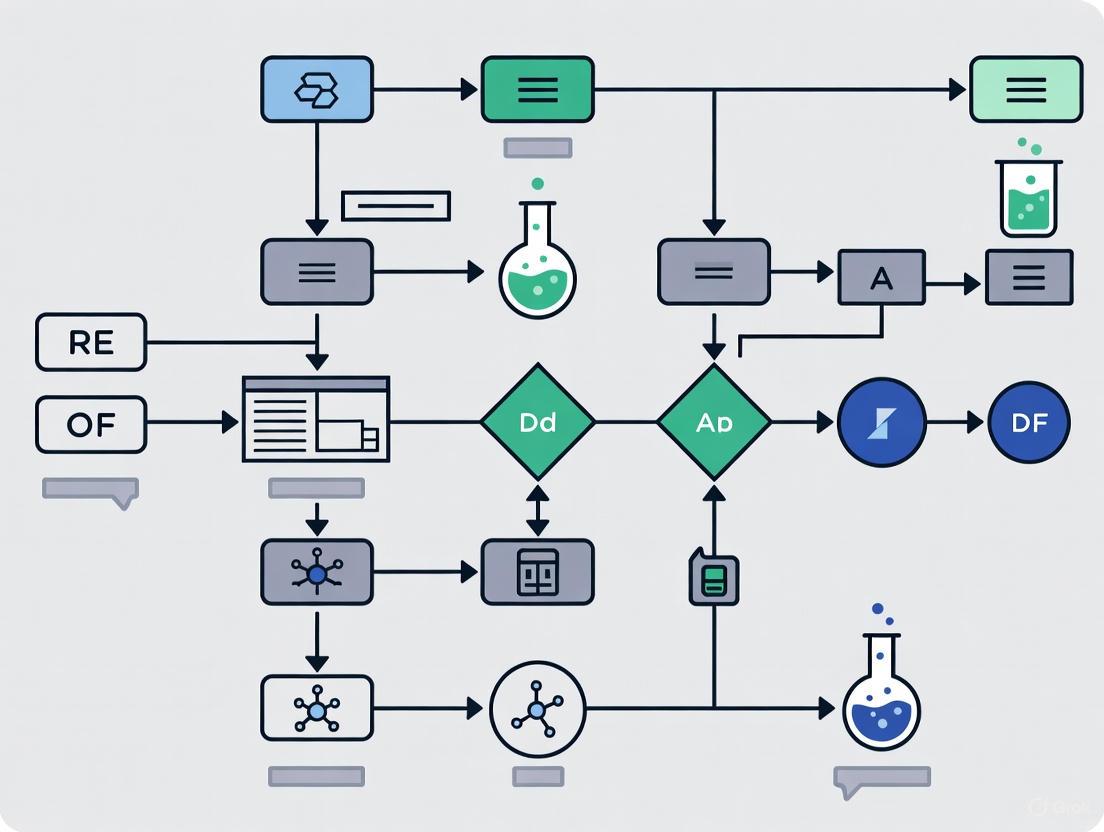
This article provides a comprehensive guide for researchers and drug development professionals seeking to accelerate the data collection phase in characterization workflows.
Accelerating Discovery: Strategies to Reduce Data Collection Time in Drug Characterization Workflows
Abstract
This article provides a comprehensive guide for researchers and drug development professionals seeking to accelerate the data collection phase in characterization workflows. It explores the foundational principles of modern, data-efficient strategies like Model-Informed Drug Development (MIDD). The piece delves into practical applications of AI and machine learning for predictive modeling and automation, addresses common bottlenecks with targeted troubleshooting, and outlines robust validation frameworks to ensure regulatory compliance. By synthesizing these core intents, the article serves as a strategic blueprint for shortening development timelines and bringing effective therapies to patients faster.
The High Cost of Slow Data: Rethinking Characterization for Speed
Identifying Bottlenecks in Traditional Characterization Workflows
Characterization has emerged as a critical bottleneck in modern research and development, particularly as synthesis and automation capabilities outpace our ability to analyze and interpret results. In automated labs, while synthesis methods have scaled significantly through pipetting, microfluidics, and combinatorial techniques, characterization remains dependent on material class, synthesis method, and measurement constraints that don't scale efficiently [1].
The fundamental challenge lies in characterization's inherent differences from synthesis: measurement times for techniques like X-ray or microscopy have physical limitations, the value of each measurement varies drastically by experiment, and combining outputs from multiple instruments to extract joint meaning remains largely unexplored [1].
Troubleshooting Guides & FAQs
FAQ 1: Why does characterization become the bottleneck even with automated equipment?
Answer: Characterization bottlenecks persist due to several interconnected factors:
- Physical Measurement Limits: Techniques like X-ray scanning or microscopy have inherent time requirements. As one expert notes, "An X-ray scan might take 30 minutes — maybe you can run it 10× faster, but not 100×" [1].
- Context-Dependent Operations: Microscopies (SPM, STEM, etc.) require context-sensitive operation and don't scale easily through parallelization [1].
- Data Integration Challenges: Combining outputs from multiple characterization tools to extract meaningful insights remains technically challenging, with differences in manufacturer protocols creating integration barriers [1].
FAQ 2: How can we reduce data collection time without compromising data quality?
Answer: Implement a multi-pronged approach focusing on strategic sampling and workflow integration:
- Optimize Sampling Strategies: Since characterization is often slower than synthesis, intelligent sampling matters significantly. Focus characterization efforts on the most informative samples rather than comprehensive analysis of all available material [1].
- Accelerate Individual Tools: Implement rapid structure-property mapping and fast compositional screening specifically designed for combinatorial libraries [1].
- Build Multi-Tool Workflows: Develop integrated characterization workflows where samples move systematically between complementary instruments, though this requires addressing vendor integration challenges and throughput asynchronicity [1].
FAQ 3: What practical steps can laboratories take today to alleviate characterization bottlenecks?
Answer: Laboratories can implement these immediate improvements:
- Prioritize Characterization Planning: During experimental design, identify which characterization data is truly essential versus nice-to-have, applying risk-based approaches to focus resources [2].
- Implement Smart Automation: Combine rule-based automation for predictable tasks with AI augmentation for appropriate use cases like medical coding, which follows a modified workflow where AI suggests terms for coder review [2].
- Standardize Data Capture: Ensure consistent metadata collection and traceability. As emphasized by industry experts, "If AI is to mean anything, we need to capture more than results. Every condition and state must be recorded" [3].
Quantitative Analysis of Characterization Workflows
The table below summarizes key metrics and improvement strategies for common characterization bottlenecks:
Table 1: Characterization Bottleneck Analysis and Mitigation Strategies
| Bottleneck Category | Impact Measurement | Current Solutions | Expected Efficiency Gain |
|---|---|---|---|
| Manual Sample Handling | Operator time 2-4 hours daily for repetitive tasks | Automated liquid handlers (e.g., Veya platform), ergonomic pipettes | 30-50% reduction in hands-on time; improved reproducibility [3] |
| Multi-Instrument Data Correlation | 40-60% time spent on data integration versus analysis | Multi-tool characterization workflows; standardized data protocols | 25-35% faster insight generation; improved data reliability [1] |
| Low-Value Characterization | 20-30% of characterization runs provide limited new information | Risk-based approaches; focused sampling strategies | 2-3x more relevant data per unit time [2] |
| Data Quality Issues | 15-25% rework rate due to metadata or quality problems | Systems like Labguru and Mosaic for sample management; automated quality control [3] | 40-60% reduction in repeated experiments [3] |
Workflow Visualization: Current State vs. Optimized Characterization
Diagram: Traditional vs. Optimized Characterization Workflow. The traditional workflow (top) shows sequential, disconnected steps creating bottlenecks, while the optimized workflow (bottom) demonstrates integrated, automated processes that accelerate insight generation.
Essential Research Reagent Solutions
Table 2: Key Research Reagents and Materials for Characterization Workflows
| Reagent/Material | Primary Function | Application Context | Impact on Workflow Efficiency |
|---|---|---|---|
| Automated Liquid Handlers | Precision liquid handling with minimal operator intervention | High-throughput screening; reagent dispensing | Reduces manual pipetting time by 70-80%; improves reproducibility [3] |
| 3D Cell Culture Platforms | Standardized human-relevant tissue models | Drug safety and efficacy testing | Provides more predictive data; reduces animal model dependency by 40-60% [3] |
| Integrated Protein Expression Systems | Rapid protein production from DNA to purified protein | Structural biology; drug target validation | Compresses weeks-long processes to under 48 hours; handles challenging proteins [3] |
| Multi-Modal Data Integration Platforms | Unified analysis of imaging, multi-omic and clinical data | Biomarker discovery; mechanism of action studies | Reduces data siloing; accelerates correlation of molecular features with disease [3] |
| Cartridge-Based Screening Systems | Parallel construct and condition screening | Protein optimization; expression testing | Enables 192 parallel conditions; standardizes previously variable processes [3] |
Strategic Implementation Framework
Successful characterization workflow optimization requires addressing three critical directions identified by experts:
Tool Acceleration: Focus on specific techniques like rapid structure-property mapping and fast compositional screening that offer the highest return on investment [1].
Intelligent Sampling: Implement strategic sampling protocols that maximize information yield while minimizing characterization time, recognizing that "characterization is often slower than synthesis" [1].
Multi-Tool Integration: Develop standardized protocols for combining outputs from complementary characterization tools, though this requires addressing vendor integration challenges and establishing common standards [1].
The transition from traditional, manual characterization workflows to optimized, integrated approaches represents the most significant opportunity for reducing data collection timelines in research. By implementing smart automation, strategic sampling, and integrated data platforms, laboratories can transform characterization from a bottleneck into a competitive advantage.
Core Principles of Model-Informed Drug Development (MIDD) for Efficiency
Model-Informed Drug Development (MIDD) is a quantitative framework that uses modeling and simulation to inform decision-making throughout the drug development process. MIDD plays a pivotal role in drug discovery and development by providing quantitative prediction and data-driven insights that accelerate hypothesis testing, assess potential drug candidates more efficiently, reduce costly late-stage failures, and accelerate market access for patients [4]. Evidence from drug development and regulatory approval has demonstrated that a well-implemented MIDD approach can significantly shorten development cycle timelines, reduce discovery and trial costs, and improve quantitative risk estimates [4]. The strategic integration of MIDD is recognized as crucial for reversing the declining productivity in pharmaceutical research, often referred to as "Eroom's Law" [5].
Core Principles & Quantitative Impact
Foundational Principles
MIDD is defined as a "quantitative framework for prediction and extrapolation, centered on knowledge and inference generated from integrated models of compound, mechanism and disease level data and aimed at improving the quality, efficiency and cost effectiveness of decision making" [6]. Several core principles form the foundation of MIDD:
Fit-for-Purpose Implementation: MIDD tools must be well-aligned with the "Question of Interest", "Content of Use", "Model Evaluation", as well as "the Influence and Risk of Model" in presenting the totality of MIDD evidence [4]. A model or method is not fit-for-purpose when it fails to define the COU, has poor data quality, or lacks proper model verification, calibration, and validation [4].
Strategic Integration: MIDD should be strategically integrated throughout the five main stages of drug development: discovery, preclinical research, clinical research, regulatory review, and post-market monitoring [4].
Evidence-Based Decision Making: MIDD "informs" rather than "bases" decisions, providing quantitative support for key development choices while considering the totality of evidence [6].
Regulatory Harmonization: The International Council for Harmonisation (ICH) has expanded its guidance including MIDD, namely the M15 general guidance, to standardize MIDD practices across different countries and regions [4] [7].
Demonstrated Efficiency Gains
The business case for MIDD adoption has been established within the pharmaceutical industry, with documented significant efficiency improvements and cost savings [6].
Table 1: Quantitative Impact of MIDD on Drug Development Efficiency
| Metric | Impact | Source |
|---|---|---|
| Development Timeline Savings | ~10 months per program | [5] |
| Cost Savings | ~$5 million per program | [5] |
| Clinical Trial Budget Reduction | $100 million annually (Pfizer) | [6] |
| Cost Savings from Decision-Making Impact | $0.5 billion (Merck & Co/MSD) | [6] |
| Proof of Mechanism Success | 2.5x increase (AstraZeneca) | [8] |
MIDD Troubleshooting Guide: Common Challenges & Solutions
Frequently Asked Questions
Q: Our team is new to MIDD. Which modeling approach should we start with for our small molecule oncology program?
A: Begin with physiologically-based pharmacokinetic (PBPK) modeling for first-in-human dosing predictions and drug-drug interactions. For later stage development, implement population PK (PopPK) and exposure-response modeling to understand variability and dose-response relationships [8]. The "fit-for-purpose" principle dictates that the tool must match your specific question of interest and stage of development [4].
Q: How can we justify using MIDD to replace certain clinical studies, particularly for special populations?
A: Regulatory agencies increasingly accept robust MIDD approaches to support waivers for certain clinical studies. For special populations, PBPK modeling has become a standard approach to predict pharmacokinetics in unstudied populations such as pediatric, pregnant, and lactating populations, and those with renal or hepatic impairment [8]. Document your model validation thoroughly and reference relevant FDA and ICH guidance, including the ICH M15 guideline [7].
Q: We have very limited patient data for our First-in-Human trial. How can MIDD help accelerate development?
A: Apply model-based dose prediction strategies, including toxicokinetic PK, allometric scaling, QSP and semi-mechanistic PK/PD modeling [4]. These approaches help determine the starting dose and subsequent dose escalation in human trials even with limited data. The key is using all available nonclinical data effectively through quantitative approaches [4].
Q: Why are certain MIDD approaches needed for one drug product but not another?
A: The choice of MIDD approaches depends on multiple factors including the drug's modality, mechanism of action, therapeutic area, and specific development questions. For example, quantitative systems pharmacology (QSP) is particularly valuable for new modalities and combination therapies, while PBPK is standard for small molecules where drug-drug interactions are a concern [8].
Q: How can we gain organizational acceptance for MIDD approaches when facing resistance?
A: Demonstrate value through pilot projects with clear success metrics. Share case studies showing impact, such as how MIDD has been shown to increase the success rates of new drug approvals by offering a structured, data-driven framework for evaluating safety and efficacy [4]. Build cross-functional teams including pharmacometricians, pharmacologists, statisticians, clinicians, and regulatory colleagues [4].
Technical Implementation Challenges
Challenge: Model fails to define Context of Use (COU) adequately
Solution: Clearly document the COU during model planning stages. The COU should specify the specific role and purpose of the model, the decisions it will inform, and the boundaries of its application [4].
Challenge: Insufficient model evaluation or validation
Solution: Implement rigorous model evaluation procedures, including verification, calibration, and validation. Follow good practice recommendations for documentation to enhance credibility for regulatory submissions [6].
Challenge: Difficulty with multidisciplinary alignment on model assumptions
Solution: Facilitate collaborative team meetings early in model development to align on key assumptions. Use a "fit-for-purpose" framework to ensure model complexity matches the decision needs [4].
Experimental Protocols & Methodologies
Key MIDD Workflow
The following diagram illustrates the strategic MIDD workflow from problem identification through to decision support and regulatory application:
Common MIDD Methodologies
Population PK (PopPK) Modeling Protocol:
- Data Collection: Collect sparse PK samples from clinical trials (typically 2-8 samples per subject) [8]
- Base Model Development: Develop structural model using nonlinear mixed-effects modeling
- Covariate Analysis: Identify influential patient factors (age, weight, organ function, etc.)
- Model Validation: Use visual predictive checks and bootstrap methods
- Simulation: Generate exposure distributions for target populations
PBPK Model Development Protocol:
- System Parameters: Define physiological parameters for relevant populations
- Drug Parameters: Incorporate drug-specific properties (lipophilicity, permeability, etc.)
- Model Verification: Verify against in vitro and in vivo data
- Application: Predict drug-drug interactions, special population PK, or first-in-human dosing [8]
Model-Based Meta-Analysis (MBMA) Protocol:
- Data Curation: Systematically collect clinical trial data from literature and databases
- Model Structure: Develop model relating treatment effects to covariates
- Validation: Compare predictions to actual clinical outcomes
- Application: Support trial design optimization and comparator analysis [8]
Research Reagent Solutions: Essential MIDD Tools
Table 2: Key Methodologies and Tools in Model-Informed Drug Development
| Tool/Methodology | Primary Function | Typical Application |
|---|---|---|
| Quantitative Systems Pharmacology (QSP) | Integrates systems biology with pharmacology to generate mechanism-based predictions | New modalities, dose selection, combination therapy, target selection [4] [8] |
| Physiologically Based Pharmacokinetic (PBPK) Modeling | Mechanistic modeling simulating drug movement through organs and tissues | Drug-drug interactions, special populations, formulation development [4] [8] |
| Population PK (PopPK) | Analyzes variability in drug concentrations between individuals | Dose regimen optimization, covariate effect characterization [8] |
| Exposure-Response (ER) Analysis | Characterizes relationship between drug exposure and effectiveness or adverse effects | Dose selection, benefit-risk assessment [4] |
| Model-Based Meta-Analysis (MBMA) | Indirect comparison of treatments using highly curated clinical trial data | Comparator analysis, trial design optimization, external control arms [8] |
| Artificial Intelligence/Machine Learning | Analyzes large-scale biological, chemical, and clinical datasets | Drug discovery, ADME property prediction, dosing optimization [4] |
Strategic Implementation for Maximum Efficiency
MIDD Application Across Development Stages
The strategic application of MIDD across all development phases is essential for maximizing efficiency gains [4]:
- Discovery Stage: Use QSP and quantitative structure-activity relationship (QSAR) modeling for target identification and lead compound optimization [4]
- Preclinical Stage: Apply PBPK modeling and semi-mechanistic PK/PD to improve prediction accuracy and support first-in-human studies [4]
- Clinical Development: Implement PopPK, ER analysis, and clinical trial simulation to optimize trial design and dosage selection [4]
- Regulatory Submission: Use model-integrated evidence to support label claims and dosing recommendations [7]
- Post-Market Stage: Apply models to support label updates and life-cycle management [4]
Relationship Between MIDD Approaches
The following diagram shows how different MIDD methodologies interact and support various aspects of drug development:
Future Directions & Emerging Applications
MIDD continues to evolve with several emerging applications that promise further efficiency gains:
- Democratization of MIDD: Making modeling technology accessible to non-modelers through improved user interfaces and AI integration [5]
- Reduction of Animal Testing: Using PBPK and QSP modeling as alternatives to animal testing through approaches like Certara's Non-Animal Navigator solution [5]
- AI Integration: Applying artificial intelligence to automate model definition, creation, and validation, particularly for unstructured data analysis [5]
- Regulatory Advancement: Continued development of guidelines and frameworks, such as the ICH M15 guideline, to promote standardized assessment of MIDD evidence [7]
The implementation of MIDD approaches represents a fundamental shift in drug development methodology, moving from empirical testing to quantitative, predictive science. By strategically applying these tools throughout the development lifecycle, researchers can significantly reduce data collection time in characterization workflows while improving the quality and efficiency of drug development.
Troubleshooting Guides and FAQs
Frequently Asked Questions
Q: My model fails to define the Context of Use (COU) and has poor data quality. Why is it not "Fit-for-Purpose"? A: A model is not Fit-for-Purpose when it fails to define the COU, lacks adequate data quality or quantity, or has insufficient model verification, calibration, and validation. Oversimplifying the model or unjustifiably adding complexity can also render it unsuitable for its intended question of interest (QOI) [4].
Q: Why might a machine learning model trained on one clinical scenario fail in a different setting? A: A machine learning model may not be Fit-for-Purpose if it is trained on a specific clinical scenario and then used to predict outcomes in a different clinical setting. This underscores the importance of aligning the model's development with its intended context of use and ensuring the training data is representative [4].
Q: How can I determine if my assay results are reliable for screening? A: The robustness of an assay is determined not just by the size of the assay window but also by the standard deviation of the data. The Z'-factor incorporates both these factors. Assays with a Z'-factor greater than 0.5 are generally considered suitable for screening. A large assay window with significant noise can have a lower Z'-factor than an assay with a small window but little noise [9].
Q: What is the most common reason for a complete lack of assay window in a TR-FRET assay? A: The most common reason is an improperly configured instrument. It is critical to use the exact emission filters recommended for your specific instrument model, as the filter choice can determine the success or failure of the assay [9].
Common Issues and Expert Recommendations
| Problem Scenario | Expert Recommendation |
|---|---|
| No assay window in TR-FRET | Verify instrument setup and ensure the use of precisely recommended emission filters [9]. |
| Differences in EC50/IC50 between labs | Investigate differences in prepared stock solutions, which are a primary cause of such discrepancies [9]. |
| Lack of cellular activity in cell-based assay | The compound may not cross the cell membrane, may be actively pumped out, or may be targeting an inactive, upstream, or downstream kinase [9]. |
| Model not Fit-for-Purpose | Ensure the model clearly defines the Context of Use (COU), uses high-quality data, and undergoes proper verification and validation [4]. |
Fit-for-Purpose Modeling Tools and Applications
Model-Informed Drug Development (MIDD) employs a suite of quantitative tools that should be selected based on the specific Question of Interest (QOI) at each stage of development [4]. The table below summarizes key MIDD methodologies and their primary utilities.
Key MIDD Methodologies and Utilities
| Modeling Tool | Description | Primary Utility in Drug Development |
|---|---|---|
| Quantitative Structure-Activity Relationship (QSAR) | Computational modeling to predict a compound's biological activity from its chemical structure [4]. | Early-stage lead compound optimization and target identification [4]. |
| Physiologically Based Pharmacokinetic (PBPK) | Mechanistic modeling to understand the interplay between physiology and drug product quality [4]. | Predicting drug-drug interactions and extrapolating to special populations [4]. |
| Population PK (PPK) & Exposure-Response (ER) | Models that explain variability in drug exposure among individuals and analyze the relationship between exposure and effect [4]. | Optimizing dosage regimens and informing clinical trial design [4]. |
| Quantitative Systems Pharmacology (QSP) | Integrative, mechanism-based modeling combining systems biology and pharmacology [4]. | Generating hypotheses on drug behavior and treatment effects across biological pathways [4]. |
| AI/ML in MIDD | Using machine learning to analyze large-scale datasets for prediction and decision-making [4]. | Enhancing drug discovery, predicting ADME properties, and optimizing dosing strategies [4]. |
Experimental Protocols for Key MIDD Workflows
Protocol 1: Assay Development and Validation for Preclinical Screening
Objective: To establish a robust and reliable assay for screening compound activity, ensuring data quality is sufficient for decision-making.
- Instrument Setup: Confirm the instrument (e.g., microplate reader) is configured according to manufacturer guides. For TR-FRET assays, this is critical—verify the exact excitation and emission filters are installed [9].
- Control Preparation: Prepare control samples representing the minimum and maximum assay signal (e.g., 0% and 100% phosphorylation controls for a kinase assay) [9].
- Data Collection: Run the assay with controls and test compounds. Collect signal data (Relative Fluorescence Units - RFU) for both donor and acceptor channels where applicable [9].
- Ratiometric Analysis: For TR-FRET data, calculate an emission ratio by dividing the acceptor signal RFU by the donor signal RFU. This controls for pipetting variances and reagent lot-to-lot variability [9].
- Assay Quality Assessment: Calculate the Z'-factor using the mean (μ) and standard deviation (σ) of the high and low controls:
- Formula: Z' = 1 - [3(σhigh + σlow) / |μhigh - μlow|]
- Interpretation: A Z'-factor > 0.5 indicates an assay robust enough for screening [9].
Protocol 2: Implementing a Fit-for-Purpose MIDD Strategy
Objective: To strategically select and apply a modeling tool to answer a specific QOI, thereby reducing development time and resources.
- Define the Question of Interest (QOI): Precisely articulate the scientific or clinical question needing resolution (e.g., "What is the predicted human efficacious dose?") [4].
- Establish the Context of Use (COU): Clearly document the specific application of the model, including the decisions it will inform and the stakeholders involved [4].
- Select the Modeling Tool: Align the QOI and COU with the appropriate quantitative methodology. For example:
- Model Evaluation and Validation: Perform verification, calibration, and validation based on the predefined COU to ensure the model is reliable for its purpose [4].
- Incorporate into Overall Strategy: Integrate the model's insights with other scientific evidence and regulatory guidance to support development decisions and regulatory interactions [4].
Workflow and Relationship Visualizations
DOT Scripts for Diagram Generation
The Scientist's Toolkit: Research Reagent Solutions
Essential Materials for Featured Experiments
| Item | Function |
|---|---|
| TR-FRET Assay Kits | Provide validated reagents for studying molecular interactions (e.g., kinase activity) using Time-Resolved Fluorescence Resonance Energy Transfer, which reduces background noise [9]. |
| LanthaScreen Eu/Tb Donors | Lanthanide-based fluorescent donors used in TR-FRET assays. Their long fluorescence lifetime allows for time-gated detection, enhancing signal-to-noise ratio [9]. |
| Microplate Reader with TR-FRET Capability | An instrument capable of exciting samples and measuring fluorescence emission at specific wavelengths and with time-gated detection, essential for TR-FRET assays [9]. |
| Development Reagent | In assays like Z'-LYTE, this is an enzyme mixture that selectively cleaves non-phosphorylated peptide substrates, generating the assay's fluorescent signal [9]. |
| PBPK/QSP Software Platforms | Computational tools that enable the construction and simulation of mechanistic models to predict human pharmacokinetics and pharmacodynamics before clinical trials [4]. |
The Role of AI and Machine Learning in Foundational Data Exploration
Frequently Asked Questions (FAQs)
Q1: What are the primary benefits of using AI for data exploration in research? AI significantly accelerates the initial data exploration phase, which is often the most time-consuming part of research. Key benefits include [10]:
- Speed and Efficiency: AI can analyze large volumes of data far more quickly than humans, enabling real-time insights and high-speed data processing [10].
- Cost Reduction: Automating repetitive tasks like data cleaning can lead to substantial operational cost savings. One report indicates 54% of businesses implementing AI achieved cost savings [10].
- Enhanced Innovation: A global survey found that 64% of organizations report that AI is enabling greater innovation, allowing researchers to focus on higher-level analysis and hypothesis generation [11].
Q2: How can AI help reduce data collection time in characterization workflows? AI reduces data collection time through automation and intelligent forecasting [10] [12]:
- Automated Data Collection: AI tools can automate data gathering from various sources, including CRMs, web tracking, and public data repositories, without manual coding or web scraping [10].
- Predictive Analytics: By analyzing historical data, AI can forecast necessary data points and optimize collection protocols, preventing the gathering of redundant information. In drug development, this is critical as trials have become vastly more complex, collecting 283% more data points in 2020 than in 2010 [12].
Q3: What are the most common technical challenges when integrating AI into existing research workflows? Researchers often face the following hurdles [11] [10] [13]:
- Data Quality and Bias: The principle "garbage in, garbage out" applies strongly to AI. If the source data is poorly formatted, contains errors, or has inherent biases, the AI's outputs will be unreliable [10].
- Workflow Integration: Most organizations are still in the early stages of scaling AI. Successfully capturing value requires fundamentally redesigning existing workflows to embed AI, not just applying it in isolated pockets [11].
- Unstructured Data Management: Generative AI often works with unstructured data (text, images), which many organizations are not equipped to manage effectively. Getting this data into a usable shape requires significant human curation and effort [13].
Q4: Are AI tools a threat to the roles of data analysts and scientists? No, rather than replacing experts, AI transforms their roles. With an estimated 402 million terabytes of data generated daily, the need for skilled professionals to interpret, validate, and extract value from data is greater than ever. AI handles time-consuming, repetitive tasks (like data cleaning, which can consume 70-90% of an analyst's time), freeing up experts to solve more complex problems and drive innovation [10].
Troubleshooting Guides
Problem 1: Poor Quality or Biased AI Outputs
- Symptoms: Model predictions are inaccurate, nonsensical, or reflect societal biases present in the training data.
- Possible Causes & Solutions:
- Cause: Underlying training data contains errors, missing values, or outliers.
- Solution: Implement rigorous, AI-powered data cleaning procedures to identify outliers, handle empty values, and normalize data before analysis [10].
- Cause: Data lacks diversity or contains historical biases.
- Cause: Underlying training data contains errors, missing values, or outliers.
Problem 2: Difficulty Demonstrating Quantitative Value from AI Initiatives
- Symptoms: Inability to connect AI projects to measurable business or research outcomes, such as reduced cycle times or cost savings.
- Possible Causes & Solutions:
- Cause: No established metrics or controlled experiments to measure impact.
- Solution: Move beyond pilot phases and establish Key Performance Indicators (KPIs) for AI solutions. Use controlled experiments; for example, have one group use AI for a task while a control group does not, then compare outcomes like productivity or error rates [13].
- Cause: AI is used in isolation without redesigning the broader workflow.
- Solution: Focus on enterprise-level scaling and intentional workflow redesign. AI high performers are nearly three times more likely to have redesigned individual workflows, which is a key factor for achieving meaningful business impact [11].
- Cause: No established metrics or controlled experiments to measure impact.
Problem 3: Data Security and Privacy Concerns
- Symptoms: Risk of exposing sensitive or proprietary research data when using third-party AI tools.
- Possible Causes & Solutions:
- Cause: Using cloud-based GenAI tools that may use input data for model training.
Quantitative Data on AI Benefits and Challenges
Table 1: Reported Impact of AI Adoption in Organizations [11]
| Impact Category | Percentage of Respondents Reporting Benefit |
|---|---|
| Enablement of Innovation | 64% |
| Improvement in Customer Satisfaction | ~48% |
| Improvement in Competitive Differentiation | ~48% |
| Enterprise-level EBIT Impact | 39% |
| Organizations Scaling AI (AI High Performers) | ~6% |
Table 2: Common AI Data Analysis Techniques and Applications [15]
| Technique | Category | Primary Research Application |
|---|---|---|
| Data Cleaning & Preparation | Foundational | Identifies outliers, handles missing data; automates the 70-90% of time analysts spend on data prep [10]. |
| Machine Learning Algorithms | Advanced | Extracts patterns or makes predictions on large datasets for classification or forecasting. |
| Natural Language Processing (NLP) | Advanced | Derives insights from unstructured text data (e.g., scientific literature, patient reports). |
| Predictive Analytics | Advanced | Forecasts future outcomes based on historical data patterns (e.g., inventory forecasting, patient recruitment). |
| Cluster Analysis | Advanced | Identifies natural groupings or segments within data for patient stratification or biomarker discovery. |
Experimental Protocol: Implementing an AI-Driven Data Exploration Workflow
Objective: To establish a standardized, AI-enhanced protocol for the initial exploration of a new dataset, aiming to reduce the time from data collection to actionable insights.
Materials & Reagents:
- Research Reagent Solutions:
- AI-Powered Data Cleaning Tool: Software that uses ML to automatically detect and correct data anomalies, missing values, and inconsistencies [10].
- Generative BI Tool: A conversational AI interface that allows researchers to ask questions of their data in plain language and receive summaries and insights without writing code [10].
- Python Environment with Libraries (e.g., Scikit-learn, Pandas): Provides access to a wide range of statistical and machine learning algorithms for custom analysis [15].
- Vector Database: A specialized database for handling embeddings of unstructured data (text, images), enabling efficient similarity search for GenAI applications [13].
Methodology:
- Data Ingestion and Automated Profiling:
- Load the raw dataset from source systems.
- Execute an AI-powered profiling tool to generate a summary of data structure, data types, and a preliminary report on data quality issues (e.g., missing value percentage, potential outliers).
AI-Assisted Data Cleaning and Validation:
- Use the data cleaning tool to automatically handle identified issues based on predefined rules (e.g., mean imputation for missing numerical data).
- Manually validate a sample of the corrections to ensure algorithm accuracy.
Exploratory Data Analysis (EDA) via Generative BI:
- Input the cleaned dataset into the Generative BI tool.
- Use natural language prompts to query the data. Example prompts:
- "Show the distribution of [key variable]."
- "Identify the top 5 correlations between [variable set]."
- "Are there any noticeable clusters or segments in the data based on [dimensions]?"
Hypothesis Generation and Testing:
- Based on the initial insights, form specific hypotheses.
- Use the Python environment to run more sophisticated statistical tests (e.g., hypothesis testing, regression analysis) to validate these hypotheses [15].
Visualization and Reporting:
- Use the AI tool's built-in capabilities to generate interactive charts and graphs for the final report.
- Document all steps, including prompts used and decisions made, for reproducibility.
Workflow Visualization
AI-Enhanced Data Exploration Workflow
From Theory to Therapy: Implementing AI and Automated Workflows
Leveraging AI-Powered Analytics and Intelligent Dashboards for Real-Time Insights
Technical Support Center
This technical support center provides troubleshooting guides and FAQs to help researchers resolve common issues with AI-powered analytics and intelligent dashboards, specifically within the context of reducing data collection time in characterization workflows.
Troubleshooting Guides
Dashboard and Analytics Performance Issues
Problem: My analytical dashboard is running very slowly or timing out when processing characterization data.
Diagnosis and Solution: This is a common problem that can originate from the client side, server side, or data layer. Follow these steps to identify and resolve the bottleneck [16].
Identify the Problem Source:
- Open your browser's Developer Tools (F12) and go to the Network tab.
- Reload the dashboard and observe the data requests (type
fetch). If these requests take a long time to complete, the issue is server-side. If requests are fast but the dashboard is still slow to render, the issue is client-side [16].
Resolve Client-Side Issues:
- Reduce Visible Data: Limit the amount of data rendered in widgets by using features like Master Filtering, Drill-Down, or Top N filters. You can also set the
LimitVisibleDataModeproperty toDesignerAndViewer[16]. - Check Data Cache: Ensure your dashboard is leveraging an in-memory data cache or a data extract file to avoid repeatedly querying the database for the same information [16].
- Measure Load Time: Use the following JavaScript code snippet within your dashboard's event handlers to measure client-side performance [16].
- Reduce Visible Data: Limit the amount of data rendered in widgets by using features like Master Filtering, Drill-Down, or Top N filters. You can also set the
- Resolve Server-Side Issues:
- Optimize Color Schemes: Using a
Localcolor scheme instead of aGlobalone for dashboard items can reduce server load, as it requests colors for only the current item [16]. - Use On-Demand Loading: For dashboards with tabs, place data-heavy items on separate tabs and set the
ItemDataLoadingModeproperty toOnDemandso data is loaded only when the tab is active [16]. - Apply Filters: Use data source-level filters or item-level filters to reduce the amount of data the server needs to fetch and process [16].
- Switch Data Processing Mode: If your database is not optimized for complex queries, you can switch the
DataProcessingModetoClient. This loads raw data into memory for client-side aggregation [16]. - Measure Server Load: Use a custom dashboard storage class to measure server-side loading time [16].
- Optimize Color Schemes: Using a
- Address Data Loading Issues:
- SQL Queries: Use a tool like SQL Server Profiler to identify slow-running queries. Review if queries are running in client or server mode and optimize them accordingly [16].
- OLAP Data Sources: Use the SQL Server Profiler to check MDX query performance. Compare query times in your dashboard to a tool like Microsoft Excel to determine if the issue is with the cube structure or the dashboard itself [16].
- Object Data Sources: Check how often the
DataLoadingevent is raised. Data should be cached on the first load and refreshed only after a timeout period (e.g., 5 minutes) [16].
Data and Access Issues
Problem: I cannot see data in my analysis, or the data is incorrect.
Diagnosis and Solution:
No Data Visible:
Unexpected or Zero Values:
- Data Refresh: In the analysis criteria tab, click the Refresh button in the Subject Areas pane to ensure you are viewing the most recent metadata and data [17].
- Currency Conversion: If financial amounts show as zero, check that currency exchange rates are correctly set up. A failed conversion will result in a zero value [17].
- View Display Error: If you see an error like "Exceed configured maximum number of allowed input records," add filters to your analysis to reduce the data volume, such as a narrower date range [17].
Problem: I cannot find or access a specific analysis or dashboard.
Diagnosis and Solution:
- Search the Catalog: Use your BI tool's catalog search function with the full or partial name of the analysis or dashboard [17].
- Permissions: The most common cause is lacking the required permissions or application role. Contact the analysis owner or your system administrator to review your access [17].
- Restore from Backup: If you suspect the item was deleted by mistake, it may need to be restored from a backup of the content from another environment [17].
Frequently Asked Questions (FAQs)
FAQ 1: What is the difference between traditional machine learning and generative AI for analytics, and when should I use each?
The choice depends on your specific analytical goal [18].
- Traditional Machine Learning is best for prediction and pattern recognition on structured, domain-specific data. It is ideal for tasks like classifying crystal quality from image data, predicting experimental outcomes, or detecting anomalies in sensor readings from lab equipment. Use it when working with highly specialized scientific data or when data privacy is a primary concern, as models can be run on-premises without sending data to external APIs [18].
- Generative AI is best for generating new content and understanding natural language. It can simplify the user experience by allowing you to query data using natural language (e.g., "show me all samples from last week with low diffraction quality") or for generating synthetic data to augment small experimental datasets. Use it first for tasks involving everyday language or common images [18].
Table: Machine Learning vs. Generative AI for Research
| Feature | Traditional Machine Learning | Generative AI |
|---|---|---|
| Primary Strength | Prediction, classification, pattern recognition | Content generation, natural language understanding |
| Best for Data Types | Structured, numerical, tabular data | Text, images, language |
| Ideal Research Use Case | Predictive maintenance on lab equipment, sample classification | Natural language querying of datasets, generating lab reports |
| Data Privacy | Suitable for private, on-premises deployment | Requires caution with sensitive data in public APIs |
FAQ 2: Why is real-time data so important for AI in characterization workflows?
Real-time data processing is crucial for reducing data collection time because it enables immediate insights and closed-loop automation, moving beyond the limitations of traditional batch processing [19].
- Instantaneous Feedback: AI models can analyze data as it is generated from instruments (e.g., chromatographs, diffractometers), allowing for immediate quality assessment. This can flag failed experiments early, terminating them to save time and resources [19].
- Closed-Loop Automation: Real-time AI can make autonomous decisions to optimize an ongoing experiment. For example, it can dynamically adjust instrument parameters or trigger the next step in a workflow without human intervention, significantly accelerating throughput [19].
- Adaptive Models: Models that are updated with real-time data can adapt to new patterns or drifts in experimental conditions, maintaining high predictive accuracy for longer periods without manual retraining [19].
FAQ 3: What are the essential steps in a robust data workflow for reliable AI analytics?
A well-defined data workflow is the foundation for any successful AI-driven analytics project. It ensures data quality, reliability, and actionable insights [20].
Research Data Workflow for AI Analytics
The workflow involves eight key stages [20]:
- Goal Planning and Data Identification: Define clear objectives (e.g., "reduce crystal characterization time by 20%") and identify required data sources (e.g., diffraction images, sample metadata).
- Data Extraction: Gather data from various sources like instrumentation APIs, Laboratory Information Management Systems (LIMS), and electronic lab notebooks.
- Data Cleaning and Transformation: Address errors, standardize nomenclatures (e.g., uniform sample names), and transform raw data into analysis-ready formats.
- Data Loading: Store the processed data in a suitable repository, such as a cloud data warehouse, optimized for fast querying.
- Data Validation: Implement automated checks to ensure data quality, flagging anomalies like missing values or unexpected ranges.
- Data Analysis and Modeling: Develop and run AI/ML models to extract insights, such as predicting sample quality.
- Data Governance: Establish security, access controls, and data usage policies to ensure compliance and ethical use.
- Data Maintenance: Perform regular updates, system optimizations, and archival to maintain workflow efficiency and data integrity.
FAQ 4: What tools can help overcome common data workflow challenges?
Several tool categories are essential for a modern research data stack [20]:
Table: Essential Tools for AI-Powered Research Data Workflows
| Tool Category | Purpose | Example Tools |
|---|---|---|
| ETL (Extract, Transform, Load) | Automates data ingestion from sources into a target database or warehouse. | Apache Kafka, Apache Nifi, Fivetran |
| Data Orchestration | Coordinates and automates complex sequences of data processing tasks across different systems. | Apache Airflow, Luigi, Prefect |
| Data Observability | Monitors data health and quality across the entire pipeline, detecting anomalies and lineage. | Monte Carlo |
The Scientist's Toolkit: Research Reagent Solutions
For researchers implementing automated characterization workflows (e.g., similar to the MXPress workflows at ESRF), the following "reagents" or core components are essential [21].
Table: Essential Components for Automated Characterization Workflows
| Item | Function in the Workflow |
|---|---|
| Diffraction Plan | A digital protocol that defines all parameters for an automated experiment, including sample ID, experiment type (e.g., MXPressE), and data collection strategy [21]. |
| Automated Sample Changer | A robotic system that mounts, centers, and unmounts multiple crystal samples without user intervention, enabling high-throughput screening [21]. |
| Mesh and Line Scans | X-ray raster scans used to map a crystal's diffraction quality and automatically center its best-diffracting volume to the beam [21]. |
| eEDNA/BEST Strategy | An AI-driven software that analyzes initial diffraction images to predict the optimal data collection strategy (rotation range, exposure time) for the best possible data [21]. |
| Automated Processing Pipeline | Integrated software that processes collected diffraction data in real-time, handling tasks like indexing, integration, and merging, with results streamed to a database (e.g., ISPyB) [21]. |
Troubleshooting Guides
Deep Learning Model Debugging Guide
Problem: Model performance is worse than expected or results are not reproducible.
Diagnosis and Solution Workflow:
| Step | Action | Key Considerations | Common Bugs to Check |
|---|---|---|---|
| 1. Start Simple | Choose a simple architecture and simplify the problem [22]. | Use a small training set (e.g., ~10,000 examples) to increase iteration speed and establish a performance baseline [22]. | Incorrect input to the loss function (e.g., using softmax outputs for a loss that expects logits) [22]. |
| 2. Implement & Debug | Get the model to run, then overfit a single batch [22]. | Use a lightweight implementation (<200 lines for the first version) and off-the-shelf components [22]. | Incorrect tensor shapes or silent broadcasting errors [22]. |
| 3. Evaluate Model Fit | Apply bias-variance decomposition to prioritize next steps [22]. | High bias suggests underfitting (need more model complexity), high variance suggests overfitting (need regularization) [22]. | Forgetting to set up train/evaluation mode correctly, affecting layers like BatchNorm [22]. |
Federated Learning (FL) Implementation Guide
Problem: The global model performs poorly or exhibits bias due to decentralized, heterogeneous data.
Diagnosis and Solution Workflow:
| Challenge | Description | Mitigation Strategies |
|---|---|---|
| Data Heterogeneity (Non-IID Data) | Client devices hold data with different statistical distributions, harming global model convergence [23]. | Use algorithm-based calibration techniques (e.g., modified aggregation strategies) or explore Personalized FL (PFL) to tailor models to local data [23]. |
| Class Imbalance & Long-Tailed Data | Data across clients is unevenly distributed, causing the model to be biased toward majority classes [23]. | Apply information enhancement (e.g., data augmentation on clients) or model component optimization (e.g., loss re-weighting) [23]. |
| Privacy & Security Risks | Model updates shared with the server can leak sensitive information about local training data [24]. | Combine FL with other Privacy-Enhancing Technologies (PETs) like differential privacy or secure multi-party computation [24]. |
Natural Language Processing (NLP) for Clinical Data
Problem: Inefficient extraction of insights from unstructured clinical text (e.g., patient notes, trial reports).
Diagnosis and Solution Workflow:
| Challenge | Impact on Research Speed | Potential NLP Solution |
|---|---|---|
| Fragmented Data Silos | Slow data sharing and integration from incompatible systems (e.g., separate clinical databases) [25]. | Implement a centralized, cloud-native NLP platform to unify and process text data from disparate sources in real-time [25] [26]. |
| Manual Data Curation | Scientists spend significant time manually retrieving and processing information, delaying analysis [25]. | Deploy automated NLP pipelines for named entity recognition (NER) and relationship extraction to identify key concepts and trends [25]. |
| Regulatory Compliance | Manual validation of clinical text data for regulatory submissions is time-consuming and error-prone [26]. | Utilize automated compliance workflows that track data lineage and generate audit trails, ensuring data integrity [26]. |
Frequently Asked Questions (FAQs)
Q1: My deep learning model's performance is much worse than a paper I'm trying to reproduce. Where should I start debugging? A1: Begin by "starting simple." Reproduce your model on a small, manageable synthetic dataset or a reduced version of your problem. This helps verify your implementation is correct and drastically speeds up debugging cycles. Ensure you are using sensible default hyperparameters and have normalized your inputs [22].
Q2: My federated learning model is converging slowly and seems biased toward certain clients. What could be the cause? A2: This is a classic symptom of data heterogeneity (Non-IID data) and potential class imbalance across clients [23]. Standard aggregation algorithms like FedAvg can be biased toward clients with more data or specific distributions. Investigate advanced aggregation strategies or personalized federated learning approaches designed for non-IID settings [23].
Q3: How can I ensure my federated learning system is truly privacy-preserving? A3: Federated Learning provides a privacy benefit by keeping raw data decentralized, but it is not a complete solution. The model updates (gradients or weights) shared with the server can potentially be reverse-engineered to infer training data [24]. A robust approach involves using FL in combination with other Privacy-Enhancing Technologies (PETs) like differential privacy, which adds noise to updates, or secure aggregation [24].
Q4: Our drug discovery team struggles with slow data analysis from high-throughput screens. How can machine learning help? A4: A major bottleneck is often manual, time-consuming peak identification in analytical data, which can take days or weeks [27]. You can develop a streamlined, automated data analysis workflow using commercial software tools. One proven method involves creating a biotransformation library for your molecule and using it with automated data processing software, which has been shown to reduce analysis time from a week to just a few hours [27].
Q5: What is the most common invisible bug in deep learning code? A5: According to practical guides, incorrect tensor shapes are a very common and often silent bug. The model may run without crashing but perform poorly due to silent broadcasting or reshaping operations that are logically incorrect [22]. Stepping through your model creation and inference in a debugger to check tensor shapes is a critical debugging step.
Experimental Protocols & Data
Quantitative Findings on Data Workflow Optimizations
The table below summarizes experimental data and findings from relevant studies on optimizing data workflows with ML.
| Application / Study | Key Intervention | Quantitative Outcome | Impact on Data Collection/Processing Time |
|---|---|---|---|
| ADC Biotransformation Analysis [27] | Streamlined, automated MS data analysis workflow. | Time for analyte identification reduced from ~1 week to a few hours. | Dramatic reduction (over 90% time saving). |
| High-Throughput Screening [25] | Automated ETL pipeline with metadata annotation. | Time for single analyses reduced by about 25 times. | Dramatic reduction (96% time saving). |
| Clinical Trial Data Entry [28] | Implementation of real-time validation in an EDC system. | Data-entry errors reduced from 0.3% to 0.01%. | Reduces time spent on downstream data cleaning and query resolution. |
This protocol describes a more automated workflow for characterizing Antibody-Drug Conjugates (ADCs) using mass spectrometry, significantly accelerating analytical characterization.
Library Generation: Create a linker-payload biotransformation library.
- Tool: Use commercial metabolite prediction software (e.g., Metabolite Pilot/Molecule Profiler).
- Input: Upload the linker-payload structure (.mol file). Specify the conjugation site.
- Parameters: Set potential cleavages (e.g., max 2 bonds broken), and common biotransformations (e.g., hydrolysis, oxidation). The software generates a list of possible mass shifts and modifications.
Data Processing and Peak Identification:
- Tool: Import the generated delta mass library into intact protein data analysis software (e.g., Biologics Explorer, Protein Metrics Byos).
- Input: Provide raw mass spectrometry data files, and the antibody's HC/LC amino acid sequences.
- Deconvolution: Perform automated deconvolution of the MS data within the software.
- Peak Matching: The software automatically annotates peaks by matching the observed masses against the theoretical masses of the antibody with applied modifications and the biotransformation library.
Review and Quantification:
- Manually review peaks with multiple assignments to select the most plausible biotransformation based on chemical reasoning.
- Export peak intensities to calculate the fractional abundance of each species over time.
The Scientist's Toolkit: Research Reagent Solutions
| Tool / Technology | Function in ML-Driven Research | Example Use Case |
|---|---|---|
| Cloud-Native Statistical Computing Environment (SCE) [26] | Provides a scalable, flexible platform for data storage, analysis, and collaboration; supports languages like SAS, R, Python. | Running large-scale ML model training on integrated clinical trial data. |
| Electronic Data Capture (EDC) Systems [28] | Enables real-time data entry and validation at the source, reducing downstream errors and cleaning time. | Collecting clean, structured clinical trial data for training NLP models on patient outcomes. |
| Containerized Workflows (e.g., Docker, Kubernetes) [25] | Ensures computational methods are portable and reproducible across different computing environments. | Deploying and scaling a standardized FL training environment across multiple research institutions. |
| Streaming ETL Frameworks (e.g., Apache Kafka, Spark Streaming) [25] | Enables real-time data ingestion and processing, crucial for dynamic model retraining. | Continuously integrating and processing new high-throughput screening data for active learning models. |
| Privacy-Enhancing Technologies (PETs) [24] | Techniques like differential privacy and secure multi-party computation used alongside FL to mitigate data leakage from model updates. | Collaboratively training a model on sensitive patient data from multiple hospitals without sharing raw data. |
Workflow Visualization
Federated Learning with Central Server
Deep Learning Troubleshooting Path
Automated MS Data Analysis Flow
Troubleshooting Guides
1. Data Ingestion Failure: Pipeline Intermittently Drops Records
- Problem: An automated data ingestion pipeline from laboratory instruments (e.g., XRD, HPLC) sporadically fails to import records, leading to incomplete datasets for analysis.
- Diagnosis:
- Check Source System Load: High CPU or memory usage on the source instrument's data server can cause timeouts during the extraction phase. Monitor source system performance metrics at the time of failure. [29]
- Review Connectivity Logs: Inspect the ingestion tool's logs for connection reset errors or authentication failures. Unstable network links between the lab network and the central data repository are a common culprit. [30]
- Validate Data Format: Check if the source system occasionally outputs data in a non-standard format (e.g., an extra header line, a special character) that breaks the parser. Automated schema validation checks should catch this. [31] [29]
- Solution:
- Implement a retry mechanism with exponential backoff in your ingestion script to handle temporary network glitches. [30]
- Introduce a dead-letter queue or a staging area to isolate problematic records for later inspection, allowing the rest of the pipeline to continue functioning. [29]
- Use an autonomous data quality tool like DataBuck to monitor the data stream in real-time and flag anomalies in record count or data format. [31]
2. Poor Signal-to-Noise Ratio After Automated Data Cleaning
- Problem: After an automated cleaning and preprocessing step, the dataset used for materials characterization (e.g., XRD peak analysis) shows an overly aggressive removal of data points, distorting the signal and impacting downstream analysis.
- Diagnosis:
- Audit Cleaning Parameters: The thresholds for handling "missing values" or filtering "outliers" may be too strict for the specific experimental context. For instance, a Z-score threshold of 3 might be inappropriate for a naturally high-variance biological assay. [32]
- Review Data Dictionary: The automated process may be misapplying a rule because of a missing or incorrect entry in the data dictionary regarding the expected value range or data type. [32]
- Compare Raw vs. Cleaned Data: Always keep a copy of the raw data. Create a validation script to statistically and visually compare the raw and cleaned datasets to quantify the impact of the cleaning process. [29]
- Solution:
- Calibrate cleaning algorithms using a known, validated subset of data before full deployment. Avoid one-size-fits-all parameters. [32]
- Implement a dynamic thresholding system that can adapt based on the statistical properties of each specific experimental run. [33]
- Document all preprocessing steps and parameters meticulously to ensure reproducibility and facilitate debugging. [32]
3. Workflow Automation Stalls at Data Processing Stage
- Problem: An automated workflow that integrates ingestion, cleaning, and processing consistently hangs or fails during the computationally intensive processing phase (e.g., during feature extraction for machine learning).
- Diagnosis:
- Resource Contention: The processing node may be running out of memory (OOM error) or exceeding allocated CPU, especially when handling large volumes of data from high-resolution instruments. [29]
- Unhandled Edge Case: The processing script or model may encounter an unexpected value or data structure it doesn't know how to handle, causing an infinite loop or a crash. [34]
- Dependency Conflict: A software library used in the processing step might have been updated, creating a version conflict with other parts of the workflow. [32]
- Solution:
- Monitor Performance: Track metrics like data throughput, latency, and error rates to identify bottlenecks. Design the system for scalability, using cloud resources that can scale horizontally for large jobs. [29]
- Build Robust Error Handling: Wrap processing functions in
try-exceptblocks to catch and log errors, allowing the workflow to fail gracefully and notify administrators without manual intervention. [34] - Containerize the Workflow: Use Docker containers to package the processing code with all its dependencies, ensuring a consistent and isolated runtime environment. [32]
Frequently Asked Questions (FAQs)
Q1: What are the main types of data ingestion, and which one is best for reducing data collection time in characterization experiments?
There are two primary types, and the choice directly impacts data latency: [30] [29]
- Batch Ingestion: Collects and processes data in large chunks at scheduled intervals (e.g., nightly). This is simpler to implement but introduces significant delay, which is not ideal for in-situ or real-time analysis. [30]
- Real-Time (Streaming) Ingestion: Moves data continuously as it is generated (in milliseconds). This is best for minimizing the time between data collection and availability for analysis, which is critical for adaptive experimentation and live monitoring. [30]
A hybrid approach is often most practical, using streaming for immediate, time-sensitive insights and batch for consolidating large datasets for historical analysis. [30]
Q2: How can we ensure data quality in an automated workflow without constant manual checks?
Automation is key to maintaining quality at scale. Best practices include: [31] [32] [29]
- Automate Validation Checks: Build data quality checks (e.g., for missing values, data types, value ranges) directly into the ingestion pipeline to reject or flag anomalous data as it arrives.
- Leverage AI and Machine Learning: Use tools like DataBuck that employ AI to automatically learn data patterns and detect anomalies or drifts in quality without pre-defined rules. [31]
- Maintain Data Lineage: Keep comprehensive documentation and metadata about the data's origin, transformations, and destination. This makes it easier to trace and fix the root cause of quality issues. [29]
Q3: Our automated data cleaning is removing critical experimental outliers. How can we prevent this?
This is a common challenge when algorithms are too rigid. The solution involves a more nuanced approach: [32]
- Context-Aware Cleaning: Instead of applying purely statistical outlier detection, incorporate domain knowledge into the cleaning rules. For example, in XRD analysis, certain peaks may be valid despite being statistical outliers.
- Two-Stage Process: Implement a workflow where potential outliers are flagged and moved to a "quarantine" area for expert review instead of being automatically deleted. [29]
- Iterative Refinement: Continuously validate your cleaning process against known outcomes to refine the algorithms and thresholds, making them more sensitive to the specifics of your research domain. [32]
Q4: What are the critical security considerations for an automated data workflow in a regulated research environment?
Protecting sensitive experimental data is paramount. Essential measures include: [29]
- Encryption: Ensure data is encrypted both while it is moving between systems (in transit) and when it is stored (at rest).
- Access Controls: Define and enforce strict role-based access policies to ensure only authorized personnel can view or modify data and workflows.
- Audit Trails: Maintain detailed logs of all data access and pipeline activities to support compliance with regulations like GDPR or HIPAA. [29]
Experimental Protocol: Intelligent Data Selection for Minimized Characterization Time
This protocol outlines a methodology for integrating workflow automation with intelligent data selection to reduce measurement time in X-ray diffraction (XRD) characterization, as conceptualized from recent research. [33]
1. Objective To decrease total data collection time in energy-dispersive XRD experiments for phase analysis of high-strength steels by automating the ingestion of spectral data and using selection strategies to dynamically adapt measurement parameters.
2. Materials and Reagents
- Sample: Dog-bone-shaped tensile sample of low-alloy 42CrSi Quench and Partitioning (QP) steel, heat-treated to contain metastable retained austenite. [33]
- Equipment: X-ray diffractometer equipped with an energy-dispersive detector; in-situ tensile loading stage (e.g., Kammrath & Weiss stress rig). [33]
- Software: Custom Python or commercial workflow automation software (e.g., Integrate.io, Xurrent) for data pipeline orchestration. [33] [34] [29]
3. Methodology
- Step 1: Automated Data Ingestion Setup
- Configure the XRD instrument software to stream spectral data to a designated network location or message broker (e.g., Apache Kafka) in real-time. [30]
- Set up an automated data ingestion pipeline using a tool like Integrate.io to continuously poll for and extract new spectral files as they are generated. [29]
Step 2: Data Cleaning and Preprocessing Automation
Step 3: Implement Intelligent Data Selection & Processing Logic
- Integrate one of two decision-making strategies into the workflow to process the initial data and provide feedback: [33]
- Regions-of-Interest (ROI) Strategy: The workflow identifies and focuses subsequent measurement counts only on the energy ranges (ROIs) known to contain relevant diffraction peaks (e.g., for ferrite and austenite phases). [33]
- Minimum Volume Strategy: The workflow analyzes the incoming data to determine the minimum amount of additional counting time needed to accurately characterize peak properties (position, height, area). [33]
- This logic is codified as a conditional step in the workflow automation tool (e.g., using an "if-then" rule in Xurrent). [34]
- Integrate one of two decision-making strategies into the workflow to process the initial data and provide feedback: [33]
Step 4: Closed-Loop Experimentation and Termination
- The workflow's decision is fed back to the XRD instrument controller via an API, instructing it to either adjust the counting time, move to the next ROI, or terminate the measurement at the current point. [33]
- The final, refined dataset is automatically loaded into a data warehouse or analysis platform for further modeling and reporting. [31] [29]
4. Anticipated Results This automated and adaptive workflow is expected to significantly reduce the total measurement time per point compared to a traditional sequential acquisition that measures the entire energy spectrum for a fixed, long duration, all without detrimental effects on data quality. [33]
Workflow Automation Diagram
Automated Characterization Workflow
Research Reagent Solutions
The following table details key software and conceptual "reagents" essential for building the automated workflows described.
| Research Reagent / Solution | Function in the Automated Workflow |
|---|---|
| Workflow Automation Platform (e.g., Xurrent, Integrate.io) [34] [29] | The core orchestration engine that automates the multi-step process, connecting data ingestion, cleaning, and processing tasks based on predefined business rules (IF/THEN logic). [34] |
| Data Ingestion Tool (e.g., Apache Kafka, Integrate.io Connectors) [30] [29] | Acts as the "acquisition reagent," responsible for automatically collecting and transporting raw data from diverse sources (instruments, sensors) to a centralized storage system. [30] |
| AI-Powered Data Quality Monitor (e.g., DataBuck) [31] | Functions as a "quality control assay," using AI and machine learning to automatically validate, clean, and monitor the quality of ingested data in real-time, flagging anomalies. [31] |
| Cloud Data Warehouse (e.g., Snowflake, BigQuery) [30] [29] | Serves as the "centralized storage buffer," providing a scalable repository for the cleaned and processed data, ready for downstream analysis and reporting. |
| Intelligent Data Selection Logic [33] | The core "analytical protocol" encoded into the workflow. It processes initial data to make adaptive decisions (e.g., ROI focus, minimum volume) that directly reduce experimental measurement time. [33] |
The traditional drug discovery paradigm is characterized by lengthy development cycles, prohibitive costs, and a high preclinical trial failure rate. The process from lead compound identification to regulatory approval typically spans over 12 years with cumulative expenditures exceeding $2.5 billion, and clinical trial success probabilities decline precipitously to an overall rate of merely 8.1% [35]. Artificial Intelligence (AI) has emerged as a transformative force to address these persistent inefficiencies. A core promise of AI is its capacity to drastically reduce data collection times in characterization workflows, compressing discovery timelines that traditionally required years into months [36]. This technical support center is designed to help researchers and scientists navigate the practical implementation of AI tools to achieve these accelerations, specifically in the critical phases of target identification and lead optimization.
AI Troubleshooting Guide: Common Challenges and Solutions
Integrating AI into established wet-lab workflows presents a unique set of challenges. This guide addresses the most frequent issues encountered by researchers.
FAQ: Our AI model for predicting bioactivity performs well on training data but poorly on new, external compounds. What could be the cause?
- Answer: This is a classic sign of overfitting or data quality issues.
- Solution A (Data Quality): Ensure your training data is curated and standardized. AI models are sensitive to "batch effects" from variations in lab protocols, which can mislead the algorithm [36]. Implement automated data cleaning pipelines that use natural language processing (NLP) and pattern recognition to detect and correct inconsistent entries or outliers [37] [38].
- Solution B (Model Generalizability): Employ a more diverse training set that covers a broader chemical space. Utilize techniques like cross-validation and test the model on a held-out validation set that is not used during training. Consider using foundation models pre-trained on vast, public chemical databases that can be fine-tuned for your specific task, which can improve generalization [36].
- Answer: This is a classic sign of overfitting or data quality issues.
FAQ: How can we trust an AI-generated "hit" when the model's decision-making process is a "black box"?
- Answer: Model interpretability is crucial for building trust with scientists and for regulatory compliance.
- Solution A (Transparent Workflows): Utilize platforms and tools that offer completely open workflows, allowing you to verify every input and output. This transparency ensures that insights are explainable and reproducible, which is essential for building confidence in the results [3].
- Solution B (Explainable AI Techniques): Integrate methods such as SHAP (SHapley Additive exPlanations) or LIME (Local Interpretable Model-agnostic Explanations) to highlight which molecular features or substructures the model deemed important for its prediction. This provides a rationale for prioritizing a compound for synthesis and testing [39].
- Answer: Model interpretability is crucial for building trust with scientists and for regulatory compliance.
FAQ: Our AI and automation systems are generating data, but it remains siloed and we cannot get a unified view for analysis.
- Answer: This is a common data integration problem that blocks the derivation of insight.
- Solution A (Unified Data Platforms): Invest in a unified digital R&D platform that connects data from instruments, assays, and computational tools into a single analytical framework. This breaks down silos and allows AI to be applied to meaningful, well-structured information [3].
- Solution B (Federated Learning): For sensitive or distributed data, consider a federated learning approach. Instead of moving all data to a central repository, bring the AI to the data. Models are trained across multiple institutions without the underlying data ever leaving its secure source, thus respecting privacy while unlocking collective intelligence [36].
- Answer: This is a common data integration problem that blocks the derivation of insight.
FAQ: Our AI-designed molecules are theoretically promising but are difficult or impossible to synthesize in the lab.
- Answer: This is a failure in accounting for synthetic feasibility.
- Solution: Integrate synthetic accessibility scores directly into your AI's reward function. During the de novo molecular generation process, use reinforcement learning (RL) algorithms where the agent is rewarded not only for high potency and good ADMET properties but also for proposing structures that are readily synthesizable. This ensures that the output of the digital workflow is a practical input for the medicinal chemistry lab [39].
- Answer: This is a failure in accounting for synthetic feasibility.
Experimental Protocols: Implementing AI in Your Workflow
Below are detailed methodologies for key experiments that leverage AI to accelerate characterization.
Protocol for AI-Driven Target Identification
This protocol uses multi-omics data to identify and prioritize novel therapeutic targets for a specific disease.
- Objective: To systematically identify and validate a novel disease-associated target using AI analysis of integrated multimodal data.
- Materials & Data Inputs:
- Genomic data (e.g., from public repositories like UK Biobank or in-house sequencing).
- Transcriptomic data (e.g., RNA-seq from diseased vs. healthy tissues).
- Proteomic data.
- Clinical records and published literature (text data).
- Methodology:
- Data Ingestion and Harmonization: Collect and clean data from all sources. Use AI-powered tools to automatically standardize formats, correct inconsistencies, and annotate metadata [37] [38]. This step is critical for data quality.
- Multi-Omics Integration: Load the harmonized data into an AI platform (e.g., Sonrai Discovery, BenevolentAI platform) capable of multi-modal data integration. The platform will layer these datasets to uncover links between molecular features and disease mechanisms [3].
- Knowledge Graph Mining: Use Natural Language Processing (NLP) to read and extract relationships from millions of research papers, patents, and clinical notes. Build or query a knowledge graph to uncover hidden connections between genes, proteins, and diseases [35] [36]. A prominent example is BenevolentAI's identification of baricitinib as a COVID-19 treatment through literature mining [36].
- Target Prioritization: The AI algorithm will analyze the integrated data and knowledge graph to output a ranked list of potential targets based on criteria like genetic association with the disease, druggability, and novelty.
- Validation: Perform in vitro knockdown or knockout experiments (e.g., using CRISPR) in relevant cell models to confirm that modulation of the top-predicted target produces the desired phenotypic effect.
Protocol for AI-Enabled Lead Optimization
This protocol outlines the iterative "design-make-test-analyze" cycle accelerated by AI for optimizing a lead compound.
- Objective: To optimize a lead compound for potency, selectivity, and ADMET properties using a closed-loop AI-driven workflow.
- Materials & Data Inputs:
- Initial lead compound(s) and their bioactivity data.
- High-throughput screening (HTS) data or historical assay data.
- Structural information of the target (if available, e.g., from crystallography or AlphaFold2).
- Methodology:
- Molecular Representation: Represent the lead compound and proposed analogs as graphs (atoms as nodes, bonds as edges) or SMILES strings for the AI model.
- Generative Molecular Design: Use a generative AI model (e.g., a Reinforced Learning-based agent or a Generative Adversarial Network) to propose new molecular structures. The model is trained or rewarded to maintain core activity while optimizing for specific properties like improved binding affinity, solubility, or reduced off-target interactions [40] [39].
- In Silico Property Prediction: Before synthesis, screen the AI-generated molecules using predictive ML models for key ADMET properties (e.g., hepatotoxicity, metabolic stability, permeability) [35] [36] [41]. This computationally flags molecules with poor predicted profiles.
- Synthesis and Testing: Synthesize the top-ranked, synthetically accessible candidates. Test them in relevant biological assays to determine experimental potency and selectivity.
- Closed-Loop Learning: Feed the experimental results (both positive and negative) back into the AI model. This continuous learning loop allows the algorithm to refine its understanding of the structure-activity relationship (SAR) with each cycle, improving the quality of its subsequent designs [40]. Companies like Exscientia have used this approach to reduce design cycles by ~70% and require 10x fewer synthesized compounds than industry norms [40].
- Validation: The optimized lead candidate should demonstrate superior efficacy and safety in advanced in vitro models and in vivo preclinical models compared to the original lead.
The Scientist's Toolkit: Essential Research Reagents and Platforms
The following table details key reagents, tools, and platforms essential for executing AI-driven drug discovery workflows.
Table 1: Key Research Reagent Solutions for AI-Driven Discovery
| Item | Function in Workflow | Specific Example(s) |
|---|---|---|
| 3D Cell Culture / Organoid Platforms | Provides human-relevant, reproducible biological data for training and validating AI models; reduces reliance on animal data [3]. | mo:re MO:BOT platform for automated 3D cell culture. |
| Automated Liquid Handlers | Ensures robust, consistent assay data by replacing human variation; high-quality, consistent data is the fuel for accurate AI models [3]. | Tecan Veya, Eppendorf Research 3 neo pipette, SPT Labtech firefly+. |
| Unified Digital R&D Platforms | Connects data from instruments, assays, and computational tools into a single framework, breaking down data silos and enabling AI analysis [3]. | Cenevo (combining Titian Mosaic & Labguru), Sonrai Discovery platform. |
| Federated Learning Infrastructure | Enables training of AI models on sensitive, distributed datasets without the data leaving its secure source, addressing privacy and IP concerns [36]. | Lifebit's Federated AI Platform. |
| Generative Chemistry AI Software | Designs novel, optimized drug candidates from scratch or based on a lead structure, dramatically accelerating the lead optimization cycle [40] [39]. | Exscientia's Generative AI "DesignStudio", Insilico Medicine's Chemistry42. |
| Physics-Enabled ML Platforms | Combines machine learning with molecular dynamics simulations for highly accurate prediction of binding affinities and molecular interactions [40]. | Schrödinger's computational platform. |
Workflow Visualization: From Data to Drug Candidate
The following diagram illustrates the integrated, AI-accelerated workflow for drug discovery, highlighting the closed-loop cycles that reduce redundant data collection and accelerate iteration.
Diagram 1: AI-Accelerated Drug Discovery Workflow. This diagram shows the primary stages of AI-driven discovery, emphasizing the critical, iterative closed-loop in lead optimization that continuously integrates experimental feedback to refine AI-generated compounds.
Navigating Roadblocks: Ensuring Data Quality and Workflow Resilience
Overcoming Data Silos and Fragmentation for a Unified View
Frequently Asked Questions (FAQs)
What are data silos and why are they a problem in research? Data silos are collections of information controlled by one department or team and isolated from the rest of the organization, making it inaccessible to others [42]. In research, this leads to inefficiencies, missed opportunities, and significant time lost searching for data or duplicating work [42]. This fragmentation makes it difficult to form relationships between different data sets, hindering comprehensive analysis [43].
How can a unified data platform reduce data collection time in characterization workflows? A unified data platform integrates data from disparate sources into a centralized, accessible system [44]. This eliminates the manual effort of extracting and transferring data from various silos, which is a major time sink [45]. For characterization workflows, this means data from different instruments and synthesis steps can be automatically ingested and made available for analysis in real-time, dramatically accelerating the research cycle [46] [45].
What is the difference between a data lake and a data warehouse? Both are centralized storage solutions, but they serve different purposes. A data lake stores vast amounts of raw data in its native format, which is ideal for storing diverse data types (e.g., raw instrument outputs, images) before processing [43] [42]. A data warehouse stores structured data that has been cleaned and transformed, optimized for querying and reporting [44] [45].
What are common technical challenges when integrating data silos? The main challenges include integrating data from legacy systems with modern tools, handling inconsistent data formats and structures, and managing the complexity of merging data from a high number of disparate sources [43] [47].
How can we ensure data quality and governance in a unified system? Implement a strong data governance framework with clear policies for data access, quality, and usage [43]. This includes defining data ownership, using automated tools for validation and cleansing, and establishing role-based access controls to maintain data integrity and compliance [47] [45].
Troubleshooting Guides
Issue: Slow Data Load and Integration Performance
Problem Description Integration of a large number of records, such as high-volume characterization data, takes an unexpectedly long time to complete, slowing down the experimental workflow [48].
Diagnosis and Solutions
| Solution | Best For | Methodology |
|---|---|---|
| Use Quick Mode [48] | High-volume data loads that do not require complex transformations. | Configure your data load rule or ETL (Extract, Transform, Load) process to bypass complex validation and transformation logic, loading data directly to the target. |
| Leverage ETL Tools [47] | Automating the extraction, transformation, and loading from various sources. | Use ETL tools (e.g., Apache NiFi, Fivetran) to automate data extraction from sources, apply necessary transformations (cleansing, standardizing), and load it into a target data warehouse. |
| Implement Data Orchestration [20] | Coordinating complex, multi-step data processing tasks across systems. | Use an orchestration tool like Apache Airflow to define, schedule, and monitor sequences of data tasks, ensuring dependencies are managed efficiently and errors are handled. |
Issue: Inconsistent Data Leading to Unreliable Analysis
Problem Description Data from different characterization tools or research groups has inconsistent naming conventions, formats, or units, making it difficult to merge and analyze datasets reliably [43] [47].
Diagnosis and Solutions
| Solution | Methodology | | :--- :--- | | Enforce Data Governance [43] [47] | Develop and enforce clear data governance policies. This includes defining standardized naming conventions, units, and data formats across all research groups. Assign data stewards to oversee compliance. | | Automate Data Transformation [45] [20] | In your data workflow, implement a transformation layer that automatically maps disparate schemas to a standard model, validates entries against predefined rules, and cleanses data to ensure quality. | | Create a Single Source of Truth [42] | Consolidate data into a centralized system, such as a cloud data warehouse. This ensures everyone in the organization accesses and analyzes the same consistent information. |
Ideal Data Workflow for Characterization Research
Overcoming silos requires a streamlined, end-to-end data workflow. The diagram below illustrates an optimized process for characterization research.
Optimized Characterization Data Workflow
Workflow Steps Explained:
- Goal Planning & Data Identification: Define specific research objectives (e.g., correlate material structure with function) and identify required data types and sources upfront [20].
- Data Extraction: Automate data collection from all relevant sources (e.g., microscopes, spectrometers, synthesis databases) using APIs and connectors to prevent manual silos [45] [20].
- Data Cleaning & Transformation: Standardize data into a common format, correct errors, and merge similar categories to ensure consistency and readiness for analysis [47] [20].
- Data Loading: Ingest the processed data into a centralized, unified platform such as a cloud data warehouse, which serves as a single source of truth for the organization [42] [45].
- Data Validation: Implement automated checks and data observability platforms to monitor quality, flag anomalies, and ensure data integrity for reliable decision-making [47] [20].
- Data Analysis & Modeling: With unified, high-quality data, researchers can apply statistical analysis and machine learning models to uncover insights and predict outcomes [20].
- Data Governance & Maintenance: An ongoing process of enforcing data access controls, security measures, and compliance, while performing routine system updates and monitoring [43] [20].
The Researcher's Toolkit: Essential Solutions for Data Unification
| Tool / Solution | Primary Function | Key Benefit for Researchers |
|---|---|---|
| Unified Data Platform [44] [45] | Centralizes collection, storage, processing, and activation of data from disparate sources. | Creates a single source of truth, breaking down silos and providing a comprehensive view of all experimental data. |
| ETL (Extract, Transform, Load) Tools [47] [20] | Automates the process of pulling data from sources, transforming it to fit a standard, and loading it into a target database. | Saves significant time by automating manual data preparation tasks and ensuring data consistency. |
| Data Governance Framework [43] [47] | A set of policies and standards for how data is accessed, used, and managed across the organization. | Ensures data quality, reliability, and compliance with regulations, making all analysis and conclusions more robust. |
| Cloud Data Warehouse [44] [45] | A cloud-based repository for structured data, optimized for fast analytics and querying. | Offers scalable storage and powerful computing resources to handle large characterization datasets efficiently. |
| Data Observability Platform [20] | Monitors data health and quality throughout its lifecycle, detecting anomalies and lineage. | Provides confidence in data quality by quickly identifying and troubleshooting issues like pipeline failures or data drift. |
Troubleshooting Guides
Guide 1: Resolving Common Data Quality Issues in Characterization Workflows
Problem: My dataset contains numerous duplicates and inconsistencies, skewing experimental results.
Explanation: Duplicate records and inconsistent data formatting are frequent issues when aggregating data from multiple instruments or experimental runs. These errors can significantly alter statistical outcomes and model training in characterization research [49].
Solution: A systematic, automated approach to identify and resolve these issues.
| Issue Type | Detection Method | Automated Resolution Technique |
|---|---|---|
| Duplicate Data [49] | Rule-based management detecting fuzzy/perfect matches; probabilistic scoring. | Deduplication algorithms to merge or remove redundant records. |
| Inconsistent Formats [49] | Automated data profiling of datasets to flag formatting flaws. | Standardization of values (e.g., dates, units) to a single, unified schema. |
| Missing Values [50] [51] | Statistical analysis to identify null or blank entries. | Imputation (mean, median, predictive modeling) or rule-based filling. |
| Outliers [50] [52] | Statistical methods (e.g., Z-score, IQR) or ML anomaly detection. | Quarantining, removal, or capping based on predefined rules. |
Step-by-Step Protocol:
- Profile Data: Use an automated tool to analyze your dataset and generate a summary of data types, value distributions, and potential quality issues [49] [52].
- Define Rules: Establish cleaning rules specific to your characterization data. For example, standardize all date formats to YYYY-MM-DD and remove duplicate instrument readings based on sample ID and timestamp [50].
- Execute Cleaning Workflow: Implement an ETL (Extract, Transform, Load) automation. Configure the workflow to extract data from your source, apply the defined cleaning rules, and load the clean data into your analysis database [50].
- Validate Output: Run automated data validation checks to ensure cleanliness and completeness post-cleaning. This includes checks for unexpected nulls or anomalies in key metrics [20].
Guide 2: Implementing Automated Error Detection with Machine Learning
Problem: I need to proactively identify subtle data anomalies and errors in real-time data streams from characterization equipment.
Explanation: Traditional rule-based checks may miss complex, non-obvious errors. Machine learning (ML) models can learn normal data patterns and flag deviations (anomalies) in real-time, enabling immediate corrective action [53] [51].
Solution: Deploying ML models for intelligent error detection.
| ML Technique | Primary Function in Error Detection | Common Use Case in Research |
|---|---|---|
| Clustering (e.g., K-means) [51] [52] | Groups similar data points; isolates outliers. | Identifying anomalous experimental runs or instrument calibrations. |
| Classification (e.g., SVM) [52] | Categorizes data into predefined classes (e.g., "Valid", "Invalid"). | Flagging data points that fall outside acceptable biological or physical parameters. |
| Anomaly Detection Models [53] | Identifies patterns that deviate from expected behavior. | Real-time monitoring of sensor data streams for sudden drifts or failures. |
Step-by-Step Protocol:
- Train the Model: Use a historical dataset of "clean," validated data from your workflow to train an ML model (e.g., an anomaly detection algorithm) to recognize normal patterns [51].
- Integrate into Pipeline: Deploy the trained model within your data ingestion workflow. Incoming data is automatically scored by the model for its degree of abnormality [53].
- Set Alert Thresholds: Define thresholds for anomaly scores. Data points exceeding the threshold are automatically flagged or routed for review [53].
- Continuous Learning: Establish a feedback loop where newly confirmed errors are used to retrain and improve the model's accuracy over time [51].
Frequently Asked Questions (FAQs)
FAQ 1: How much time can automated data cleaning save for a research team? Many organizations report reducing their data preparation time by 50-80% after implementing automation. This frees up researchers to focus on analysis and interpretation rather than manual data wrangling [50].
FAQ 2: Can automated data cleaning handle real-time data from our instruments? Yes. Modern data cleaning automation tools can process real-time data streams. This allows you to clean and prepare data as it is generated, ensuring your analysis always uses the most up-to-date, clean data [50].
FAQ 3: What is the most common challenge when scaling data workflows, and how can AI help? A common challenge is data downtime—periods when data is missing, erroneous, or inaccurate. AI-powered platforms can predict and automatically resolve issues like pipeline failures or schema changes, minimizing downtime and maintaining workflow integrity without constant manual intervention [53].
FAQ 4: How do I balance automation with the need for human oversight? Automation handles repetitive, rule-based tasks, but human oversight is crucial for nuanced decision-making. The best practice is to design workflows where automation flags potential issues and presents them to researchers for final judgment, especially for complex or ambiguous cases [51].
Workflow Visualization
Automated Data Quality Management Workflow
AI-Powered Error Detection and Root Cause Analysis
The Scientist's Toolkit: Research Reagent Solutions
| Tool or Solution | Function in Automated Data Cleaning |
|---|---|
| ETL Automation Tools [50] [20] | Automates the Extract, Transform, Load process; consistently cleans and prepares data as it moves through systems. |
| No-Code Data Wrangling Platforms [50] [51] | Allows researchers to set up automated cleaning workflows via drag-and-drop interfaces, no coding required. |
| Machine Learning Models (Pre-built) [50] [52] | Provides capabilities for predictive imputation of missing values, complex anomaly detection, and data classification. |
| Data Observability Platforms [53] [20] | Monitors data health and quality throughout its lifecycle, detecting anomalies and triggering alerts for issues. |
| Data Quality Issues Log [54] | A structured system (e.g., a dedicated log or ticketing system) to track, manage, and resolve data quality issues over time. |
For researchers in drug development, efficiently managing computational resources and model complexity is not merely a technical concern—it is a pivotal strategy for reducing data collection time in characterization workflows. As artificial intelligence (AI) and machine learning (ML) become deeply integrated into drug discovery, the ability to streamline these processes directly accelerates the journey from target identification to clinical trials [55]. This guide provides actionable troubleshooting and best practices to help scientists and researchers optimize their computational experiments, overcome common bottlenecks, and deploy resources effectively to speed up critical research timelines.
Frequently Asked Questions (FAQs)
1. What are the most common computational bottlenecks in AI-driven drug characterization workflows? The most common bottlenecks often occur at the data ingestion and processing layers, where fragmented data sources and the need for extensive cleaning and standardization can consume significant time and resources [37]. In molecular modeling and virtual screening, the computational demand for analyzing millions of compounds can also strain resources without proper optimization [55].
2. How can we reduce the computational cost of complex molecular modeling? Leveraging AI for virtual screening is a key strategy. Deep learning algorithms can analyze vast molecular libraries much faster and less expensively than traditional high-throughput screening methods [55]. Furthermore, employing pre-trained models or exploring transfer learning can reduce the need for building models from scratch, saving both time and computational power.
3. Our models are slow to train. What optimization techniques can we apply? Start by simplifying the model architecture or using more efficient algorithms. The principles of Lean methodology can be applied here: focus on maximizing the value of your model (its predictive accuracy) while minimizing waste (unnecessary complexity or redundant features) [56]. Additionally, ensure your data preparation pipeline is automated and efficient, as slow data feeding can be a major source of delay [37].
4. What is the role of data quality in managing model complexity? High-quality, well-prepared data is fundamental. AI models are highly sensitive to data quality; inconsistent or erroneous data can force you to use more complex models to account for the noise, thereby increasing computational demands. Automated data preparation that detects missing values and outliers can ensure downstream analytics remain accurate and efficient [37].
5. How does workflow automation contribute to resource management? Workflow automation standardizes and streamlines processes, reducing manual intervention and the potential for errors. For example, automating patient intake in a clinical data workflow can reduce admission time by 40% [56]. This not only saves human resources but also ensures computational resources are used consistently and efficiently, without manual bottlenecks.
Troubleshooting Guides
Issue 1: Long Data Processing and Ingestion Times
Problem: The initial stage of data collection from disparate sources (CRM, ERP, IoT devices) is slow, creating a bottleneck that delays the entire characterization workflow [37].
| Troubleshooting Step | Action Description | Expected Outcome |
|---|---|---|
| Audit Data Sources | Map all data sources and identify redundant or low-value data streams. | A simplified, more relevant data pipeline. |
| Automate Data Preparation | Implement AI-powered tools to automatically clean, standardize, and normalize data [37]. | Reduction in manual data cleaning time; faster data readiness for analysis. |
| Use Integrated Platforms | Adopt a centralized platform to break down data silos and enable seamless information flow [56]. | Improved data visibility and reduced time spent on manual data transfer. |
Issue 2: High Computational Load During Model Training and Screening
Problem: Molecular modeling, virtual screening, and training complex AI models consume excessive computational resources, slowing down experimentation and increasing costs [55].
| Troubleshooting Step | Action Description | Expected Outcome |
|---|---|---|
| Implement Virtual Screening | Use AI-driven virtual screening to computationally assess large compound libraries before physical testing [55]. | Faster identification of lead candidates; significant cost savings. |
| Start with a Pilot | Test model changes and new workflows on a small scale before a full rollout [56]. | Validates approach and identifies issues early, reducing wasted resources. |
| Apply Lean Principles | Systematically eliminate the "eight types of waste" in your computational process, such as overproduction (running unnecessary models) or waiting (inefficient job scheduling) [56]. | A more efficient and cost-effective use of computational resources. |
Issue 3: Inefficient Experiment Design and Workflow Management
Problem: The overall experimental workflow is fragmented, lacks standardization, and does not incorporate feedback loops, leading to repeated experiments and prolonged data collection cycles.
| Troubleshooting Step | Action Description | Expected Outcome |
|---|---|---|
| Map the Process | Visually map the entire characterization workflow to identify bottlenecks and redundant steps [57]. | Clear understanding of inefficiencies and opportunities for optimization. |
| Establish Feedback Loops | Build regular review cycles to assess key performance indicators and gather team insights for continuous improvement [37] [56]. | Sustained optimization and faster iteration on experiments. |
| Adopt Agile Methods | Implement changes incrementally, testing results and adjusting quickly, rather than planning everything upfront [56]. | Reduced risk and accelerated learning from small, cheap experiments. |
Experimental Protocols and Data
Quantitative Data on Workflow Efficiency
The following table summarizes key quantitative benefits of optimizing workflows and integrating AI, as reported in recent literature. This data can be used to build a business case for resource investment in optimization.
| Metric | Impact of Optimization/AI | Source/Context |
|---|---|---|
| Reduction in Repetitive Tasks | 60-95% | Workflow automation statistics [58] |
| Time Saved on Routine Activities | Up to 77% | Workflow automation statistics [58] |
| Boost in Data Accuracy | 88% | Workflow automation software [58] |
| AI's Potential Productivity Boost | 40% over the next decade | Businesses incorporating AI into workflows [58] |
| Patient Intake Time Reduction | 40% | Automated patient intake systems [56] |
| Invoice Processing Time Reduction | 50% | Financial services automation example [56] |
Methodology for Implementing a Structured Optimization Initiative
This protocol provides a phased approach to implementing a sustainable process optimization initiative, based on established project management and continuous improvement frameworks [56].
Phase 1: Assessment and Prioritization
- Action: Map your critical computational and data collection processes. Gather data on current performance (e.g., time per experiment, CPU hours consumed, data collection latency).
- Goal: Identify the biggest gaps between current and desired state. Prioritize optimization projects based on potential impact on research speed and feasibility.
Phase 2: Objective Setting
- Action: Define specific, measurable objectives for the initiative. Avoid vague goals like "improve efficiency."
- Goal: Establish clear targets, for example: "Reduce the data preprocessing time for our primary assay from 48 hours to 24 hours" or "Cut computational costs for Model X by 15% while maintaining >99% accuracy."
Phase 3: Solution Design
- Action: Involve the researchers and scientists who perform the experiments daily. They understand the nuances and constraints.
- Goal: Design solutions that address the root causes of inefficiency, not just the symptoms. Compare processes against industry benchmarks.
Phase 4: Pilot and Validate
- Action: Test changes on a small scale, such as within a single research team or on one specific type of characterization assay.
- Goal: Measure results rigorously against the baselines established in Phase 1. If the pilot fails to meet objectives, adjust and iterate before abandoning the effort.
Phase 5: Scale and Sustain
- Action: Roll out proven improvements across the organization. Provide training and document new standardized procedures.
- Goal: Ensure consistent implementation and establish a culture of continuous improvement with regular performance reviews.
The Scientist's Toolkit
Essential Research Reagent Solutions
The following table details key computational and methodological "reagents" essential for optimizing characterization workflows.
| Item/Technique | Function in Workflow Optimization |
|---|---|
| AI-Powered Data Preparation Tools | Automates the cleaning, standardization, and normalization of raw data, reducing manual effort and errors in the initial stages of the workflow [37]. |
| Virtual Screening Platforms | Uses AI and ML to computationally screen vast libraries of compounds, rapidly identifying promising candidates for further testing and reducing reliance on physical HTS [55]. |
| Process Mapping Software | Provides a visual representation of the entire experimental workflow, enabling the identification of bottlenecks, redundancies, and opportunities for streamlining [57] [56]. |
| Integration Platforms | Connects disparate systems (e.g., ELN, LIMS, data repositories) to break down data silos and enable seamless, automated information flow [56]. |
| Real-Time Performance Dashboards | Tracks key metrics like cycle times and resource utilization, providing visibility into process performance and enabling proactive management [37] [56]. |
Workflow Visualization
Optimized Characterization Workflow
Optimized Characterization Workflow
AI Model Complexity Decision Process
AI Model Complexity Decision Process
In the context of drug development and research, reducing data collection time in characterization workflows is a critical objective for improving efficiency and accelerating time-to-market for new therapies. This technical support center is designed to empower researchers, scientists, and drug development professionals by fostering data literacy and providing immediate, actionable solutions to common experimental challenges. By enabling rapid problem identification and resolution through structured troubleshooting guides and comprehensive FAQs, organizations can significantly minimize operational downtime and enhance the reliability of their data collection processes, thereby supporting broader change management initiatives aimed at workflow optimization.
Troubleshooting Guides
This section provides systematic approaches to resolve common technical issues that can impede data collection in characterization workflows. The following methodologies are adapted from established troubleshooting frameworks [59] [60].
Troubleshooting Guide: High Data Variability in HPLC Characterization
- Problem: Inconsistent or high variability in results from High-Performance Liquid Chromatography (HPLC) during compound characterization.
- Description: This issue manifests as poor peak shape, retention time drift, or inconsistent area counts, compromising data integrity and prolonging method development.
- Symptoms:
- Poor reproducibility of chromatographic peaks.
- Fluctuating baseline or increased noise.
- Drifting retention times between consecutive runs.
Root Cause Investigation: To determine the root cause, ask [59]:
- When did the variability first occur?
- Did you recently change the mobile phase, column, or sample solvent?
- Is the variability observed for a specific sample or all samples?
- Have system suitability tests passed previously with the same method?
Step-by-Step Solution:
Verify Mobile Phase and Samples:
- Prepare a fresh batch of mobile phase and ensure it is thoroughly degassed.
- Confirm that sample solvents are compatible with the mobile phase and that samples are fully dissolved and filtered.
Check the HPLC Column:
- Examine the column for damage or significant peak broadening.
- Condition the column according to the manufacturer's instructions or replace it with a known-good column to isolate the problem.
Inspect the Instrument System:
- Check for air bubbles in the pump, detector, or tubing. Purge the system according to the manufacturer's protocol.
- Examine the system for leaks, particularly at pump seals and connection fittings.
- Perform a blank injection to rule out carryover from previous samples.
Review Data Acquisition Settings:
- Confirm that the data acquisition rate is appropriate for the peak widths in your method.
- Validate that the detection wavelength is set correctly and that the lamp energy is within acceptable limits.
The following diagram illustrates the logical flow of this troubleshooting process:
Troubleshooting Guide: Inconsistent Cell-Based Assay Results
- Problem: Poor reproducibility and high well-to-well variability in optical assays (e.g., absorbance, fluorescence) within cell-based characterization workflows.
- Description: This leads to unreliable dose-response data and inconclusive results, requiring repeated experiments and increasing data collection time.
- Symptoms:
- High coefficient of variation (%CV) among replicate wells.
- Inconsistent signal between positive/negative controls and experimental groups.
- Z'-factor values below 0.5, indicating a poor assay window.
Root Cause Investigation:
- When did the inconsistency begin?
- Are you using a new cell batch or passage number?
- Was the assay reagent kit recently reconstituted or replaced?
- Does the variability correlate with the position of the plate in the incubator or reader?
Step-by-Step Solution:
Audit Cell Culture Conditions:
- Confirm cell viability and passage number are within the optimal range.
- Ensure cells are uniformly seeded and have reached the appropriate confluency at the time of assay.
Review Reagent and Compound Handling:
- Thaw and prepare all reagents and compound stocks according to validated protocols.
- Verify that incubation times and temperatures are strictly adhered to across all plates.
Check Liquid Handling and Instrumentation:
- Calibrate pipettes and automated liquid handlers to ensure accurate and precise dispensing.
- Clean the optics of the plate reader and ensure the instrument is calibrated.
The table below summarizes the primary troubleshooting approaches applicable to various experimental issues [59].
Table: Summary of Troubleshooting Methodologies
| Approach | Description | Best Use Case in Characterization Workflows |
|---|---|---|
| Top-Down [59] | Begins with a broad system overview and narrows down to the specific problem. | Complex, multi-instrument data acquisition systems with multiple potential failure points. |
| Bottom-Up [59] | Starts with the specific problem and works upward to higher-level issues. | Addressing a well-defined, recurring error in a single step of a workflow (e.g., a specific assay). |
| Divide-and-Conquer [59] | Divides the problem into smaller subproblems to isolate the faulty component. | Troubleshooting a long, multi-stage workflow (e.g., sample prep to analysis) to identify the failing stage. |
| Move-the-Problem [59] | Isolates a component by testing it in a different environment or system. | Verifying if an issue is with a specific instrument, software module, or reagent batch. |
Frequently Asked Questions (FAQs)
This section addresses common regulatory, procedural, and technical questions relevant to characterization workflows in drug development [61] [62].
Drug Development & Regulatory FAQs
What is an Investigational New Drug (IND) application and its main purpose? An IND is a submission to the FDA that provides data demonstrating it is reasonable to begin tests of a new drug on humans. Its main purpose is to provide this data and to obtain an exemption from federal law that prohibits the shipment of unapproved drugs across state lines [61].
What are the phases of a clinical investigation?
- Phase 1: Initial introduction into humans, often in healthy volunteers, to determine safety, metabolism, and pharmacological actions (typically 20-80 subjects) [61].
- Phase 2: Early controlled studies in patients to obtain preliminary data on effectiveness and further evaluate safety (several hundred subjects) [61].
- Phase 3: Expanded trials to gather additional information on effectiveness, safety, and overall benefit-risk relationship (several hundred to several thousand subjects) [61].
What is Good Clinical Practice (GCP)? GCP is an international ethical and scientific quality standard for designing, conducting, recording, and reporting trials that involve the participation of human subjects. Compliance with GCP assures public health that the rights, safety, and well-being of trial subjects are protected [62].
When is an IND required for a clinical investigation? An IND is required for a clinical investigation unless the study involves a marketed drug and meets all of the following conditions: it is not intended for a new indication or significant labeling change, does not significantly increase risks, and is conducted with IRB approval and informed consent [61].
Technical & Data Management FAQs
What is a Contract Research Organization (CRO)? A CRO is a company that provides support to the pharmaceutical, biotechnology, and medical device industries on a contract basis, offering services such as clinical trial management, data management, and regulatory consulting [62].
What is Clinical Data Management (CDM)? CDM is a critical process in clinical research that leads to the generation of high-quality, reliable, and statistically sound data from clinical trials. It involves the collection, cleaning, and management of subject data according to protocol and regulatory standards [62].
What is the role of a Data and Safety Monitoring Board (DSMB)? A DSMB (also known as a Data Monitoring Committee) is an independent group of experts that monitors patient safety and treatment efficacy data while a clinical trial is ongoing. They can recommend that a trial be stopped if there are safety concerns or clear evidence of positive treatment effect [62].
What is the 21st Century Cures Act? Legislation designed to help accelerate medical product development and bring new innovations and advances to patients who need them faster and more efficiently [62].
The Scientist's Toolkit: Research Reagent Solutions
Table: Essential Materials for Characterization Workflows
| Item | Function & Application |
|---|---|
| Active Pharmaceutical Ingredient (API) [62] | The biologically active component of a drug product. It is the central subject of purity, potency, and stability testing in characterization workflows. |
| Cell Lines (e.g., HEK293, HepG2) | Model systems used for in vitro characterization of drug efficacy, toxicity, and mechanism of action in cell-based assays. |
| Chromatography Columns | Essential for separation techniques like HPLC and UPLC, used to analyze the composition, purity, and stability of the API and formulated product. |
| Enzyme-Linked Immunosorbent Assay (ELISA) Kits | Used for the quantitative detection of specific proteins, biomarkers, or antibodies in biological samples, crucial for pharmacokinetic and pharmacodynamic studies. |
| Mass Spectrometry Standards (e.g., IS) | Internal standards used in mass spectrometry to ensure quantitative accuracy and correct for variability during sample preparation and analysis. |
Proving Efficacy: Benchmarking and Regulatory Strategy
Establishing a Validation Framework for AI/ML Models
In the context of characterization workflows for drug development, a robust AI/ML model validation framework is not merely a technical prerequisite; it is a strategic asset for reducing data collection time. Thorough validation ensures that models make the most of limited, expensive-to-acquire experimental data, enhancing reliability and preventing costly re-collection cycles. By confirming that a model generalizes well and is fit for purpose, researchers can confidently use in-silico methods to supplement or guide physical experiments, thereby accelerating the research timeline [63] [64].
This technical support guide provides troubleshooting and methodological support for implementing such a framework, directly addressing common challenges faced by scientists and researchers.
Core Framework: Dimensions of AI/ML Model Validation
A comprehensive validation framework for AI/ML models extends beyond simple performance checks. It should encompass several key dimensions to ensure the model is accurate, reliable, and suitable for deployment in sensitive fields like drug development [65] [66].
The following diagram illustrates the core dimensions and their logical flow within a validation framework:
Key Dimension Details & FAQs
Dimension 1: Data Appropriateness
- Focus: Ensures the data used for training and testing is representative, high-quality, and ethically sourced [65] [66].
- Troubleshooting FAQ:
- Q: My model performs well on validation data but fails on new experimental batches. What could be wrong?
- A: This indicates a data drift or non-representative validation set. Ensure your training and validation data encompass the full expected variability (e.g., different reagent lots, instrument calibrations, operator techniques). Implement automated data quality checks to detect drift in new data [20] [53].
Dimension 2: Methodology & Model Testing
- Focus: Rigorously evaluates the model's performance, stability, and robustness using unseen data [65] [67].
- Troubleshooting FAQ:
- Q: How do I choose the right validation technique for my dataset, which is often limited?
- A: For small datasets, avoid simple hold-out validation. Use K-Fold Cross-Validation or Leave-One-Out Cross-Validation (LOOCV) to maximize the use of available data for both training and performance estimation, providing a more reliable measure of generalizability [68] [63].
Dimension 3: Conceptual Soundness & Interpretability
- Focus: Establishes that the model's decision-making process is aligned with scientific rationale and is understandable to researchers [65] [69].
- Troubleshooting FAQ:
- Q: The model is a "black box." How can I trust its predictions for critical research decisions?
- A: Leverage model-agnostic interpretability tools like SHAP (SHapley Additive exPlanations) or LIME (Local Interpretable Model-agnostic Explanations). These tools help quantify the contribution of each input feature (e.g., gene expression level, compound concentration) to a specific prediction, validating the model's logic against domain knowledge [65] [69] [66].
Experimental Protocols: Key Validation Techniques
The following section provides detailed methodologies for core validation experiments. Selecting the appropriate technique is critical for obtaining an unbiased assessment of model performance.
Table 1: Comparison of Common Model Validation Techniques
| Technique | Key Principle | Best For | Advantages | Limitations |
|---|---|---|---|---|
| Hold-Out Validation [68] [63] | Simple split of data into training and test sets. | Large, representative datasets; quick initial assessment. | Simple and fast to implement. | Performance can be highly sensitive to a single, random data split; inefficient for small datasets. |
| K-Fold Cross-Validation [68] [63] | Data is split into K folds; each fold serves as a test set once. | Small to medium-sized datasets; robust performance estimation. | Reduces variance of performance estimate; makes better use of limited data. | Computationally more expensive than hold-out; requires careful handling of data splits. |
| Leave-One-Out Cross-Validation (LOOCV) [68] [63] | A special case of K-Fold where K equals the number of samples. | Very small datasets where maximizing training data is critical. | Utilizes maximum data for training; nearly unbiased. | Computationally very intensive for large datasets; high variance in estimator. |
| Bootstrap Methods [68] [63] | Creates multiple training sets by sampling with replacement. | Assessing model stability and variance with limited data. | Useful for estimating the sampling distribution of a statistic. | Can be computationally heavy; some samples may never be selected for testing. |
| Time Series Cross-Validation [68] | Maintains temporal order using rolling/expanding windows. | Time-series data (e.g., longitudinal studies, process monitoring). | Preserves temporal dependencies, preventing data leakage. | Not suitable for non-time-series or randomly ordered data. |
Protocol: K-Fold Cross-Validation
This is a fundamental protocol for robust model evaluation, especially with limited data.
Objective: To reliably estimate the generalization error of a model by partitioning the dataset into K subsets and iteratively using each subset for testing.
Workflow Diagram:
Step-by-Step Methodology:
- Define K: Choose the number of folds, K (common values are 5 or 10).
- Partition Data: Randomly shuffle the dataset and split it into K subsets of approximately equal size.
- Iterative Training & Validation:
- For each iteration
i(from 1 to K):- Validation Set: Subset
iis designated as the validation set. - Training Set: The remaining K-1 subsets are combined to form the training set.
- Train Model: A new instance of the model is trained on the training set.
- Validate Model: The trained model is used to predict the validation set, and a performance score (e.g., accuracy, F1-score)
S_iis calculated and recorded.
- Validation Set: Subset
- For each iteration
- Final Evaluation: The final reported performance metric is the average of all K performance scores (
S_1toS_K). The standard deviation of these scores can also be reported to indicate the model's stability [68] [63].
Python Code Snippet (using scikit-learn):
Code adapted from [68]
The Scientist's Toolkit: Research Reagents & Solutions
This table details essential "research reagents" in the context of AI/ML validation—the key software tools and libraries that are fundamental for conducting rigorous model evaluation.
Table 2: Essential Tools and Libraries for AI/ML Model Validation
| Tool / Library | Type | Primary Function in Validation | Key Features |
|---|---|---|---|
| Scikit-learn [63] | Python Library | Provides implementations of core validation techniques and metrics. | cross_val_score, train_test_split, extensive metrics (accuracy, precision, recall, F1). |
| SHAP / LIME [65] [69] [66] | Interpretability Library | Explains the output of any ML model, addressing the "black box" problem. | Quantifies feature importance for individual predictions (local) and the entire model (global). |
| TensorFlow / PyTorch [63] | Deep Learning Framework | Offers utilities for creating validation sets and evaluating complex deep learning models. | Integrated functions for loss calculation and performance evaluation on validation data during training. |
| Galileo [63] | AI Quality Platform | An end-to-end platform for model validation, debugging, and monitoring. | Advanced analytics, visualization tools (ROC curves, confusion matrices), and detailed error analysis. |
| Deepchecks [67] [66] | Validation Library | Automates validation checks for both data and models throughout the ML lifecycle. | Comprehensive suite for testing data integrity, data drift, model performance, and fairness. |
Advanced Troubleshooting: Addressing Critical Failure Modes
FAQ 1: Overfitting and Underfitting
- Q: My validation performance is significantly worse than my training performance. What is happening, and how can I fix it?
- A: This is a classic sign of overfitting. The model has learned the training data too well, including its noise, and fails to generalize.
- Detection: Plot learning curves (training and validation performance vs. training set size). A growing gap between the two curves indicates overfitting.
- Solutions:
- Simplify the Model: Reduce model complexity (e.g., decrease the number of layers/neurons in a neural network, reduce tree depth in a Random Forest).
- Regularization: Apply L1 (Lasso) or L2 (Ridge) regularization to penalize complex models.
- Data Augmentation: Artificially increase the size and diversity of your training data [63].
- Early Stopping: Halt the training process when performance on the validation set starts to degrade [64].
FAQ 2: Model Bias and Fairness
- Q: I suspect my model's predictions are biased against a specific subgroup in my data (e.g., a particular cell line). How can I audit this?
- A: Bias can lead to unfair outcomes and invalid scientific conclusions.
- Detection:
- Stratified Analysis: Slice your validation data by the sensitive attribute (e.g., cell line, patient demographic) and calculate performance metrics (precision, recall) for each subgroup separately. Significant disparities indicate potential bias [65] [69].
- Fairness Metrics: Use libraries like
fairlearnto calculate metrics like demographic parity and equalized odds.
- Mitigation:
- Detection:
FAQ 3: Data Leakage
- Q: My model's validation results seem too good to be true. What could be the cause?
- A: This often points to data leakage, where information from the test set inadvertently "leaks" into the training process.
- Common Causes:
- Performing data preprocessing (e.g., normalization, imputation) before splitting the data into training and test sets.
- Training on data that includes information that would not be available at prediction time in a real-world scenario.
- Prevention:
- Common Causes:
Model-Informed Drug Development (MIDD) is an essential framework that uses quantitative modeling and simulation to support drug development and regulatory decision-making [4]. A core strategic principle within MIDD is the "fit-for-purpose" approach, which emphasizes that the selection of any modeling tool must be closely aligned with the specific Question of Interest (QOI) and Context of Use (COU) at a given stage of development [4]. For researchers focused on reducing data collection time in characterization workflows, selecting the appropriate MIDD tool is critical for maximizing efficiency.
Physiologically-Based Pharmacokinetic (PBPK), Quantitative Systems Pharmacology (QSP), and Population Pharmacokinetic/Exposure-Response (PPK/ER) modeling represent three powerful methodologies within the MIDD toolkit. Each has distinct strengths, applications, and data requirements. Understanding their differences and optimal use cases allows scientists to generate robust insights with minimal experimental data, thereby accelerating timelines from early discovery to post-market surveillance [4] [70].
Tool Comparison: Core Characteristics and Applications
The following table summarizes the fundamental characteristics, strengths, and primary applications of PBPK, QSP, and PPK/ER models, providing a high-level overview to guide tool selection.
Table 1: Core Characteristics of MIDD Tools
| Feature | PBPK (Physiologically-Based Pharmacokinetic) | QSP (Quantitative Systems Pharmacology) | PPK/ER (Population PK/Exposure-Response) |
|---|---|---|---|
| Core Approach | "Bottom-up," mechanistic; compartments represent real organs/tissues [71]. | Integrates systems biology with pharmacology; models drug effects on biological networks [72] [73]. | "Top-down," empirical; compartments may not have physiological meaning [71]. |
| Primary Focus | Predicting drug pharmacokinetics (absorption, distribution, metabolism, excretion) [74]. | Understanding drug pharmacodynamics and its effects on disease pathways and variability [72] [73]. | Quantifying variability in drug exposure (PPK) and linking it to efficacy/safety outcomes (ER) [4] [71]. |
| Key Strength | Predicting PK in untested populations (e.g., pediatrics, organ impairment) and drug-drug interactions (DDI) [71] [74]. | Exploring mechanisms of action, patient stratification, and optimizing combination therapies [72] [73]. | Formal hypothesis testing; identifying and quantifying sources of biological and clinical variability [4] [71]. |
| Typical Application | First-in-Human (FIH) dose prediction, DDI risk assessment, pediatric extrapolation [4] [74]. | Target validation, candidate selection, translational modeling, clinical trial strategy [4] [73]. | Dose optimization, recommending dosing adjustments for sub-populations, label support [4] [70]. |
Detailed Methodological Comparison
To make an informed choice, a deeper understanding of each method's structure, data requirements, and output is necessary. The following table provides a detailed comparison to inform experimental design.
Table 2: Detailed Methodological Comparison for Characterization Workflows
| Aspect | PBPK | QSP | PPK/ER |
|---|---|---|---|
| Model Structure | Multi-compartmental, with compartments representing specific organs connected by realistic blood flows [71] [74]. | Highly integrated network models combining PK, biological pathways, and disease processes [72] [73]. | Typically 1-, 2-, or 3-compartment models where structure is empirically determined by data fitting [71]. |
| Key Data Inputs | In vitro ADME data, physicochemical properties, in vivo tissue composition data [71] [74]. | Literature-derived system parameters, in vitro/vivo target engagement, disease biology data [72] [73]. | Rich or sparse longitudinal PK and PD data from preclinical or clinical studies [4] [71]. |
| Output & Prediction | Drug concentration-time profiles in specific tissues/organs [74]. | Dynamics of biomarkers, disease progression, and drug efficacy under different scenarios [73]. | Estimates of population mean PK parameters and their inter-individual variability (IIV) [71]. |
| Role in Reducing Data Collection | Can replace certain clinical DDI or PK studies; supports waiver requests to regulators [74]. | Identifies key experiments and biomarkers, reducing exploratory data collection needs [73]. | Enables analysis of sparse data; extracts maximal information from all collected samples [4] [70]. |
Troubleshooting Guides and FAQs
Frequently Asked Questions
Q1: When should I choose a PBPK model over a traditional PPK model for my characterization workflow? Choose a PBPK model when you need to predict pharmacokinetics in a specific organ or tissue, or for a specific population (e.g., patients with hepatic impairment) where clinical data is scarce. PBPK is particularly valuable for extrapolating beyond studied conditions using physiological and in vitro data [71] [74]. Opt for a PPK model when your goal is to formally quantify and identify the sources of variability in drug exposure (e.g., due to weight, renal function) from observed clinical data and to establish a direct exposure-response relationship to guide dosing [71].
Q2: Our QSP model is complex and resource-intensive. How can we justify its use to accelerate development? Frame the QSP model as a strategic tool for de-risking decisions and prioritizing resources. A well-developed QSP model can integrate diverse data to predict clinical outcomes, potentially reducing the number of required preclinical experiments or optimizing clinical trial design to use smaller, more focused patient populations. This saves significant time and cost downstream, despite the upfront investment [73]. The value lies in its ability to provide a "clinical line-of-sight" during early discovery [73].
Q3: We have very limited patient data for a rare disease. Which MIDD approach is most suitable? PPK/ER modeling is specifically designed to handle sparse data collected from small populations. Using nonlinear mixed-effects modeling, it can characterize the population average and estimate variability even with few data points per patient [4] [70]. Furthermore, you can leverage a PBPK model to inform the PPK model's structure or initial parameter estimates based on physiology, creating a powerful hybrid approach for data-poor scenarios [71].
Q4: What are the common reasons for a model failing regulatory review, and how can we avoid them? A common reason is the model not being "fit-for-purpose" – meaning it fails to define its Context of Use, has poor data quality, or lacks adequate verification and validation [4]. Other pitfalls include oversimplification, incorporating unjustified complexity, or using a model trained on one clinical scenario to predict a completely different setting without proper qualification [4]. To avoid this, engage with regulators early, clearly document the model's purpose, and ensure rigorous evaluation against observed data [4] [73].
Troubleshooting Common Experimental Issues
Problem: PBPK model predictions do not match early observed clinical PK data.
- Potential Cause 1: Incorrect parameterization of key processes (e.g., absorption, tissue distribution).
- Solution: Re-evaluate in vitro to in vivo extrapolation (IVIVE) for clearance and permeability. Check partition coefficient predictions. Use the observed data to refine uncertain parameters, moving towards a "hybrid" PBPK model [71].
- Potential Cause 2: The model structure omits a key physiological process relevant to your drug.
- Solution: Review the drug's disposition pathway. Consider adding specific compartments or processes (e.g., enterohepatic recycling, target-mediated drug disposition) to the model structure [74].
Problem: QSP model is too complex, making simulations slow and results difficult to interpret.
- Potential Cause: The model includes excessive biological detail that is not critical for addressing the key QOI.
- Solution: Adopt a "fit-for-purpose" model reduction strategy. Identify and retain the core pathways directly impacted by the drug and relevant to the clinical endpoint. Simplify or remove modules that do not significantly influence the model outputs for your specific context of use [73].
Problem: High unexplained variability (residual error) in the PPK model.
- Potential Cause 1: Unaccounted for covariate relationships (e.g., effect of disease status, concomitant medication).
- Solution: Perform a systematic covariate analysis. Test plausible physiological relationships between patient factors (weight, age, organ function) and PK parameters [71].
- Potential Cause 2: Model misspecification (e.g., incorrect structural model for absorption or elimination).
- Solution: Re-evaluate the structural model. Use diagnostic plots like goodness-of-fit and visual predictive checks to identify patterns in the residuals that suggest a different model form is needed [70].
Workflow Visualization and Experimental Protocols
MIDD Tool Selection and Application Workflow
The following diagram illustrates a strategic workflow for selecting and applying MIDD tools within a characterization process aimed at reducing data collection time.
Diagram 1: A workflow for selecting MIDD tools based on the research question.
Protocol for a Hybrid PBPK-PPK Model Integration
This protocol outlines a methodology to combine PBPK and PPK approaches, maximizing the use of limited clinical data to characterize population variability.
1. Objective: To develop a robust model that characterizes population variability in PK for a new chemical entity by integrating prior physiological knowledge (via PBPK) with sparse clinical data (via PPK).
2. Materials and Software:
- Software: A PBPK platform (e.g., GastroPlus, Simcyp, PK-Sim) or programming language (R, MATLAB) and a nonlinear mixed-effects modeling tool (e.g., NONMEM, Monolix, nlmixr).
- Data:
- Prior Knowledge: In vitro ADME data, physicochemical properties, and system-specific physiological parameters.
- Clinical Data: Sparse PK samples from a Phase 1 study.
3. Experimental/Methodological Steps:
- Step 1: Develop and Verify a Base PBPK Model. Build a PBPK model using all available in vitro and pre-clinical data. Verify the model by ensuring it can accurately predict the mean PK profile from a rich-sampling clinical study [74].
- Step 2: Identify Parameters for Estimation. Fix the well-defined physiological parameters in the PBPK model (e.g., organ volumes, blood flows). Identify parameters with high uncertainty or known variability (e.g., enzyme expression levels, permeability) to be estimated from clinical data.
- Step 3: Implement the Hybrid Model. Use the PBPK model as the structural foundation for a PPK analysis. The PPK software will estimate the population mean and variance for the identified uncertain parameters, effectively "learning" from the sparse clinical data [71].
- Step 4: Validate and Predict. Validate the final hybrid model using visual predictive checks and bootstrap methods. Use the qualified model to simulate PK in other populations (e.g., renally impaired) to support waiver requests for new clinical studies [71] [74].
The Scientist's Toolkit: Essential Research Reagents and Solutions
Table 3: Key Resources for MIDD Tool Implementation
| Tool/Resource Name | Type | Primary Function in Characterization |
|---|---|---|
| GastroPlus | Software Platform | Integrated PBPK modeling and simulation for predicting absorption and PK in various populations [74]. |
| Simcyp Simulator | Software Platform | A platform specializing in PBPK modeling for predicting drug-drug interactions and variability in virtual populations [74]. |
| NONMEM | Software Tool | The industry standard for nonlinear mixed-effects modeling, used for PPK and ER analysis [70]. |
| R (with nlmixr package) | Software Tool / Package | An open-source environment and package for performing nonlinear mixed-effects modeling, as an alternative to NONMEM [70]. |
| Virtual Population Generator | Methodology / Software | Creates realistic, virtual cohorts of individuals to simulate and analyze outcomes under varying conditions [4]. |
| Model-Based Meta-Analysis (MBMA) | Methodology | Integrates data from multiple clinical trials to understand the competitive landscape and drug performance [4]. |
| FAIR Guiding Principles | Framework | A set of principles (Findable, Accessible, Interoperable, Reusable) to ensure data and models are managed for optimal use [74]. |
Troubleshooting Guide: Common Issues with Efficiency Metrics
How do I calculate if my new data collection process is actually faster?
Problem: You've implemented a new automated data collection protocol but are unsure how to quantitatively prove it has reduced time.
Solution: Calculate the Process Cycle Time Reduction percentage.
Formula:
Cycle Time Reduction (%) = [(Old Cycle Time - New Cycle Time) / Old Cycle Time] × 100
Example: If your manual characterization workflow took 120 minutes and the new automated process takes 45 minutes:
[(120 - 45) / 120] × 100 = 62.5% reduction
Required Data:
- Timestamps for process start and completion for both old and new methods
- Consistent definition of what constitutes a "complete" cycle (e.g., from sample preparation to data validation)
Troubleshooting Tip: If you're not seeing expected time reductions, break the process into sub-tasks and time each segment to identify where bottlenecks persist.
Why does my Cost Variance calculation show negative values?
Problem: Your efficiency project shows negative Cost Variance, indicating budget overruns despite time savings.
Solution: Understand and address the components of Cost Variance.
Formula:
Cost Variance (CV) = Budgeted Cost - Actual Cost
Interpretation:
- Positive CV: Under budget (favorable)
- Negative CV: Over budget (unfavorable)
Common Root Causes:
- High initial investment in automation equipment not accounted for in short-term metrics
- Training costs for new systems exceeding projections
- Maintenance costs for new equipment
Resolution Strategy: Calculate Return on Investment (ROI) over appropriate timeframe:
ROI = [(Financial Benefits - Project Cost) / Project Cost] × 100
Example: If you spent $50,000 on automation that saves $25,000 annually in labor:
First-year ROI = [($25,000 - $50,000) / $50,000] × 100 = -50%
Two-year ROI = [($50,000 - $50,000) / $50,000] × 100 = 0%
Three-year ROI = [($75,000 - $50,000) / $50,000] × 100 = 50%
How can I measure productivity gains beyond simple time tracking?
Problem: Your team is processing more samples but quality metrics may be suffering.
Solution: Implement multi-dimensional productivity measurement.
Formula:
Productivity = Total Output / Total Input
Application in Research Settings:
- Output options: Number of samples characterized, datasets completed, experiments run
- Input options: Labor hours, equipment time, reagent costs
Comprehensive Approach:
- Track Quality Metrics alongside quantity
- Monitor Error Rates and Rework Requirements
- Measure Resource Utilization:
(Scheduled Hours / Available Hours) × 100
Example Calculation: If your team completes 120 sample analyses (output) using 160 labor hours (input):
Productivity = 120 / 160 = 0.75 analyses per labor hour
Troubleshooting Tip: If productivity increases but error rates climb, you may be sacrificing quality for speed—adjust processes accordingly.
What does a Cost Performance Index (CPI) below 1.0 indicate?
Problem: Your efficiency project shows CPI of 0.85, and you need to explain implications to stakeholders.
Solution: Understand CPI as a value-for-money indicator.
Formula:
CPI = Earned Value / Actual Costs
Interpretation:
- CPI > 1.0: Performing better than budgeted
- CPI = 1.0: On budget
- CPI < 1.0: Over budget for value delivered
Scenario: Your project has completed 40% of planned work (Earned Value = $40,000) but has spent $47,000 already (Actual Costs):
CPI = $40,000 / $47,000 = 0.85
Corrective Actions:
- Analyze cost drivers: equipment, labor, or materials?
- Review scope creep: are you doing more than originally planned?
- Evaluate implementation approach: phased rollout vs. big bang
Key Metrics Reference Tables
Core Time and Cost Reduction Metrics
Table: Essential quantitative metrics for measuring efficiency improvements
| Metric | Formula | Target Value | Application in Research |
|---|---|---|---|
| Schedule Variance | SV = Earned Value - Planned Value | Positive | Tracking characterization workflow timelines |
| Cost Variance | CV = Budgeted Cost - Actual Cost | Positive | Monitoring automation project budgets |
| Cycle Time Reduction | % = [(Old Time - New Time)/Old Time]×100 | Maximize | Data collection process improvements |
| Cost Performance Index | CPI = Earned Value / Actual Costs | >1.0 | Value for money in efficiency projects |
| Return on Investment | ROI = [(Benefits - Cost)/Cost]×100 | Project-dependent | Justifying automation equipment purchases |
| Resource Utilization | % = (Scheduled Hours/Available Hours)×100 | 70-85% | Equipment and personnel efficiency |
| Error Rate Reduction | % = [(Old Errors - New Errors)/Old Errors]×100 | Maximize | Quality maintenance while accelerating work |
Workflow Automation Impact Statistics
Table: Documented benefits of workflow automation across industries
| Benefit Category | Average Improvement | Research Context Application |
|---|---|---|
| Reduction in repetitive tasks | 60-95% [58] | Automated data logging, sample tracking |
| Time savings on routine activities | Up to 77% [58] | Standardized characterization protocols |
| Reduction in process errors | 37% [58] | Data entry, transcription mistakes |
| Improvement in data accuracy | 88% [58] | Experimental measurements, metadata |
| Companies reporting scaling enablement | 70% [58] | Increased research throughput |
| ROI realization timeframe | 54% within 12 months [58] | Automation project justification |
Workflow Diagrams
Efficiency Metrics Implementation Pathway
Data Collection Time Reduction Process
Research Reagent Solutions for Efficiency
Table: Essential materials for implementing automated characterization workflows
| Reagent/Solution | Function in Efficiency Context | Example Application |
|---|---|---|
| Automation-Compatible Buffers | Standardized formulations for robotic liquid handling | High-throughput screening assays |
| Multi-Parameter Calibration Standards | Simultaneous validation of multiple instrument parameters | Reducing calibration time by 60% |
| Stable Reference Materials | Long-term quality control for consistent results | Minimizing repeat experiments due to drift |
| Barcoded Reagent Tubes | Automated identification and tracking | Reducing manual logging errors by 37% [58] |
| Pre-formulated Assay Kits | Standardized protocols with optimized components | Eliminating formulation time and variability |
| Integrated Quality Controls | Built-in validation within workflow steps | Real-time error detection versus post-hoc analysis |
Frequently Asked Questions (FAQs)
1. What is Context of Use (COU) and why is it critical for regulatory submissions? The Context of Use (COU) is a precise description of how your product will be utilized, defining its boundaries and conditions for safe and effective operation. For regulatory authorities, a clearly defined COU is not just a formality; it is the foundational framework against which all your submitted data is evaluated [75]. It explicitly outlines the intended use of the device or drug, the intended user population (e.g., clinicians, patients, caregivers), the environment of use, and the general device workflow [75]. A well-articulated COU ensures that the data you collect during characterization and validation is directly relevant and sufficient to support your claims, preventing unnecessary data collection that can extend development time.
2. How can a clear COU help reduce data collection time in characterization workflows? A precisely defined COU acts as a strategic filter for your data collection activities. It ensures that you focus only on collecting data that is directly relevant to proving the safety and efficacy of the product for its specific intended use [75]. This prevents the common pitfall of "over-collecting" data "just in case," which consumes significant time and resources. By aligning your entire characterization workflow with the COU, you can:
- Streamline Preclinical Testing: Design experiments that answer specific questions related to the intended use and user population.
- Target Clinical Evaluations: Design clinical trials with endpoints that directly reflect the product's use in real-world conditions.
- Avoid Superfluous Data: Eliminate experiments and data points that do not contribute to demonstrating performance within the defined context.
This targeted approach is a key strategy in reducing overall cycle times in drug and device development [12] [76].
3. What are the most common mistakes in documenting COU for a submission? Common mistakes that can lead to regulatory questions or delays include:
- Vagueness and Lack of Specificity: Using broad, non-specific language instead of precise descriptions.
- Misalignment Between COU and Data: Submitting data from studies that do not match the conditions described in the COU (e.g., data from a different user population).
- Overlooking the User Interface: Failing to explain how the user interface guides proper use and mitigates risks within the intended context [75].
- Ignoring the Use Environment: Not adequately describing the specific settings (e.g., hospital, home, ambulance) where the product will be used and the implications for its performance [75].
4. When is the ideal time in the development process to finalize the COU? The COU should not be an afterthought. It must be defined early in the product development lifecycle, ideally during the initial concept and design phases. A clear COU guides all subsequent R&D, testing, and data collection activities. Furthermore, discussing your COU with regulatory authorities in a pre-submission meeting can provide valuable feedback and alignment before you invest in extensive and costly studies [77].
5. What specific information should be demonstrated in an "early orientation meeting" with the FDA? For medical devices, especially those involving software, the FDA offers early orientation meetings to facilitate review. To effectively demonstrate your COU in such a meeting, you should be prepared to provide [75]:
- A clear overview of the device's intended use and user population.
- A live or prepared product demonstration highlighting the typical user workflow.
- Details on the inputs (information taken in) and outputs (information provided) of the device.
- An explanation of the algorithmic architecture—how inputs are converted to outputs.
- Highlights of any new or novel features and relevant risk mitigations in the user interface.
Troubleshooting Guides
Problem: Receiving regulatory feedback that the submitted data does not adequately support the intended use.
- Potential Cause: A misalignment between the stated Context of Use and the design of the validation studies.
- Solution:
- Revisit COU Definition: Critically review your COU statement for any ambiguity.
- Conduct a Gap Analysis: Map every claim in your COU to the specific data in your submission that supports it. Identify any missing links.
- Redesign Studies: If gaps are found, you may need to conduct supplemental studies specifically designed to address the deficiencies. Using a digital quality management system can help maintain alignment between requirements and evidence throughout development [78].
Problem: The regulatory review process is taking longer than anticipated due to questions about the device's functionality.
- Potential Cause: The submission failed to fully and clearly convey the product's functionality and how it integrates into the user's workflow.
- Solution:
- Request an Early Orientation Meeting: If you haven't already, proactively request a meeting with the review team to provide a device demonstration and overview [75].
- Enhance Submission Clarity: Use diagrams, flowcharts, and screen captures to illustrate the user workflow and how the device operates within its intended context. Ensure your submission is impeccably organized so reviewers can easily find information [77].
Problem: Inefficient data management is prolonging the time to prepare a submission.
- Potential Cause: Disorganized, non-standardized, or poor-quality data that requires extensive cleaning and validation before it can be submitted.
- Solution:
- Implement a Clinical Data Management System (CDMS): Use 21 CFR Part 11-compliant software to electronically store, capture, and protect data from the start of your trials [79].
- Adopt Data Standards: Utilize standards from the Clinical Data Interchange Standards Consortium (CDISC), such as the Study Data Tabulation Model (SDTM), to structure your data in a format that regulators expect [79].
- Create a Data Management Plan (DMP): A formal DMP describes how data will be handled during and after the research project, ensuring consistency and quality [79].
Key Documentation for Context of Use
The table below summarizes the essential documents that should reference and be informed by your product's Context of Use.
| Document | Role in Defining/Supporting COU | Key Considerations |
|---|---|---|
| COU Definition Document | The single source of truth for the product's intended use, users, and environment. | Keep it clear, concise, and controlled. Ensure it is approved and accessible to all teams. |
| Design History File (DHF) | Demonstrates that the product was designed and developed to meet all requirements of the COU. | Traceability from user needs to design inputs and verification/validation outputs is critical. |
| Clinical Trial Protocol | Outlines the plan for generating clinical evidence that the product is safe and effective within the specific COU. | The patient population, study procedures, and endpoints must mirror the COU. |
| Regulatory Submission (e.g., PMA, BLA, NDA) | Presents the COU and all supporting evidence (preclinical, clinical, manufacturing) to the regulatory authority. | The entire submission should be organized to make a compelling case for the product's performance within its defined context [77] [78]. |
| Labeling and Instructions for Use | Communicates the approved COU to the end-user to ensure safe and effective operation. | Must be perfectly aligned with the COU accepted by the regulatory authority. |
Workflow Diagram: Integrating COU from Development to Submission
The following diagram illustrates how a well-defined Context of Use integrates into and guides the entire product development and regulatory submission workflow.
Research Reagent Solutions for Characterization Workflows
A streamlined characterization workflow relies on high-quality, well-managed materials and data.
| Item / Solution | Function in Characterization Workflows | Relevance to COU & Submissions |
|---|---|---|
| Clinical Data Management System (CDMS) | Software (e.g., Rave, Oracle Clinical) for electronic data capture, storage, and validation in compliance with 21 CFR Part 11 [79]. | Ensures data integrity and quality, forming the trustworthy evidence base for your COU claims. Reduces time spent on data cleaning. |
| Electronic Case Report Form (eCRF) | An auditable electronic document designed to record all protocol-required data for each clinical trial subject [79]. | Standardizes and centralizes clinical data collection, ensuring it is complete and aligned with the clinical study designed around the COU. |
| Medical Dictionary (MedDRA) | A standardized medical terminology used to classify adverse event reports [79]. | Ensures consistent coding of safety data, which is critical for evaluating the product's risk-benefit profile within its COU. |
| Data Standards (CDISC) | Standards like SDTM and ADaM provide a common language for organizing data for regulatory submissions [79]. | Significantly reduces the time required to prepare submission-ready data sets and facilitates smoother regulatory review. |
| Quality Management System (QMS) | A structured system (preferably electronic) for documenting processes, procedures, and responsibilities for achieving quality policies and objectives [78]. | Maintains traceability from the COU through design, development, and testing, which is essential for audit readiness and submission integrity. |
Conclusion
Reducing data collection time is no longer a marginal efficiency gain but a core strategic imperative in modern drug development. By embracing a fit-for-purpose Model-Informed Drug Development (MIDD) approach, powered by AI and intelligent workflow automation, researchers can transform characterization from a sequential bottleneck into a dynamic, predictive engine. The integration of these advanced methodologies leads to more informed go/no-go decisions, significantly shortened development timelines, and reduced late-stage failures. The future of characterization lies in closed-loop, self-optimizing workflows that continuously learn from data, promising to further accelerate the delivery of transformative therapies to patients. Success hinges on a synergistic combination of cutting-edge technology, robust validation, and a skilled, data-literate workforce.
References
- 1. Automated Labs: The Bottleneck in Characterization [https://www.linkedin.com/posts/sergei-kalinin-5bb44b18_materialsscience-machinelearning-automatedlabs-activity-7369689322461077505-puPj]
- 2. 2025 Clinical Data Trend Report [https://www.veeva.com/2025-clinical-data-trend-report/]
- 3. Inside ELRIG's Drug Discovery 2025 [https://www.drugtargetreview.com/article/190237/inside-elrigs-drug-discovery-2025/]
- 4. Advancing drug development with “Fit-for-Purpose” modeling ... [https://pmc.ncbi.nlm.nih.gov/articles/PMC12436579/]
- 5. CERTAINTY 2025: The power of Model-Informed Drug ... [https://www.certara.com/blog/certainty-the-power-of-model-informed-drug-development/]
- 6. Good Practices in Model‐Informed Drug Discovery and ... [https://pmc.ncbi.nlm.nih.gov/articles/PMC4809625/]
- 7. M15 General Principles for Model-Informed Drug ... [https://www.fda.gov/regulatory-information/search-fda-guidance-documents/m15-general-principles-model-informed-drug-development]
- 8. Essentials of Model-informed Drug Development in Oncology [https://www.certara.com/blog/essentials-of-model-informed-drug-development-midd-top-down-vs-bottom-up-approaches/]
- 9. Drug Discovery Assays Support—Troubleshooting [https://www.thermofisher.com/us/en/home/technical-resources/technical-reference-library/drug-discovery-development-support-center/drug-discovery-assays-support/drug-discovery-assays-support-troubleshooting.html]
- 10. Using AI for Data Analysis: The Ultimate Guide (2025) [https://www.luzmo.com/blog/ai-data-analysis]
- 11. The State of AI: Global Survey 2025 [https://www.mckinsey.com/capabilities/quantumblack/our-insights/the-state-of-ai]
- 12. Embracing AI to Reduce Cycle Times in Drug Development [https://gmdpacademy.org/news/accelerating-innovation-embracing-ai-to-reduce-cycle-times-in-drug-development/]
- 13. Five Trends in AI and Data Science for 2025 [https://sloanreview.mit.edu/article/five-trends-in-ai-and-data-science-for-2025/]
- 14. Machine Learning Trends 2025: What Every ML Engineer ... [https://devbysatyam.medium.com/machine-learning-trends-2025-what-every-ml-engineer-should-know-70159c5a3b29?source=rss------artificial_intelligence-5]
- 15. Data analytics techniques: From basic stats to advanced AI ... [https://www.quadratichq.com/blog/data-analytics-techniques-from-basic-stats-to-advanced-ai-methods]
- 16. Performance Troubleshooting | Business Intelligence ... [https://docs.devexpress.com/Dashboard/403866/basic-concepts-and-terminology/bi-dashboard-performance/performance-troubleshooting]
- 17. Troubleshoot Issues with Analyses and Dashboards [https://docs.oracle.com/en/cloud/saas/otbi/otbi-admin/troubleshoot-issues-analyses-and-dashboards.html]
- 18. Machine learning and generative AI: What are they good ... [https://mitsloan.mit.edu/ideas-made-to-matter/machine-learning-and-generative-ai-what-are-they-good-for]
- 19. The Future of AI is Real-Time Data [https://www.striim.com/blog/future-of-ai-real-time-data/]
- 20. The Art Of Data Workflows: A Step-by-Step Guide [https://www.montecarlodata.com/blog-the-art-of-data-workflows-a-step-by-step-guide/]
- 21. Workflows for automated data collection [https://www.esrf.fr/MXPressWF]
- 22. Lecture 7: Troubleshooting Deep Neural Networks [https://fullstackdeeplearning.com/spring2021/lecture-7/]
- 23. Federated deep long-tailed learning: A survey [https://www.sciencedirect.com/science/article/abs/pii/S0925231224006775]
- 24. TechDispatch #1/2025 - Federated Learning [https://www.edps.europa.eu/data-protection/our-work/publications/techdispatch/2025-06-10-techdispatch-12025-federated-learning]
- 25. Optimizing Deployment for Faster Drug Development From ... [https://www.elucidata.io/blog/optimizing-deployment-for-faster-drug-development-from-r-d-to-market]
- 26. 5 Reasons Why Clinical Trial Data Workflows Are Moving to ... [https://www.instem.com/5-reasons-clinical-trial-data-workflows-are-moving-to-cloud/]
- 27. Streamlined High-Throughput Data Analysis Workflow for ... [https://pmc.ncbi.nlm.nih.gov/articles/PMC11948178/]
- 28. Data Cleaning in Clinical Trials: Process & Best Practices [https://intuitionlabs.ai/articles/data-cleaning-clinical-trials]
- 29. Data Ingestion Best Practices: A Comprehensive Guide [https://www.integrate.io/blog/data-ingestion-best-practices-a-comprehensive-guide-for-2025/]
- 30. What is Data Ingestion? – Complete Guide 2025 [https://skyvia.com/learn/what-is-data-ingestion]
- 31. The Guide to Self-Service Data Ingestion: 3 Essential Steps ... [https://firsteigen.com/blog/self-service-data-ingestion/]
- 32. Developing robust workflows for data science and analytics [https://myadlm.org/cln/articles/2025/julyaugust/developing-robust-workflows-for-data-science-and-analytics]
- 33. Data selection strategies for minimizing measurement time ... [https://www.nature.com/articles/s41598-025-96221-1]
- 34. Workflow automation in 2025: Everything you need to know ... [https://www.xurrent.com/blog/workflow-automation-ai-business-efficiency-guide]
- 35. Progress of AI-Driven Drug–Target Interaction Prediction and ... [https://pmc.ncbi.nlm.nih.gov/articles/PMC12563295/]
- 36. The Ultimate Guide to AI-Driven Drug Discovery [https://lifebit.ai/blog/ai-driven-drug-discovery-complete-guide/]
- 37. Business Intelligence Workflow: Turning Data Into Decisions ... [https://www.kuse.ai/blog/insight/business-intelligence-workflow-turning-data-into-decisions-in-2025]
- 38. How AI Unlocks Efficiency Across Every Data Analytics ... [https://www.forbes.com/sites/davidhenkin/2025/10/21/how-ai-unlocks-efficiency-across-every-data-analytics-workflow/]
- 39. Integrating artificial intelligence into small molecule ... [https://www.nature.com/articles/s44386-025-00029-y]
- 40. Leading AI-Driven Drug Discovery Platforms [https://www.sciencedirect.com/science/article/abs/pii/S0031699725075118]
- 41. AI In Small Molecule Drug Discovery: A coming wave [https://ardigen.com/ai-in-small-molecule-drug-discovery-a-coming-wave/]
- 42. Breaking Down Data Silos: What They Are & How to ... [https://www.fullstory.com/blog/breaking-down-data-silos/]
- 43. What is Data Fragmentation? 8 Strategies to Solve & Combat [https://www.tierpoint.com/blog/data-fragmentation/]
- 44. What Is a Unified Data Platform? [https://www.salesforce.com/data/unified-data/platform/]
- 45. Unified data platforms: Architecture, benefits, and ROI [https://www.rudderstack.com/blog/unified-data-platform/]
- 46. Designing Workflows for Materials Characterization [https://arxiv.org/abs/2302.04397]
- 47. Common Data Management Challenges and Solutions [https://rivery.io/data-learning-center/data-management-challenges/]
- 48. Troubleshooting Data Load Performance Issues in ... [https://docs.oracle.com/en/cloud/saas/enterprise-performance-management-common/tsepm/op_procs_dm_di_performance.html]
- 49. 14 Most Common Data Quality Issues and How to Fix Them [https://lakefs.io/data-quality/data-quality-issues/]
- 50. Automate Data Cleaning in 5 Steps [https://mammoth.io/blog/automate-data-cleaning-in-5-steps/]
- 51. Automated Data Cleaning Guide for Businesses (2024) [https://www.datrics.ai/articles/how-to-automate-data-cleaning-a-comprehensive-guide]
- 52. Automated Data Cleansing: Use AI to Automatically Identify ... [https://platforce.com/automated-data-cleansing-use-ai-to-automatically-identify-and-correct-inaccurate-or-duplicate-data/]
- 53. Optimizing Data Workflows: How AI Eliminates Bottlenecks [https://www.acceldata.io/blog/optimizing-data-workflows-how-ai-eliminates-bottlenecks]
- 54. The ultimate guide to a Data Quality issues log [https://www.lightsondata.com/the-ultimate-guide-to-a-data-quality-issues-log/]
- 55. Transformative Role of Artificial Intelligence in Drug Discovery ... [https://pmc.ncbi.nlm.nih.gov/articles/PMC12406033/]
- 56. Top 5 Process Optimization Skills & Techniques for 2025 [https://msi-international.com/top-5-process-optimization-skills-techniques-for-2025/]
- 57. Top 10 Workflow Optimization Tips for 2025 [https://blog.jestor.com/top-10-workflow-optimization-tips-for-2025/]
- 58. 2025 Workflow Automation Trends: Key Statistics and ... [https://psglobalconsulting.com/blog/2025-workflow-automation-trends-key-statistics-and-insights-for-success]
- 59. How to create a Troubleshooting Guide for your business [https://document360.com/blog/troubleshooting-guide/]
- 60. How to Create a Troubleshooting Guide [+ Free Template] [https://scribe.com/library/troubleshooting-guide]
- 61. Frequently Asked Questions on Drug Development and ... [https://www.fda.gov/drugs/cder-small-business-industry-assistance-sbia/small-business-assistance-frequently-asked-questions-drug-development-and-investigational-new-drug]
- 62. FAQs about CRO for Biotech [https://premier-research.com/frequently-asked-questions/]
- 63. AI Model Validation: Best Practices for Accuracy & Reliability [https://galileo.ai/blog/best-practices-for-ai-model-validation-in-machine-learning]
- 64. Model validation in machine learning: How to do it [https://www.leewayhertz.com/model-validation-in-machine-learning/]
- 65. AI/ML Model Validation Framework [https://towardsdatascience.com/ai-ml-model-validation-framework-13dd3f10e824/]
- 66. AI Model Validation [https://www.deepchecks.com/glossary/ai-model-validation/]
- 67. AI Model Testing in 2025: The Complete Guide [https://www.prismetric.com/ai-model-testing-guide/]
- 68. Top 5 Validation Methods In Machine Learning [https://medium.com/@mehmetalitor/top-5-model-validation-methods-in-machine-learning-77eed8d08937]
- 69. 10 Essential Practices for Testing AI Systems in 2025 [https://www.testmo.com/blog/10-essential-practices-for-testing-ai-systems-in-2025/]
- 70. Applications of pharmacometrics in drug development [https://www.sciencedirect.com/science/article/abs/pii/S0169409X24003259]
- 71. Difference between PBPK & Population PK Modeling [https://www.allucent.com/resources/blog/what-difference-between-pbpk-and-poppk-modeling]
- 72. From PK/PD to QSP: Understanding the Dynamic Effect of ... [https://pmc.ncbi.nlm.nih.gov/articles/PMC5403958/]
- 73. An industry perspective on current QSP trends in drug ... [https://link.springer.com/article/10.1007/s10928-024-09905-y]
- 74. An Overview of Physiologically-Based Pharmacokinetic ... [https://pmc.ncbi.nlm.nih.gov/articles/PMC9964742/]
- 75. Best Practices for Early Orientation Meetings for Marketing ... [https://www.fda.gov/medical-devices/regulatory-accelerator/best-practices-early-orientation-meetings-marketing-submissions-medical-device-software]
- 76. Strategies to reduce drug development time [https://alhena-consult.com/strategies-to-reduce-drug-development-time/]
- 77. Key considerations and tips for submitting good ... [https://www.asphalion.com/key-considerations-and-tips-for-submitting-good-submission-files-to-regulatory-authorities/]
- 78. Regulatory Submission Process: A Complete Guide [https://www.scilife.io/blog/regulatory-submissions-guide]
- 79. Data Management 101 for drug developers: A peek behind ... [https://pmc.ncbi.nlm.nih.gov/articles/PMC10499417/]